

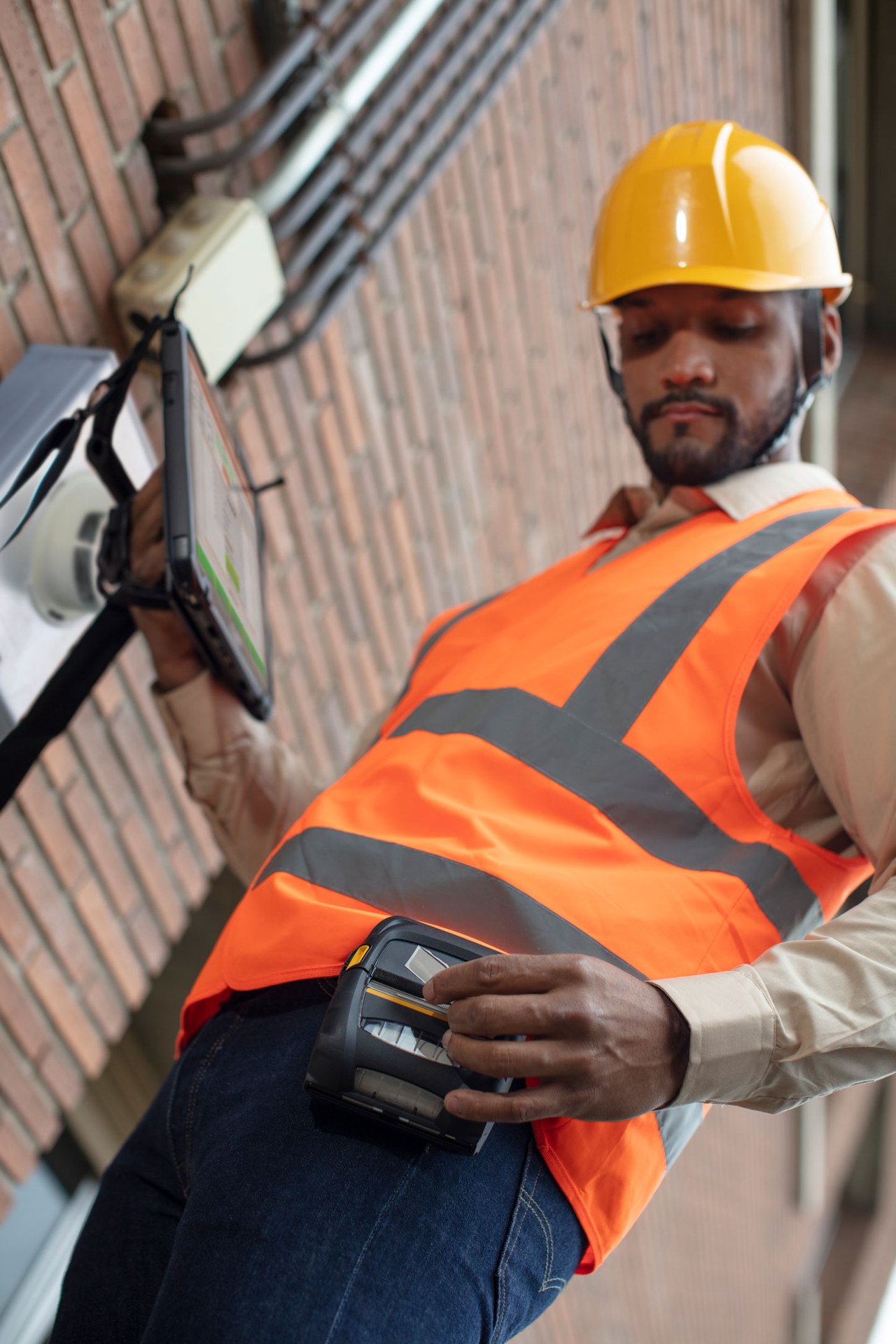
Asset and facility hardware for Hong Kong
Asset Identification and Facility Inspection Hardware
Give equipment, locations and facility work a verifiable identity. Easy Scan helps match barcode scanners, mobile computers, rugged tablets, RFID, printers, labels and local support to asset assignment, movement, inspection and exception checkpoints.
Overview
Give every asset and facility checkpoint a usable identity
Give assets a verifiable identity and support inspection or movement records. This page follows the physical checkpoints, records and hand-offs that should be understood before product categories are narrowed or a deployment is planned.
The primary equipment review covers Barcode scanners, Mobile computers, RFID readers and tags, Barcode printers, Labels and ribbons, Rugged tablets. Easy Scan can help match these categories to the site, workload, identification samples, connectivity, power and support route; exact configuration remains subject to application and compatibility checks.
- Operating scope:Define which assets and locations need controlled records
- Critical hand-off:Choose an identification method that suits the asset and environment
- Equipment bundle:Review Barcode scanners, Mobile computers, RFID readers and tags, Barcode printers, Labels and ribbons, Rugged tablets by work point instead of beginning with individual models.
- Deployment evidence:Use representative users, items, locations and exceptions during the site walkthrough.
Asset scope
Define which assets and locations need controlled records
Start with the items that have a clear operational owner and a reason to be identified. Avoid labelling everything before the business has agreed which record, location, assignment or inspection state must be maintained.
Movable equipment
Tools, devices, machines, carts or other assets that change users or locations. Test this checkpoint with representative items and locations, including duplicate, missing or unreadable identification where relevant. The next action should follow the required exception path and keep the original count visible.
Fixed equipment
Installed assets with an inspection, service or condition record. Keep the physical item, its identification and the resulting status connected throughout the process. If one element is missing, follow the page's exception route before the workflow continues.
Facility locations
Rooms, zones, cabinets, plants, checkpoints or service positions. Use the item, location, unit and quantity rules required at this checkpoint to prepare the scan or entry screen. When the physical result differs from the expected record, preserve the discrepancy for review instead of forcing a match.
Supporting records
Assignment, movement, inspection, maintenance, loan, return or retirement state. Check this requirement at the required work point with its actual power, connectivity, space and operator movement. Include the intended mount, cradle, charger or other required accessory so the review covers the complete setup.
Asset identity
Choose an identification method that suits the asset and environment
Barcode and RFID are different capture methods, not interchangeable promises. Select the label or tag around the surface, material, exposure, read position, handling and approved application record.
- Barcode label:Useful where the operator can present or approach one controlled identity.
- RFID tag:Assess only with representative assets, materials, read areas and real workflow tests.
- Location label:Place identification at the actual viewing and scanning position.
- Replacement control:Retire damaged or superseded identification before applying a new one.
Asset lifecycle events
Record receipt, assignment and movement as separate events
Receive
Confirm the authorised asset record and apply or verify its identity. Keep the physical item, its identification and the resulting status connected throughout the process. If one element is missing, follow the page's exception route before the workflow continues.
Assign
Link the asset to the approved person, team, site or work area. Review this step with the employees who perform and supervise it. Confirm that the instruction, status choices and escalation wording are understood consistently across the intended shift or work area.
Move
Confirm the asset and destination before recording the new location. Use the item, location, unit and quantity rules required at this checkpoint to prepare the scan or entry screen. When the physical result differs from the expected record, preserve the discrepancy for review instead of forcing a match.
Return or unassign
Close the current responsibility before the next assignment begins. Keep the returned item, its recorded identity and its current physical status together at this step. If they do not agree, route the item to the required exception review instead of overwriting the original record.
Inspection checkpoint
Confirm the asset before recording an inspection or maintenance event
The employee should identify the asset or facility point, open the authorised task and record only the fields required by the current process. A scan confirms identity; it does not determine condition, compliance or maintenance quality.
Where photos, notes, measurements or signatures are required, confirm that the chosen application and device support the exact input.

Facility rounds
Make each inspection point distinct and physically verifiable
- Round or task:Open the authorised inspection, cleaning, security or service activity.
- Location:Read the room, zone, equipment point or checkpoint identity.
- Required input:Complete only the fields and evidence specified by the process owner.
- Exception:Assign faults, access problems or missing equipment to the permitted route.
Loan and return
Keep responsibility changes tied to the physical asset
Define which event starts a loan, which person or team accepts responsibility, the expected return point and how differences are handled. A scan records the agreed event; it is not legal proof of custody unless the approved process establishes that meaning.
Issue
Confirm the asset, recipient and authorised assignment. The hand-off should provide a status that the next work area can act on. If the record and physical condition do not agree, preserve the difference for review rather than replacing the earlier status.
Return
Confirm the physical item and the permitted return location or owner. Use representative returned goods to check how this status is recorded and handed to the next responsible area. Commercial disposition remains with the authorised business role, while hardware supports identification and evidence capture.
Difference
Keep missing, damaged or substituted assets visible for follow-up. Keep the physical item, its identification and the resulting status connected throughout the process. If one element is missing, follow the page's exception route before the workflow continues.
Asset and facility product categories
Choose product types around identification and inspection work
Selection depends on the barcode or tag, asset material, scan or read position, operator movement, screen input, print location, connection and accessories. Verify the configuration at the actual site.

Barcode Scanners
For fixed desks or inspection points with presented labels. Test representative barcodes in the work position required at this checkpoint, including the normal scan distance, label presentation and host connection. This confirms whether the scanner category fits the actual item flow before individual products are compared.

Mobile Computers
For mobile identification, assignments, moves and inspections. Use a representative shift to confirm that instructions, scanning and status entry remain practical while the employee moves between the required work points. Include the intended case, cradle or other required accessory in the review.

Rugged Tablets
For inspection or maintenance work that benefits from a larger display. Use the required task to confirm the required screen area, input method and viewing position. Carrying, mounting, scanning, power and connectivity should be reviewed in the same trial rather than as separate accessories.

RFID Equipment
For tested tagged-asset workflows with defined read areas and controls. Validate this RFID step with representative tags, materials, read positions and the intended application. Record missed or unintended reads during the trial before deciding how RFID should complement barcode checkpoints.
Barcode and Label Printers
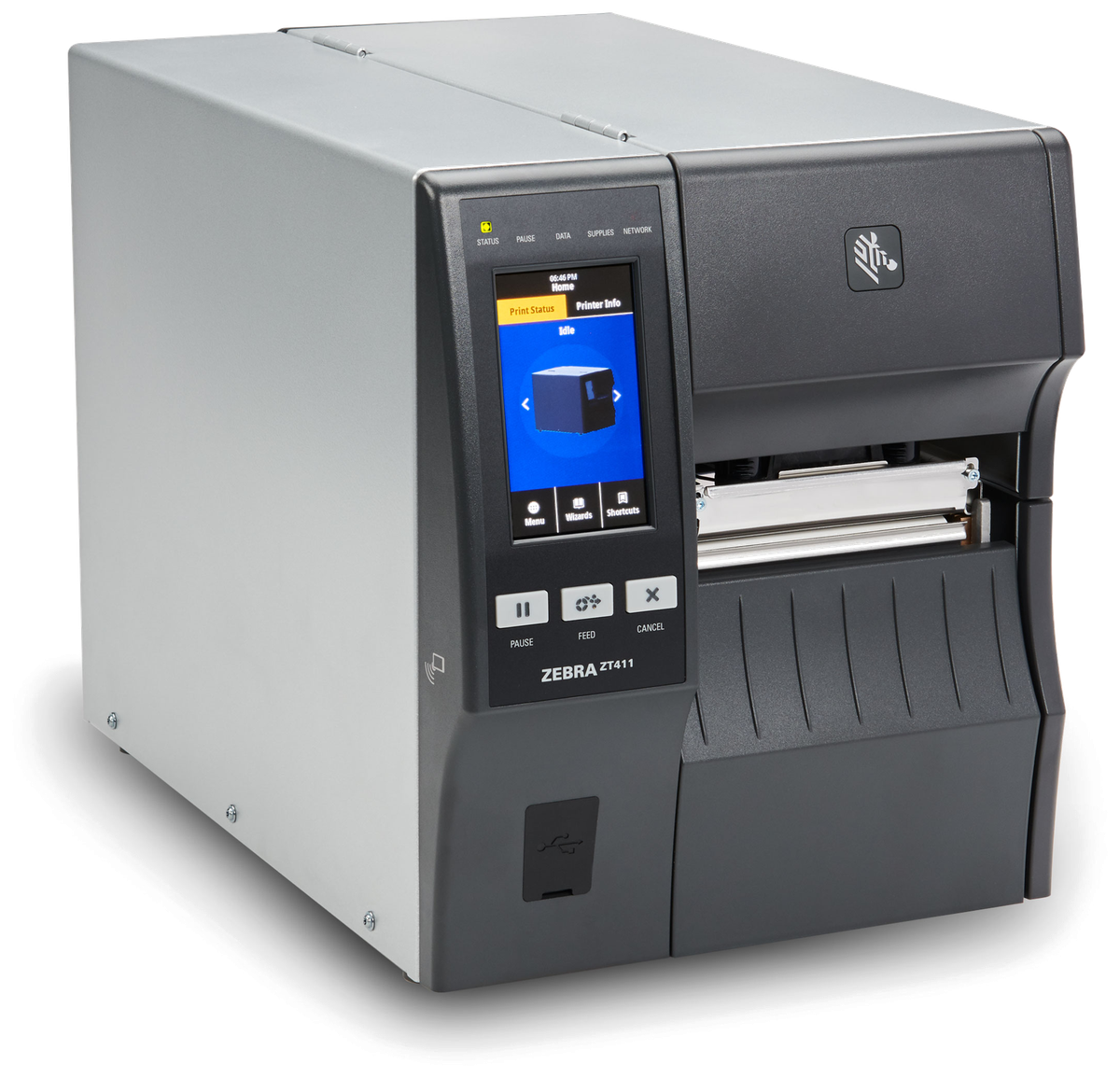
For controlled asset, location and replacement labels. Match this print point to where and when the label is produced, then review print method, label size, connection, placement and media replenishment. Check a print sample on the intended surface before narrowing the printer category.

Labels and Ribbons
For asset and location identification matched to the surface and exposure. Test the intended surface and environment with the actual barcode layout. Confirm whether direct thermal or thermal transfer is required, then review the consumable as part of the complete print workflow.
Labels and ribbons
Treat labels and ribbons as part of the working hardware system
A printer or mobile-printing decision is incomplete until the label is matched to the item, package, location or document used at this work point. Size, material, adhesive, surface, barcode layout and expected life all affect whether the identification remains usable.
For thermal-transfer printing, the ribbon also needs to suit the label material and printer configuration. Bring representative packaging, current labels and print samples so the printer, label and ribbon can be reviewed as one combination.
- Purpose and size:Define what the label identifies, the available space and the information or barcode it must carry.
- Surface and adhesive:Check cardboard, plastic, metal, reusable containers and any curved, cold or difficult surface.
- Environment and working life:Record temperature, moisture, abrasion, handling and how long the print must remain readable.
- Print method and ribbon:Confirm direct thermal or thermal transfer, then match the ribbon where thermal-transfer printing is used.
Identification media
Test asset labels and RFID tags on representative surfaces
Surface and shape
Flat, curved, textured, painted, plastic, metal or another verified material. Use the label purpose required at this checkpoint to confirm size, material, adhesive and expected life against representative surfaces. If thermal-transfer printing is involved, check the ribbon together with the printer and label rather than as a separate purchase.
Exposure
Handling, abrasion, cleaning, heat, cold, moisture, chemicals or outdoor use. Test the intended surface and environment with the actual barcode layout. Confirm whether direct thermal or thermal transfer is required, then review the consumable as part of the complete print workflow.
Read position
Operator access, viewing distance, barcode angle or controlled RFID read area. Use the label purpose required at this checkpoint to confirm size, material, adhesive and expected life against representative surfaces. If thermal-transfer printing is involved, check the ribbon together with the printer and label rather than as a separate purchase.
Required life
Match the identification to the expected asset and maintenance period. Use the label purpose required at this checkpoint to confirm size, material, adhesive and expected life against representative surfaces. If thermal-transfer printing is involved, check the ribbon together with the printer and label rather than as a separate purchase.
Work-point fit
Match device handling to stores, facilities and field locations
- Asset desk or store:Scanning, printing, assignment, returns and controlled label replacement.
- Walking inspection:Carrying, one-handed use, screen input, lighting and repeated checkpoints.
- Plant or equipment area:Safe reach, gloves, mounts, asset access, network and environmental exposure.
- Vehicle or remote site:Power, charging, carrying, connection and approved offline behaviour.
Asset exceptions
Keep missing, damaged and retired assets out of normal assignment
Identity not found
Hold the event for approved record review instead of creating an unverified asset. The completed record should show the next user what was checked, what changed and what still requires attention, so the expected hand-off is clear at the real work point.
Missing asset
Retain the last confirmed assignment and route the difference to its owner. Keep the physical item, its identification and the resulting status connected throughout the process. If one element is missing, follow the page's exception route before the workflow continues.
Damage or failed inspection
Use the permitted hold, repair, review or disposal process. The hand-off should provide a status that the next work area can act on. If the record and physical condition do not agree, preserve the difference for review rather than replacing the earlier status.
Retired or replaced asset
Close the old identity and prevent it from returning to active use. The completed record should show the next user what was checked, what changed and what still requires attention, so the expected hand-off is clear at the real work point.
Record boundary
Agree which application owns each asset state
The business should define the authoritative asset record, location, assignee, inspection result, maintenance state and retirement event. Hardware captures identities and input; it does not create real-time location or system compatibility without a verified design.
- Master identity:The approved asset number, description and active status.
- Current relationship:The permitted location, assignee, task or maintenance state.
- Exception ownership:The person or team responsible for differences and closure.
Connected asset flows
Review related logistics, service, counting and communication work
Transportation and Logistics
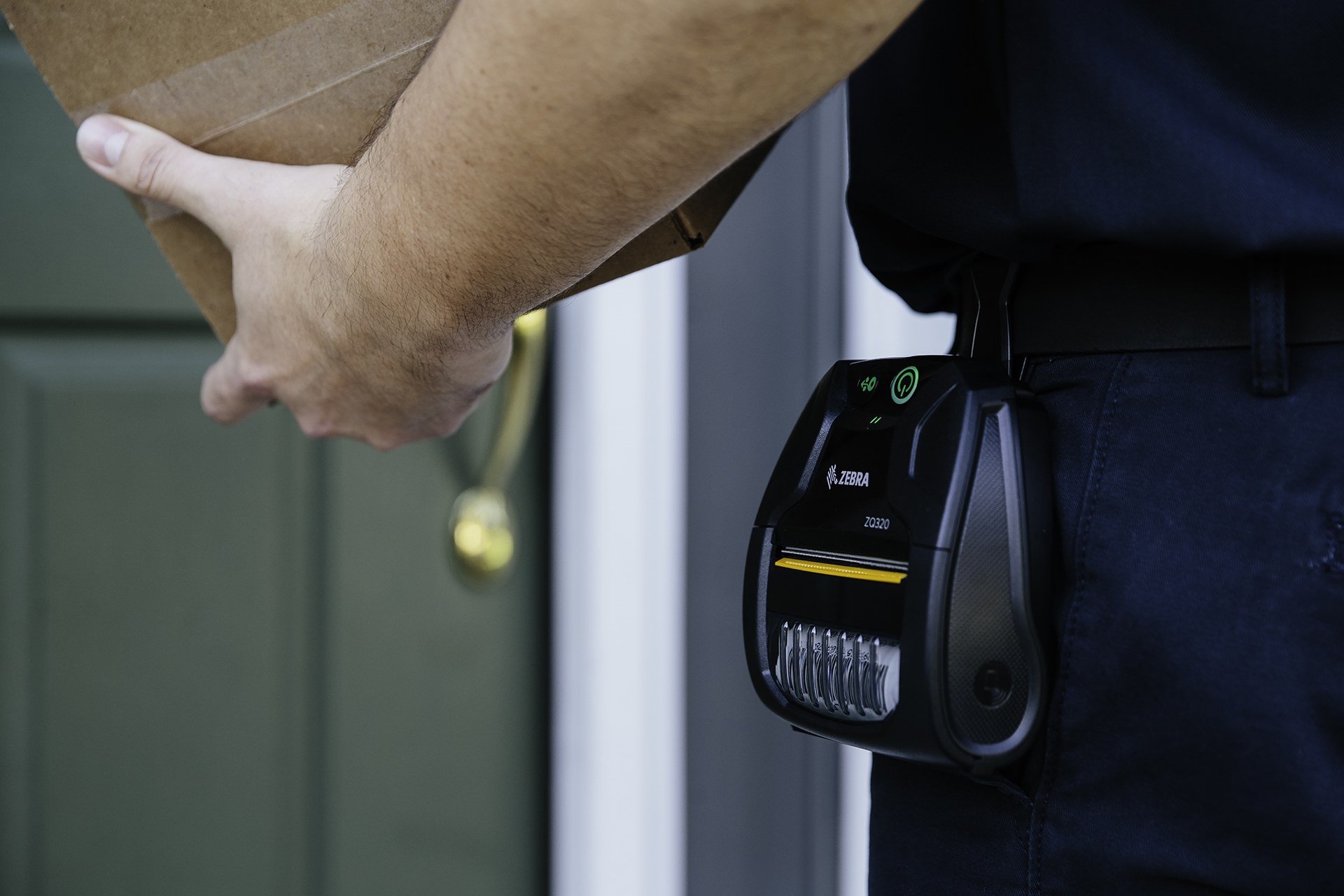
Connect asset movement to depot, vehicle and field hand-offs. Review this route task at the depot, vehicle and hand-over points named above. Mounting or carrying, power, connectivity and record synchronisation should reflect where the operator actually works.

Field Service
Link equipment identity to authorised service work in the field. Keep the physical item, its identification and the resulting status connected throughout the process. If one element is missing, follow the page's exception route before the workflow continues.

Inventory Counting
Plan a controlled count when assets or stock need physical reconciliation. Test this checkpoint with representative items and locations, including duplicate, missing or unreadable identification where relevant. The next action should follow the required exception path and keep the original count visible.

Team Communications
Coordinate inspection changes and exceptions between teams. Turn the responsibility required at this checkpoint into a clear instruction for the relevant role. The user should know the required input, permitted decision and named escalation route before this task is added to daily work.
Site review inputs
Bring real assets, labels and inspection work into the review
- Representative assets:Sizes, materials, shapes, existing identities, mounting positions and exposure.
- Locations and routes:Stores, rooms, facilities, checkpoints, vehicles and remote sites.
- Users and devices:Assignees, inspectors, service staff, carrying, charging and current equipment.
- Applications and events:Asset records, assignments, moves, inspections, maintenance, retirement and exceptions.
Asset and facility FAQ
Asset-identification planning questions
Should every item receive an asset label?
No. Start with assets that have a clear owner and a record, assignment, movement or inspection need.
When should RFID be considered instead of barcode?
Assess RFID only where tagged assets, materials, read areas and the application can be tested in the real workflow.
Can scanning show an asset’s real-time location?
Not by itself. A scan records the agreed event; location visibility depends on the approved process and verified system design.
When is a rugged tablet useful?
It can suit inspections needing a larger display, subject to carrying, mounting, input, connection and application requirements.
How should damaged labels be replaced?
Verify the asset record, retire the superseded identity and print the replacement only through the authorised process.
What should we prepare for an Easy Scan review?
Share representative assets, surfaces, labels or tags, locations, inspection tasks, devices, applications and common exceptions.
Map your asset and facility checkpoints with Easy Scan
Show us how assets are labelled, assigned, moved, inspected, returned and retired. We can then discuss the relevant product categories, media and verification steps.
