


Order picking, staging and hand-off hardware for Hong Kong retailers
Omnichannel Fulfilment Hardware for Store Orders
Connect an approved order to the correct fulfilment node, item, staging location, package and customer or carrier hand-off. Easy Scan helps retailers assess mobile computers, scanners, printers, tablets, labels and deployment support, while order aggregation, allocation, payment and customer promises remain with the selected commerce and fulfilment systems.
Overview
Keep order identity clear across every fulfilment hand-off
Connect an approved order to the correct fulfilment node, item, staging location, package and customer or carrier hand-off. This page follows the physical checkpoints, records and hand-offs that should be understood before product categories are narrowed or a deployment is planned.
The primary equipment review covers Mobile computers, Barcode scanners, Mobile printers, Barcode printers, Rugged tablets, Labels and ribbons. Easy Scan can help match these categories to the site, workload, identification samples, connectivity, power and support route; exact configuration remains subject to application and compatibility checks.
- Operating scope:Start from one approved order, not from a device
- Critical hand-off:Give each worker the correct order version and service instruction
- Equipment bundle:Review Mobile computers, Barcode scanners, Mobile printers, Barcode printers, Rugged tablets, Labels and ribbons by work point instead of beginning with individual models.
- Deployment evidence:Use representative users, items, locations and exceptions during the site walkthrough.
Omnichannel scope and channel boundary
Start from one approved order, not from a device
Order source
The commerce platform or approved team creates the customer order. Turn the responsibility required at this checkpoint into a clear instruction for the relevant role. The user should know the required input, permitted decision and named escalation route before this task is added to daily work.
Fulfilment release
The selected system assigns a node, items, quantity, timing and service route. Use a small set of representative records to test the hand-off between capture and the business system. Confirm field ownership, accepted values and how rejected or incomplete records return to the responsible user.
Physical execution
Store or warehouse staff identify goods, locations, containers and hand-offs. Test this checkpoint with representative items and locations, including duplicate, missing or unreadable identification where relevant. The next action should follow the required exception path and keep the original count visible.
Customer promise
Price, availability, payment, delivery and notification stay with verified systems. Map the identifiers and status fields required at this checkpoint to the existing source record before configuring an interface. Define validation, duplicate prevention and retry handling so a device submission does not create an ambiguous transaction.
Order release, identity and priority
Give each worker the correct order version and service instruction
- Order identifier:Use an approved reference that follows the order through pick, stage and hand-off.
- Release version:Show current items, quantities, changes, holds and cancellation state.
- Priority and deadline:Display only the timing and sequence released by the selected system.
- Responsible team:Assign pick, pack, stage, collection or delivery roles clearly.
Fulfilment node and allocation boundary
Keep node selection and stock allocation outside the hardware layer
A scanner can identify an item or location; it does not choose whether a store, warehouse or another site should fulfil the order. Confirm which system allocates the node, how reassignment is approved and what happens when physical conditions disagree with the released order.
Assigned node
Show the approved store, warehouse or collection point. The completed record should show the next user what was checked, what changed and what still requires attention, so the expected hand-off is clear at the real work point.
Reassignment
Require an authorised action before work moves to another node. Keep the physical item, its identification and the resulting status connected throughout the process. If one element is missing, follow the page's exception route before the workflow continues.
Node exception
Record access, stock, staffing or operating constraints for review. Test this checkpoint with representative items and locations, including duplicate, missing or unreadable identification where relevant. The next action should follow the required exception path and keep the original count visible.
Reservation and availability boundary
Separate digital availability from physical confirmation
Reservation, available-to-promise and allocation records belong to the selected order and stock systems. The fulfilment worker confirms the physical item at the assigned source and records approved exceptions; physical availability and saleable condition still require source-point confirmation.
- Reserved line:Display the released item, unit and quantity.
- Physical item found:Confirm the code and source before removing stock.
- Physical item missing:Record the approved shortage reason and pause the line.
- Stock decision:Return allocation, substitution or cancellation to authorised systems and teams.
Store pick and location route
Confirm source, item and handling unit at the physical pick point
The task should guide the worker to an approved source, identify the required item and record the permitted quantity or unit. If totes, carts or order containers are used, define how they are identified and associated with the order.
Test packaging, shelf height, customer traffic, scan angle, screen visibility, device carrying and route constraints in the actual store or warehouse.

Shortage, substitution and partial order
Keep customer-impacting decisions with authorised systems and teams
- Short pick:Record the actual quantity and approved reason.
- Substitution request:Do not replace an item unless the selected process authorises it.
- Partial order:Keep release, hold or cancellation decisions with the order owner.
- Customer communication:Use only the approved notification route from the selected system.
Staging lane and collection identity
Keep completed goods tied to the correct order and hand-off route
Staging location
Identify the approved ambient, chilled, secure or service-specific area as applicable. Use the item, location, unit and quantity rules required at this checkpoint to prepare the scan or entry screen. When the physical result differs from the expected record, preserve the discrepancy for review instead of forcing a match.
Order container
Link each tote, bag, carton or package to the intended order. Keep the physical item, its identification and the resulting status connected throughout the process. If one element is missing, follow the page's exception route before the workflow continues.
Customer or carrier reference
Use the minimum approved identifier at collection. Test this step with representative items and records from the required workflow. Confirm what the operator can decide here and which condition must be handed to an authorised reviewer.
Release control
Define who may hand over, hold or return the order to review. The hand-off should provide a status that the next work area can act on. If the record and physical condition do not agree, preserve the difference for review rather than replacing the earlier status.
Packing, labels and documents
Match each output to the package and service route
Confirm which order label, carton label, receipt, collection reference or carrier document is required, where its approved content comes from and when it is printed. Define size, material, adhesive, print method, placement, duplicate handling and replacement control.
- Package identity:Keep the order reference readable through staging and hand-off.
- Service label:Use only content released by the selected fulfilment or carrier process.
- Document output:Separate customer, internal and carrier documents by purpose.
- Reprint control:Record the reason and remove or invalidate conflicting outputs.
Pickup, delivery and hand-off
Verify the order, recipient and release authority before hand-over
Customer pickup
Match the approved collection reference to the staged order. Keep the physical item, its identification and the resulting status connected throughout the process. If one element is missing, follow the page's exception route before the workflow continues.
Curbside or vehicle hand-off
Define the safe meeting point, order check and release action. Use a representative journey to check how the device receives the task, captures each stop and returns the completed record. Include periods with limited connectivity in the workflow review without assuming unsupported offline capability.
Courier hand-off
Confirm the carrier, package count and permitted record. Use the item, location, unit and quantity rules required at this checkpoint to prepare the scan or entry screen. When the physical result differs from the expected record, preserve the discrepancy for review instead of forcing a match.
Evidence boundary
Capture only authorised scans, names, signatures, images or times where supported. Specify which permitted evidence is needed for the hand-off required at this checkpoint and how it is tied to the correct order, asset or service record. Access, retention and exception handling should follow the organisation's approved process.
Cancellation, return and uncollected order
Keep post-release exceptions linked to the current order state
- Cancellation before pick:Stop work only from an approved current order state.
- Cancellation after stage:Identify each package and route goods through the authorised process.
- Uncollected order:Keep hold time, contact and disposition decisions with the order owner.
- Return:Separate return intake, condition review and stock disposition.
Omnichannel fulfilment product categories
Match hardware types to picking, staging, packing and hand-off

Mobile Computers
For supported order review, scanning and status input across fulfilment points. Build the trial around the on-screen task and data entry required at this checkpoint. Check scanning, keypad or touch input, carrying method, charging and required connectivity as one mobile workflow.

Barcode Scanners
For fixed or handheld code capture at defined work points. Use the real item, package or location codes from this checkpoint to review scan angle, distance, operator movement and connection. Include difficult but valid samples so the selection is based on the working environment.

Mobile Printers
For authorised outputs near picking, staging or hand-off points. Match this print point to where and when the label is produced, then review print method, label size, connection, placement and media replenishment. Check a print sample on the intended surface before narrowing the printer category.

Barcode Printers
For central or packing-station labels under an approved process. Use the output required at this checkpoint to assess the print point, expected workload and operator handling. The printer, connection and consumables should be tested as one setup with the real label format.

Rugged Tablets
For supported work that benefits from a larger display and input area. Use the required task to confirm the required screen area, input method and viewing position. Carrying, mounting, scanning, power and connectivity should be reviewed in the same trial rather than as separate accessories.

Labels and Ribbons
For approved outputs matched to the printer, package and service use. Test the intended surface and environment with the actual barcode layout. Confirm whether direct thermal or thermal transfer is required, then review the consumable as part of the complete print workflow.
Labels and ribbons
Treat labels and ribbons as part of the working hardware system
A printer or mobile-printing decision is incomplete until the label is matched to the item, package, location or document used at this work point. Size, material, adhesive, surface, barcode layout and expected life all affect whether the identification remains usable.
For thermal-transfer printing, the ribbon also needs to suit the label material and printer configuration. Bring representative packaging, current labels and print samples so the printer, label and ribbon can be reviewed as one combination.
- Purpose and size:Define what the label identifies, the available space and the information or barcode it must carry.
- Surface and adhesive:Check cardboard, plastic, metal, reusable containers and any curved, cold or difficult surface.
- Environment and working life:Record temperature, moisture, abrasion, handling and how long the print must remain readable.
- Print method and ribbon:Confirm direct thermal or thermal transfer, then match the ribbon where thermal-transfer printing is used.
Device mobility and readiness
Plan carrying, charging and accessories for each fulfilment zone
Carry and grip
Review hand use, holsters, straps, carts and shared-device handling. The completed record should show the next user what was checked, what changed and what still requires attention, so the expected hand-off is clear at the real work point.
Screen and scan position
Test visibility and reach at shelves, packing tables and pickup points. Keep the physical item, its identification and the resulting status connected throughout the process. If one element is missing, follow the page's exception route before the workflow continues.
Battery and charging
Define shift duration, charging locations, spares and ownership. Use the site conditions required at this checkpoint to confirm placement, cable or wireless reach, charging and safe access for support. Record constraints before selecting a product configuration or planning installation.
Cleaning and hand-over
Use approved methods and record device or supply issues between teams. Turn the responsibility required at this checkpoint into a clear instruction for the relevant role. The user should know the required input, permitted decision and named escalation route before this task is added to daily work.
Connectivity and status boundary
Test how the selected application handles delayed or interrupted updates
This hardware page does not assume offline orders, local stock, queued status updates, automatic synchronisation or conflict handling. Verify weak-signal areas, operator messages, order-version checks, reconnect behaviour and review of incomplete or repeated actions.
- Before work:Confirm login, order version, device time and assigned node.
- During signal loss:Define what may continue and what must pause.
- Reconnect:Test delayed, duplicated, rejected and changed orders.
- Status review:Keep unresolved order actions visible to the responsible team.
Secondary business-system layer
Connect approved fulfilment records to SME ERP only where supported
Where a selected SME ERP holds relevant customer, sales, item, stock, purchasing or accounting records, scope only a supported hand-off from the commerce or fulfilment application. Confirm identifiers, units, fields, permissions, timing, rejected records and the authoritative system. Hardware and supplies remain the primary scope.
Approved fulfilment record
Map only permitted order, item, quantity, package and status fields. Test this checkpoint with representative items and locations, including duplicate, missing or unreadable identification where relevant. The next action should follow the required exception path and keep the original count visible.
Decision boundary
Keep pricing, payment, allocation, customer and accounting logic with verified systems. Use a small set of representative records to test the hand-off between capture and the business system. Confirm field ownership, accepted values and how rejected or incomplete records return to the responsible user.
Connected fulfilment workflows
Review the warehouse and retail processes around the order

Retail Technology Solutions
Place store fulfilment inside the wider retail hardware and data plan. Keep the physical item, its identification and the resulting status connected throughout the process. If one element is missing, follow the page's exception route before the workflow continues.
Picking
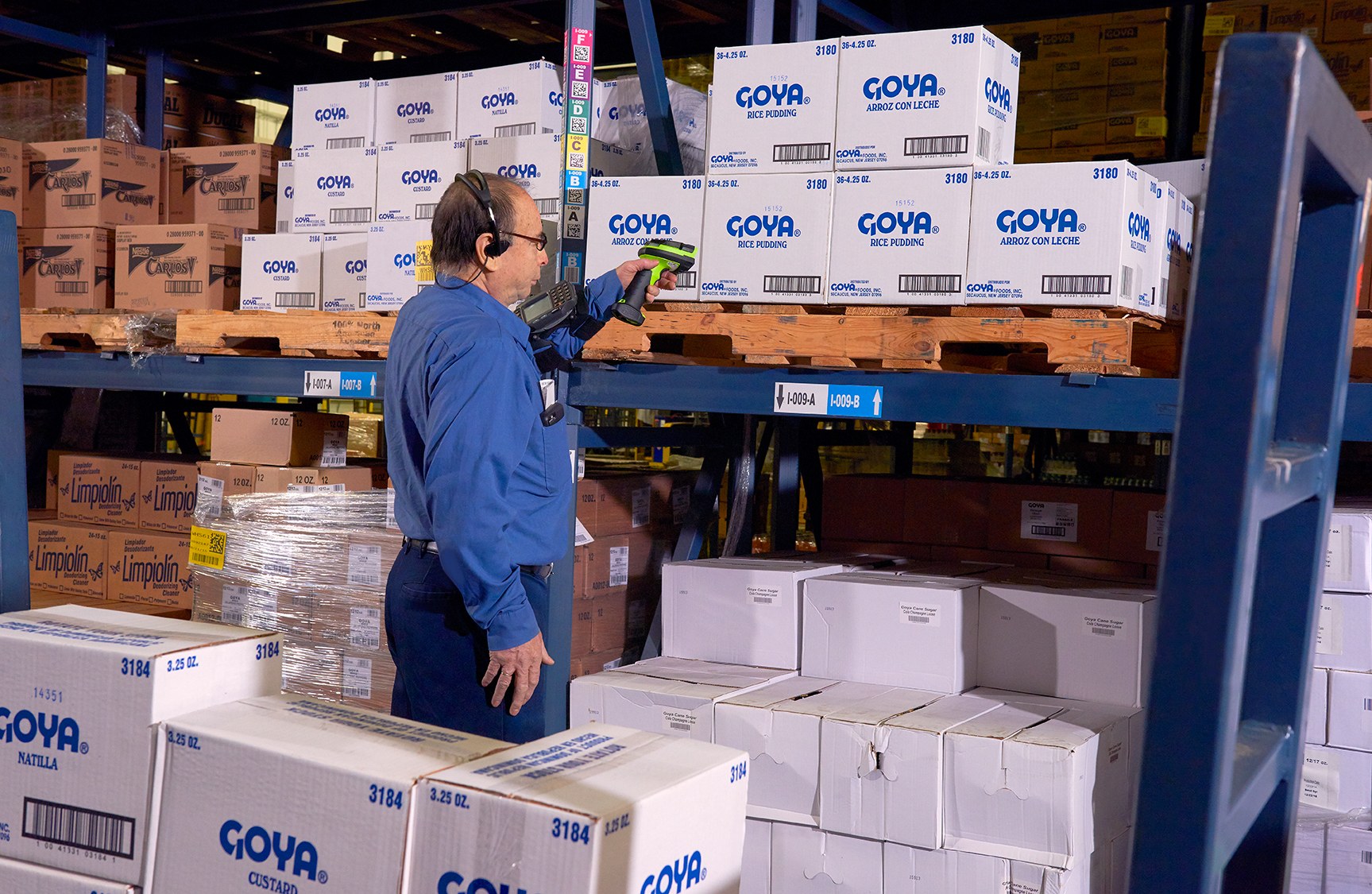
Review source, item, handling unit and pick confirmation. Test this step with representative items and records from the required workflow. Confirm what the operator can decide here and which condition must be handed to an authorised reviewer.

Packing
Plan package identity, output, verification and exception control. Keep the physical item, its identification and the resulting status connected throughout the process. If one element is missing, follow the page's exception route before the workflow continues.

Shipping
Connect the completed package to the approved carrier hand-off. Test this step with representative items and records from the required workflow. Confirm what the operator can decide here and which condition must be handed to an authorised reviewer.
Order-flow review inputs
Walk one order from release to customer or carrier hand-off
- Channels and systems:Order source, node allocation, stock owner, payment boundary and service route.
- Items and locations:Representative packaging, codes, sources, totes, staging areas and pickup points.
- Outputs and exceptions:Labels, documents, shortages, substitutions, cancellations and uncollected orders.
- Hardware and operations:Current devices, applications, charging, connectivity, printing and supplies.
Frequently asked questions
Omnichannel fulfilment hardware planning questions
What should be defined before selecting omnichannel fulfilment hardware?
Define the order source, node allocation, item and location identities, pick and staging process, package outputs, hand-off checks, exceptions, permissions and record owners.
Which product categories may support store-order fulfilment?
The review may include mobile computers, barcode scanners, mobile printers, barcode printers, rugged tablets, labels and ribbons. Suitability must be verified against the selected applications and work points.
Does scanning provide omnichannel order management?
No. Scanning identifies items, locations, packages or references. Order aggregation, allocation, availability, price, payment and customer communication belong to verified systems.
Can one workflow cover customer pickup and courier delivery?
They may share item, package and staging controls, but each service route needs its own identity check, release authority, output and exception process.
Is SME ERP required for omnichannel fulfilment hardware?
No. SME ERP is a secondary option only where supported sales, item, stock, purchasing or accounting records require a verified hand-off from the commerce or fulfilment application.
What should we prepare for an Easy Scan review?
Prepare one order flow, representative items and packages, source and staging locations, labels or documents, current devices, application owners, network notes and common exceptions.
Review your omnichannel fulfilment work points with Easy Scan
Share one order flow, assigned node, item and location codes, staging and package process, hand-off route, current devices, application owners and common exceptions. We can then discuss suitable product categories and verification steps.
