

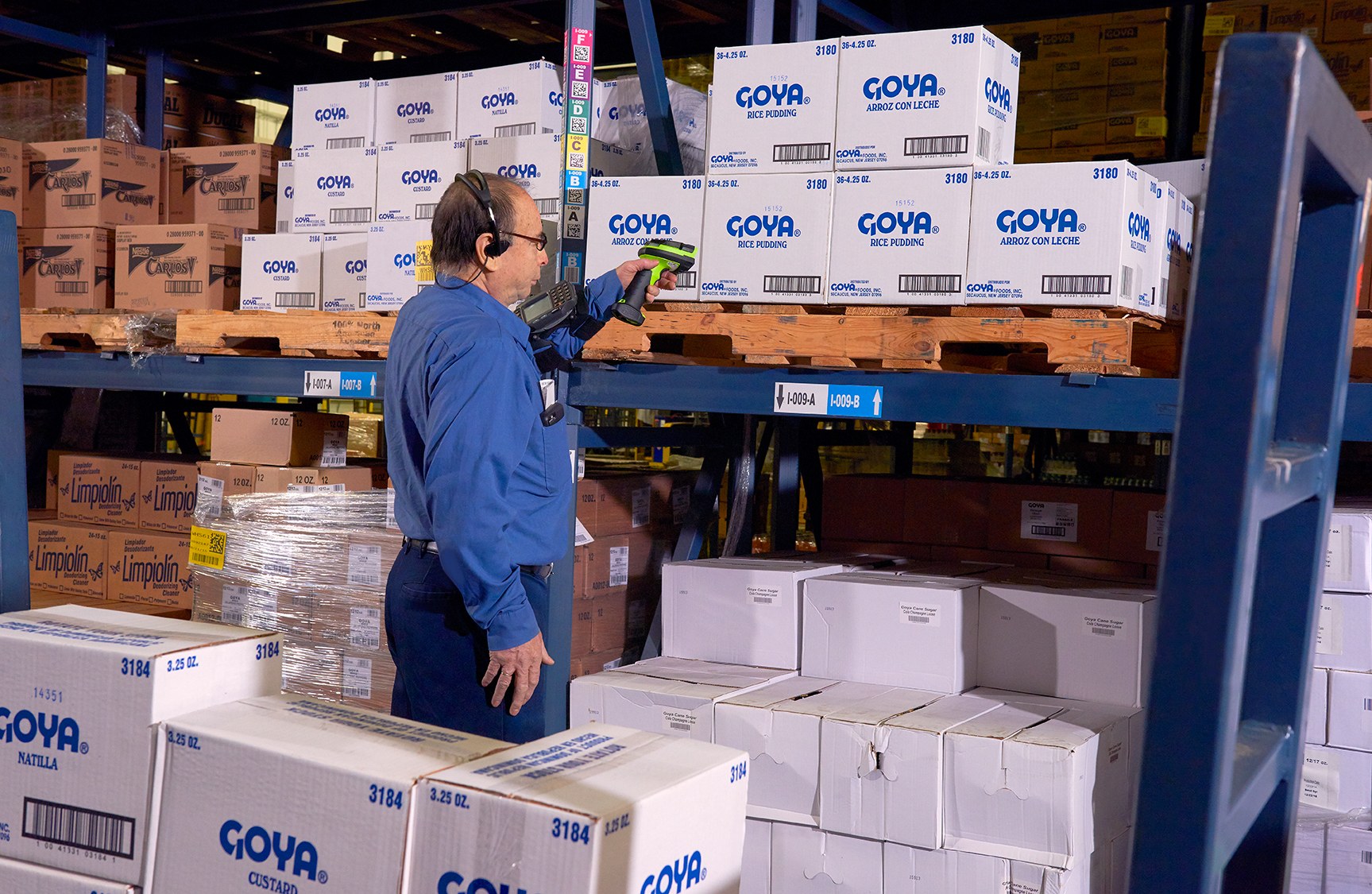
Picking hardware for Hong Kong warehouses
Warehouse Picking with Barcode and Mobile Data Capture
Guide employees to the assigned location, then verify the item and quantity before stock moves to packing. Easy Scan helps warehouse teams review wearable scanners, mobile computers, handheld scanners, mobile printers, labels and deployment requirements around the real pick path.
Overview
Turn each pick into a clear item, location and quantity check
Guide operators to the right location and confirm the picked item and quantity. This page follows the physical checkpoints, records and hand-offs that should be understood before product categories are narrowed or a deployment is planned.
The primary equipment review covers Wearable scanners, Mobile computers, Barcode scanners, Mobile printers, Labels and ribbons. Easy Scan can help match these categories to the site, workload, identification samples, connectivity, power and support route; exact configuration remains subject to application and compatibility checks.
- Operating scope:Find where picking instructions stop matching physical stock
- Critical hand-off:Give the picker only the information needed at the next stop
- Equipment bundle:Review Wearable scanners, Mobile computers, Barcode scanners, Mobile printers, Labels and ribbons by work point instead of beginning with individual models.
- Deployment evidence:Use representative users, items, locations and exceptions during the site walkthrough.
Start with the pick path
Find where picking instructions stop matching physical stock
A device cannot fix an unclear pick face, an unreadable location code or an exception with no owner. Walk the current route and record where employees hesitate, return to a workstation or continue despite a mismatch.
The location is unclear
Location labels are missing, duplicated, damaged or placed where the employee cannot scan them naturally. Test the intended surface and environment with the actual barcode layout. Confirm whether direct thermal or thermal transfer is required, then review the consumable as part of the complete print workflow.
The item is difficult to verify
One product has multiple codes, packaging levels or similar items that need an agreed identification rule. Test this checkpoint with representative items and locations, including duplicate, missing or unreadable identification where relevant. The next action should follow the required exception path and keep the original count visible.
Quantity entry interrupts the task
The operator must stop, put goods down or return to another screen before recording the picked quantity. Use the item, location, unit and quantity rules required at this checkpoint to prepare the scan or entry screen. When the physical result differs from the expected record, preserve the discrepancy for review instead of forcing a match.
Short picks have no route
Missing, damaged or inaccessible stock is treated as a completed pick instead of a named exception. Use the item, location, unit and quantity rules required at this checkpoint to prepare the scan or entry screen. When the physical result differs from the expected record, preserve the discrepancy for review instead of forcing a match.
The instruction record
Give the picker only the information needed at the next stop
Agree which application releases work and which fields appear on the device. A practical instruction normally needs a pick reference, source location, item, required quantity and a permitted exception route. Packaging level, lot or other fields belong only where the existing process requires them.
- Pick reference:The order, wave, task or other verified record that groups the work.
- Source location:The physical position the employee must reach and confirm before taking stock.
- Item and quantity:The identifier and amount that must be checked at the work point.
- Exception choice:Approved statuses for missing, damaged, inaccessible or mismatched stock.
Scan sequence
Confirm location, item and quantity in a deliberate order
1. Open the assigned work
Start from the verified task and display the next source location. Test this checkpoint with representative items and locations, including duplicate, missing or unreadable identification where relevant. The next action should follow the required exception path and keep the original count visible.
2. Confirm the source location
Scan or otherwise verify the location before taking the item. Test this checkpoint with representative items and locations, including duplicate, missing or unreadable identification where relevant. The next action should follow the required exception path and keep the original count visible.
3. Verify the item
Read the agreed item or packaging barcode and handle any mismatch as an exception. Use the real item, package or location codes from this checkpoint to review scan angle, distance, operator movement and connection. Include difficult but valid samples so the selection is based on the working environment.
4. Record the quantity
Use the approved input method for single or multiple units without assuming a fixed workflow. Use the item, location, unit and quantity rules required at this checkpoint to prepare the scan or entry screen. When the physical result differs from the expected record, preserve the discrepancy for review instead of forcing a match.
5. Place into the next container
Where required, associate the pick with a tote, carton, pallet or other destination reference. The hand-off should provide a status that the next work area can act on. If the record and physical condition do not agree, preserve the difference for review rather than replacing the earlier status.
6. Close or escalate
Complete only after required checks pass; otherwise assign a clear exception status and owner. The hand-off should provide a status that the next work area can act on. If the record and physical condition do not agree, preserve the difference for review rather than replacing the earlier status.
How the operator works
Choose a form factor around hands, movement and screen use
A wearable scan arrangement may help when employees repeatedly handle cartons or units, but fit, controls, pairing, charging and the application still need verification. A handheld mobile computer can combine scanning and screen input, while a separate scanner may suit a fixed or vehicle work point.
Observe the goods handled, scan direction, reach, gloves, carrying method, device storage, shift changes and charging routine before deciding which category to test.

- Hands-busy picking:Review wearable scanning and a separate screen or wearable computer only after checking the complete combination.
- Screen-led picking:Use a handheld mobile computer when the operator needs task detail, confirmation and exception input while moving.
- Fixed or vehicle work:Assess the scanner, host, mount, power and reach around the actual workstation or vehicle position.
Picking product categories
Compare product types after defining the operator’s work
Product images represent their categories. Select the category first, then confirm the exact product, accessories and application against real barcode samples and the warehouse route.

Wearable Scanners
For repeated scans while handling goods, subject to fit, pairing, controls, charging and application verification. Test this hands-busy task with the intended glove, trigger and host-device arrangement. The trial should cover repeated scans, movement between locations and how the equipment is returned for charging.
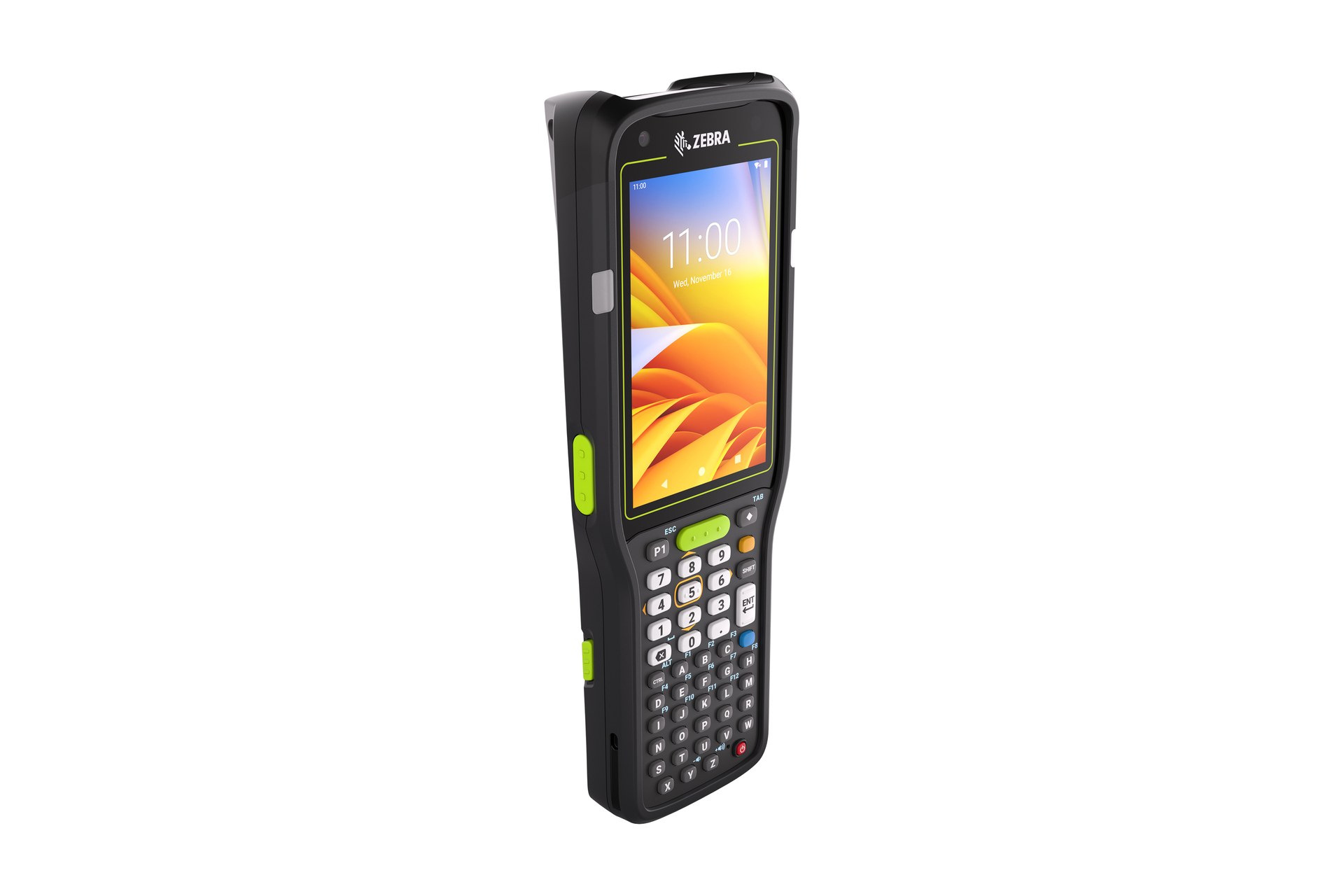
Mobile Computers
For mobile work combining task instructions, barcode capture, quantity entry and exception status. Build the trial around the on-screen task and data entry required at this checkpoint. Check scanning, keypad or touch input, carrying method, charging and required connectivity as one mobile workflow.
Barcode Scanners
For verified barcode capture at a fixed, cart or vehicle position connected to the required host. Use the real item, package or location codes from this checkpoint to review scan angle, distance, operator movement and connection. Include difficult but valid samples so the selection is based on the working environment.

Mobile Printers
For approved labels required near the pick path, after print volume, carrying, media and connection are confirmed. Use the output required at this checkpoint to assess the print point, expected workload and operator handling. The printer, connection and consumables should be tested as one setup with the real label format.

Labels and Ribbons
For item, location, tote, carton or route identification matched to the surface, print method and required life. Test the intended surface and environment with the actual barcode layout. Confirm whether direct thermal or thermal transfer is required, then review the consumable as part of the complete print workflow.
Labels and ribbons
Treat labels and ribbons as part of the working hardware system
A printer or mobile-printing decision is incomplete until the label is matched to the item, package, location or document used at this work point. Size, material, adhesive, surface, barcode layout and expected life all affect whether the identification remains usable.
For thermal-transfer printing, the ribbon also needs to suit the label material and printer configuration. Bring representative packaging, current labels and print samples so the printer, label and ribbon can be reviewed as one combination.
- Purpose and size:Define what the label identifies, the available space and the information or barcode it must carry.
- Surface and adhesive:Check cardboard, plastic, metal, reusable containers and any curved, cold or difficult surface.
- Environment and working life:Record temperature, moisture, abrasion, handling and how long the print must remain readable.
- Print method and ribbon:Confirm direct thermal or thermal transfer, then match the ribbon where thermal-transfer printing is used.
Short picks and mismatches
Design exception work before measuring completed picks
Do not let the operator bypass a failed location or item check just to continue. Define the permitted statuses, evidence and follow-up owner for every common exception.
Stock not found
Record the assigned location and required item, then route the task for stock or location review. Use the item, location, unit and quantity rules required at this checkpoint to prepare the scan or entry screen. When the physical result differs from the expected record, preserve the discrepancy for review instead of forcing a match.
Item mismatch
Keep the scanned item separate from the requested line and show the operator the approved next step. Test this checkpoint with representative items and locations, including duplicate, missing or unreadable identification where relevant. The next action should follow the required exception path and keep the original count visible.
Quantity shortage
Record the actual quantity only through the permitted workflow and leave the remaining line visible. Use the item, location, unit and quantity rules required at this checkpoint to prepare the scan or entry screen. When the physical result differs from the expected record, preserve the discrepancy for review instead of forcing a match.
Unreadable code
Send the item or label to an identification point rather than entering an unverified code. Use the real item, package or location codes from this checkpoint to review scan angle, distance, operator movement and connection. Include difficult but valid samples so the selection is based on the working environment.
Completion record
Make the hand-off to packing explicit
The picking device records work at the shelf or route. The existing application must define when a pick line is complete, which container or order receives it and who owns rejected or incomplete records. Hardware does not create those business rules by itself.
- Completed pick:Required location, item and quantity checks have passed under the approved workflow.
- Container hand-off:The picked goods are associated with the correct tote, carton, pallet, order or next work point where required.
- Open exception:A named team receives the shortage, mismatch or identification issue for follow-up.
Connected stock flows
Review the workflow before and after each pick

Put-away and Replenishment
Confirm source stock reaches the correct storage or forward-pick location. Use the item, location, unit and quantity rules required at this checkpoint to prepare the scan or entry screen. When the physical result differs from the expected record, preserve the discrepancy for review instead of forcing a match.

Packing
Verify picked contents and prepare carton or shipping identification at the next station. The completed record should show the next user what was checked, what changed and what still requires attention, so the expected hand-off is clear at the real work point.

Inventory Counting
Investigate repeated location or quantity differences with a controlled count process. Use the item, location, unit and quantity rules required at this checkpoint to prepare the scan or entry screen. When the physical result differs from the expected record, preserve the discrepancy for review instead of forcing a match.

Shipping
Complete the final order, label and transfer checks before goods leave the site. Use the label purpose required at this checkpoint to confirm size, material, adhesive and expected life against representative surfaces. If thermal-transfer printing is involved, check the ribbon together with the printer and label rather than as a separate purchase.
Prepare a pick-path walkthrough
Bring the route, samples and operator needs into the review
- Route and work points:Pick faces, travel path, carts or vehicles, staging points, packing hand-off and exception locations.
- Barcode samples:Location, item, packaging and container codes, including damaged or difficult-to-reach labels.
- Operator handling:Goods carried, gloves, scan direction, reach, screen input, shift changes and charging routine.
- Application and network:Current task screens, required fields, host connection, Wi-Fi coverage, accessories and existing equipment.
Frequently asked questions
Warehouse picking questions
Should we scan the location or item first?
Use the order defined by the approved workflow. A common design confirms the source location before the item, but packaging, layout and application rules may require another sequence.
When should we consider wearable scanning?
Consider it when employees repeatedly handle goods and a handheld scan action interrupts the task. Verify fit, controls, pairing, charging, screen needs and application compatibility as one setup.
Do all pickers need a mobile computer?
No. The choice depends on movement, screen instructions, data entry, barcode range, host connection and exceptions. Some fixed, cart or vehicle work points may use another device form.
Can scanning prevent every picking error?
No. Scanning verifies agreed references and records actions. Label quality, stock accuracy, application rules, training and exception handling also affect the process.
Where does a mobile printer fit picking?
Only where an approved label is required close to the work point. Confirm the label purpose, media, carrying method, print volume and connection before adding printing to the route.
What should we prepare before contacting Easy Scan?
Share the current route, work-point photos, barcode samples, goods handled, task screens, exceptions, network coverage, existing equipment and required labels.
Walk through your warehouse pick path with Easy Scan
Show us how work is released, how employees confirm locations and items, and where shortages or mismatches go. We can then discuss the relevant product categories and verification steps.
