Easy Scan 掃碼科技

Zebra DS4608 Barcode Scanner

Zebra DS4608

Corded 1D / 2D scanner for retail counters

  • Useful for POS, returns, specialty retail, phone coupons and small high-density labels.
  • Supports a 1280 x 800 pixels image sensor, SR / HD configuration directions and multiple host interfaces.
  • Check stand, cable, EAS / OCR needs and output setup during enquiry.
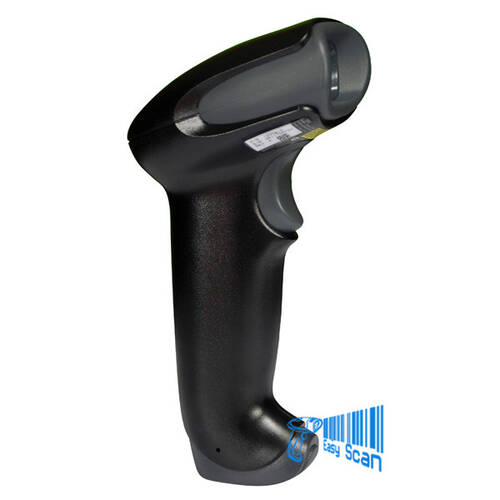
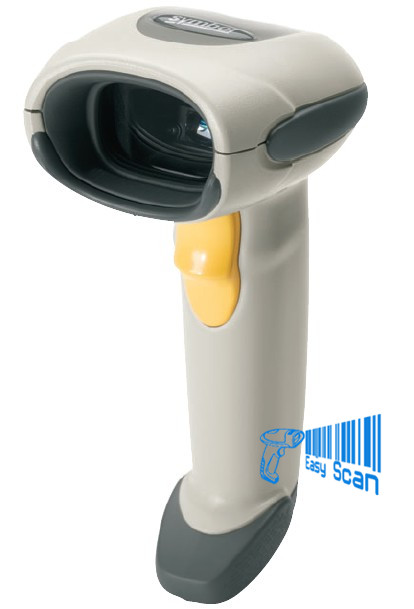
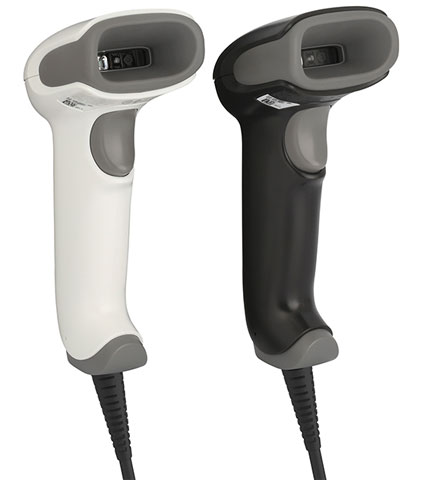
Zebra DS4608 black handheld barcode scanner front right product image

Zebra 1D / 2D Corded Barcode Scanner

Zebra DS4608 for retail counters, checkout and dense barcode scanning

DS4608 is part of Zebra’s DS4600 Series and is a strong fit for fixed Hong Kong retail counters that need 1D / 2D barcode capture, phone coupons, shelf labels, small high-density codes, OCR direction and selected EAS workflows.

Product Overview

A corded scanner for more checkout and store tasks

Zebra DS4608 is the corded handheld scanner in the DS4600 Series, positioned for high-volume retail, department stores, specialty retail, return counters and frontline service desks. It uses a 1280 x 800 pixels image sensor, supports 1D / 2D barcodes, and comes in Standard Range and High Density configuration directions. For Hong Kong procurement, the key is to confirm the right SR / HD / DL / EAS configuration, host interface, stand or cup accessory, output behaviour and barcode mix. If the workflow involves phone-screen codes, travel-document OCR direction, small labels or selecting one barcode from a field of many, DS4608 offers more deployment flexibility than a basic 2D scanner.


Quick Fit

Is DS4608 the right counter scanner?

Good fit: retail POS, member codes, returns, specialty counters, ticketing and fixed frontline scanning.
Check first: SR / HD / DL / EAS configuration, USB / RS232 / Keyboard Wedge / IBM 46XX interface, stand and output behaviour.
Not ideal: cordless roaming, long-range warehouse rack scanning, or clinical workflows that require healthcare housing.

Good DS4608 use cases

  • Retail counters scanning product barcodes, phone QR codes, coupons and member IDs.
  • Specialty stores that need to read small or high-density labels.
  • Returns, registration or travel retail workflows evaluating OCR or document capture direction.

Check before enquiry

  • Barcode samples, scan distance, phone-screen use and reflective packaging.
  • POS, ERP or WMS input rules such as Enter, Tab, prefix and suffix.
  • Stand, cup, selected Checkpoint EAS cable direction and body colour requirements.


Key Features

Procurement points for DS4608

1D / 2D scanning

Supports common 1D barcodes plus QR Code, DataMatrix, PDF417, Aztec and other 2D symbologies.

1280 x 800 sensor

Works with PRZM Intelligent Imaging for challenging barcodes, small labels and phone-screen capture.

SR / HD directions

Standard Range fits general counters; High Density is useful for smaller or denser codes.

Up to 28 in / 71 cm UPC example

Zebra’s DS4600-SR / DL specification lists UPC 13 mil examples up to 28 in / 71.1 cm.

OCR direction

Supports OCR-A, OCR-B, MICR and US Currency for selected text-capture workflows.

Host interface options

Supports USB Certified, RS232, Keyboard Wedge and TGCS (IBM) 46XX over RS485.

IP52 / 1.8 m drop

Official references list IP52, 6 ft / 1.8 m drops and 2,000 tumble tests.

DataCapture DNA tools

Can work with 123Scan, Scanner SDK and Scanner Management Service for setup and management.


Applications

Common Hong Kong B2B workflows

01

Retail POS

Product barcodes, phone coupons, member QR codes, e-receipts and returns.

02

Department and specialty stores

Small tags, shelf labels and multi-barcode packaging with less manual positioning.

03

Travel retail and registration

Evaluate OCR, document capture and counter data-entry workflows.

04

Light back-office scanning

Receiving desks, stock checks, label verification and system field entry.


Compatibility

Cables, stands, EAS and scanner management

DS4608 procurement should cover the scanner configuration, cable, stand, cup and host interface together. If the counter needs handheld and hands-free switching, check the Gooseneck Intellistand or cup direction. If Checkpoint EAS is part of the workflow, confirm the matching configuration and cable by Part Number. IT teams can also use 123Scan, Scanner SDK or Scanner Management Service for scanner parameters, firmware and management direction.

Selection Guide

Four checks before choosing DS4608

01

Barcode mix

Confirm whether the workflow needs general 1D / 2D, high-density codes, OCR, phone screens or multi-code handling.

02

Configuration

Select SR, HD, DL, HL or EAS-related configurations according to barcode density and workflow.

03

Host connection

Check USB, RS232, Keyboard Wedge or IBM 46XX over RS485 plus post-scan output behaviour.

04

Counter layout

Confirm handheld use, stand-assisted use, black / white body needs, cable length and placement.


Comparison

DS4608 vs DS4678 vs DS4608-HC

Decision point Zebra DS4608 Zebra DS4678 Zebra DS4608-HC
Connection Corded Cordless / Bluetooth 5.2 with BLE Corded
Main fit Retail counters, returns, specialty stores and fixed workstations Users moving away from the counter or shelf Healthcare, pharmacy, lab and disinfectant-ready workflows
Scanning direction 1D / 2D, Standard Range / High Density 1D / 2D / OCR, Standard Range cordless scanning Healthcare high-density direction
Ordering focus Configuration, cable, stand, EAS / OCR needs Battery, cradle, wireless range and charging management Healthcare housing, night mode, vibration feedback and clinical workflow

Buying Pitfalls

Common DS4608 ordering mistakes

Asking for DS4608 without specifying SR / HD / DL / EAS

The series has different configuration directions, so match the scanner to barcode density, OCR, EAS and workflow.

Forgetting stand and cup requirements

High-frequency counter scanning often needs fixed-angle or hands-free placement.

Not testing phone screens and reflective packaging

Brightness, packaging material, barcode size and print quality affect the deployment experience.

Using a corded scanner for a roaming workflow

If staff must leave the counter or scan around shelves, compare DS4678 or another cordless model.


Why Buy from Easy Scan

Check configuration, accessories and counter setup together

As a Zebra Premier Solution Partner, Easy Scan can help Hong Kong businesses review DS4608 configuration, cables, stands, EAS / OCR needs, host interfaces, scanner output and support documents before procurement, reducing the risk of ordering the scanner body without the items needed for the counter workflow.

Specifications

Zebra DS4608 buyer-useful specifications

The table below consolidates buyer-useful data from the Zebra DS4608 product page, DS4600 Series retail specification and accessories documentation. Active sellable configurations should still be checked by Part Number before quotation.

Product family DS4600 Series retail corded / cordless 1D/2D handheld scanners
Model DS4608 corded handheld scanner
Scan type 2D / 1D
Image sensor 1280 x 800 pixels
Scan range Standard Range, High Density
Corded / cordless Corded
Dimensions 6.5 in. H x 2.6 in. W x 3.9 in. D / 16.5 cm H x 6.7 cm W x 9.8 cm D
Weight 5.7 oz / 161.9 g
Colour Nova White (corded only), Twilight Black
Input voltage 4.5 to 5.5 VDC host powered; 4.5 to 5.5 VDC external power supply
Operating current 340 mA typical at nominal 5.0V
Standby current 150 mA typical at nominal 5.0V
Supported host interfaces USB Certified, RS232, Keyboard Wedge, TGCS (IBM) 46XX over RS485
Keyboard support Supports over 90 international keyboards
EAS Compatible with Checkpoint EAS deactivation system on selected configurations
User indicators Direct Decode Indicator, Good Decode LEDs, rear view LEDs, adjustable beeper
Aiming / illumination Circular 617 nm amber LED aiming pattern; two 660 nm red LEDs
Field of view 31.6 degrees horizontal x 22.6 degrees vertical nominal
Minimum print contrast 15% minimum reflective difference
Skew / Pitch / Roll +/-60 degrees / +/-60 degrees / 0-360 degrees
Image export Bitmap, JPEG or TIFF
Document image quality 96 PPI on an A4 document for DS4600-SR
Common 1D symbologies Code 39, Code 128, UPC/EAN, Codabar, Interleaved 2 of 5, GS1 DataBar and other listed symbologies
Common 2D symbologies PDF417, Micro PDF417, Aztec, DataMatrix, MaxiCode, QR Code, Micro QR, Han Xin, DotCode, Dotted DataMatrix and more
OCR OCR-A, OCR-B, MICR, US Currency
Minimum element resolution Code 39 3.0 mil / DataMatrix 5.0 mil on DS4600-SR; Code 39 2.0 mil / DataMatrix 4.0 mil on DS4600-HD
SR / DL decode range examples UPC 13 mil: 0-28.0 in. / 0-71.1 cm; QR 20 mil: 0-17.5 in. / 0-44.5 cm
Operating temperature 0 degrees C to 50 degrees C
Storage temperature -40 degrees C to 70 degrees C
Humidity 5% to 95% RH, non-condensing
Drop / tumble Multiple 6.0 ft / 1.8 m drops to concrete; 2,000 tumbles in 1.5 ft / 0.5 m tumbler
Sealing IP52
ESD +/-15 kV air, +/-8 kV direct, +/-8 kV indirect
Ambient light immunity 0 to 10,000 foot candles / 0 to 107,000 lux
Software / management 123Scan, Scanner SDK, Scanner Management Service
Accessory direction Gooseneck Intellistand, cup and scanner accessories listed in the official accessories guide

FAQ

DS4608 FAQ

Can DS4608 scan QR codes?

Yes. DS4608 is a 1D / 2D scanner and supports QR Code, DataMatrix, PDF417 and many common barcode types.

What is the main difference between DS4608 and DS4678?

DS4608 is corded for fixed counters. DS4678 is cordless for workflows where staff need to move away from the counter.

What should I provide for enquiry?

Share barcode samples, host interface, stand or EAS needs, scan distance, system input rules and counter workflow.

Need to confirm whether DS4608 fits your counter workflow?

Tell Easy Scan about your barcode samples, POS / WMS interface, stand needs and scanning environment. We can help check DS4608 configuration and accessory direction.

Brand

Zebra

Product Type

Corded barcode scanner

Series

DS4600 Series

Model

DS4608

Scan Type

1D / 2D area imager

Connectivity

Corded

Host Interfaces

USB Certified, RS232, Keyboard Wedge, TGCS (IBM) 46XX over RS485

Colour Options

Twilight Black / Nova White

Suitable Application

Retail POS, returns, specialty counters, member codes, phone barcodes and fixed frontline scanning

Part Number

Use these Part Numbers when discussing DS4608 scanner body and common kit configurations. Actual sellable items should be checked during quotation.

Scanner configurations

Part Number Description
DS4608-DL00007ZZWW SCNR,DS4608: AREA IMAGER, STANDARD RANGE WITH DL PARSING, TWILIGHT BLACK
DS4608-HD00007ZCWW SCNR,DS4608: AREA IMAGER, HIGH DENSITY, TWILIGHT BLACK, CHECKPOINT EAS
DS4608-HD00007ZZWW SCNR,DS4608: AREA IMAGER, HIGH DENSITY, TWILIGHT BLACK
DS4608-HL00007ZZWW DS4608: AREA IMAGER, HIGH DENSITY WITH DL PARSING, TWILIGHT BLACK
DS4608-SR00006ZZWW DS4608: AREA IMAGER, STANDARD RANGE, NOVA WHITE
DS4608-SR00007ZZWW DS4608: AREA IMAGER, STANDARD RANGE, TWILIGHT BLACK
DS4608-SR00007ZZY DS4608: AREA IMAGER, STANDARD RANGE, TWILIGHT BLACK, INDIA ONLY
DS4608-SR00307ZZWW DS4608: AREA IMAGER, STANDARD RANGE, TWILIGHT BLACK, CPR 38191

Bundled kits

Part Number Description
DS4608-HD7U2100AZW DS4608-HD Black USB KIT: DS4608-HD00007ZZWW Scanner, CBA-U21-S07ZBR Shielded USB Cable
DS4608-HD7U2100SGW DS4608-HD Black with Stand USB KIT: DS4608-HD00007ZZWW Scanner, CBA-U21-S07ZBR Shielded USB Cable, 20-71043-04R Stand
DS4608-HD7U2600ZCW DS4608-HD CHECKPOINT EAS KIT: DS4608-HD00007ZCWW SCANNER AND CBA-U26-S09EBR CABLE
DS4608-SR7U2100AZW DS4608-SR Black USB KIT: DS4608-SR00007ZZWW Scanner, CBA-U21-S07ZBR Shielded USB Cable
DS4608-SR7U2100SGW DS4608-SR Black with Stand USB KIT: DS4608-SR00007ZZWW Scanner, CBA-U21-S07ZBR Shielded USB Cable, 20-71043-04R Stand
DS4608-SR7U2100ZZY DS4608-SR Black Usb Kit: DS4608-SR00007ZZY Scanner, CBA-U21-S07ZBR Shielded Usb Cable, India
DS4608-SR7U3200SGW DS4608-SR Black with Stand USB Kit: DS4608-SR00007ZZWW Scanner, CBA-U32-C09ZAR Shielded Coiled USB Cable, 20-71043-04R Stand

Accessories / Services

Use this list to discuss stands, cups and Zebra OneCare service direction. Applicability should be checked by configuration and quotation.

Stands and cups

Part Number Description
20-71043-04R Gooseneck Intellistand – Black (DS2208, DS4308, DS4608, DS8108)
20-71043-0BR Gooseneck Intellistand – HC White (DS4308, DS4608, DS8108)
21-71043-04R Cup – Black (DS2208, DS4308, DS4608, DS8108)
21-71043-0BR Cup – HC White (DS4308, DS4608, DS8108)
22-71043-0BR Gooseneck Intellistand, Weighted – HC White (DS4308, DS4608, DS8108)
STND-AS004XC-07 Intellistand – Black (DS4208/DS4308/DS4608)
STND-GS00UNC-04 Universal Gooseneck Intellistand – Black (LS2208, LI2208, LS4208, DS2208, DS4208, DS4308, DS4608, DS8108)

Service coverage

Part Number Description
Z1AE-DS4608-3C00 Z1AEDS46083C00 3 YEAR(S) ZEBRA ONECARE ESSENTIAL, 3 DAY TAT, PURCHASED WITHIN 30 DAYS, WITH COMPREHENSIVE COVERAGE. INCLUDES COVERAGE FOR CRADLES.
Z1AE-DS4608-3C03 3 yr Z1C Essential DS4608, 3 day TAT, coverage for cradles where applicable, purchased within 30 days, comprehensive, std commissioning, MOQ 20
Z1AE-DS4608-5C00 Z1AEDS46085C00 5 YEAR(S) ZEBRA ONECARE ESSENTIAL, 3 DAY TAT, PURCHASED WITHIN 30 DAYS, WITH COMPREHENSIVE COVERAGE. INCLUDES COVERAGE FOR CRADLES.INCLUDES COVERAGE FOR CRADLES.
Z1AE-DS4608-5C03 5 yr Z1C Essential DS4608, 3 day TAT, coverage for cradles where applicable, purchased within 30 days, comprehensive, std commissioning, MOQ 20
Z1AS-DS4608-3C03 3 yr Z1C Select DS4608, advanced replacement, not available in LATAM, Zebra owned buffer, coverage for cradles where applicable, purchased within 30 days, comprehensive, std commissioning
Z1AS-DS4608-5C03 5 yr Z1C Select DS4608, advanced replacement, not available in LATAM, Zebra owned buffer, coverage for cradles where applicable, purchased within 30 days, comprehensive, std commissioning
Z1BE-DS4608-1C00 Z1BEDS46081C00 1 YEAR(S) ZEBRA ONECARE ESSENTIAL, 3 DAY TAT, PURCHASED AFTER 30 DAYS, WITH COMPREHENSIVE COVERAGE. INCLUDES COVERAGE FOR CRADLES.
Z1BE-DS4608-1C03 Z1BEDS46081C03 1 YEAR(S) ZEBRA ONECARE ESSENTIAL, 3 DAY TAT, PURCHASED AFTER 30 DAYS, WITH COMPREHENSIVE COVERAGE. INCLUDES COMMISSIONING. INCLUDES COVERAGE FOR CRADLES.

Resources

Certificates

Easy Scan can help Hong Kong businesses check Zebra DS4608 model choices, accessories, documents and deployment requirements before procurement.

View Easy Scan certificate page

Video

This video helps explain DS4600 Series positioning for counter, retail and mixed barcode workflows.

FAQ

Is DS4608 suitable for retail POS?

Yes. It is a good fit for fixed counters, checkout, member codes, coupons and returns, subject to barcode and host-interface checks.

Does DS4608 have different configurations?

Yes. Confirm SR, HD, DL, HL or EAS-related configurations according to the workflow.

Can DS4608 work with a stand?

Check the Gooseneck Intellistand, cup and related accessory direction if hands-free counter scanning is required.

Is it suitable for healthcare?

Compare DS4608-HC if the workflow needs healthcare housing or clinical-use features.

Does DS4608 support OCR?

The DS4600 Series retail specification lists OCR-A, OCR-B, MICR and US Currency; real samples should be tested for the workflow.

What should I share for enquiry?

Share barcode samples, scan distance, POS / WMS interface, stand requirement, output behaviour and EAS / OCR needs.

Leave Your Message

    Go to Top