Zebra DS55 Series
Zebra DS55 Fixed Mount Barcode Scanner
- For fixed scanning at retail counters, kiosks, ticketing points, pickup lockers, light workstations, labs and pharmacies.
- Supports 1D / 2D, phone-screen barcodes, OCR, image capture, USB / RS232 and flexible mounting accessories.
- Easy Scan can help review DS5502 or DS5502-LB for Labs, cable, mount angle and software setup needs.
- Description
- Additional information
- Part Number
- Accessories / Consumables
- Downloads
- Certificates
- Video
- FAQ

Zebra DS55 Series / Fixed Mount Scanner
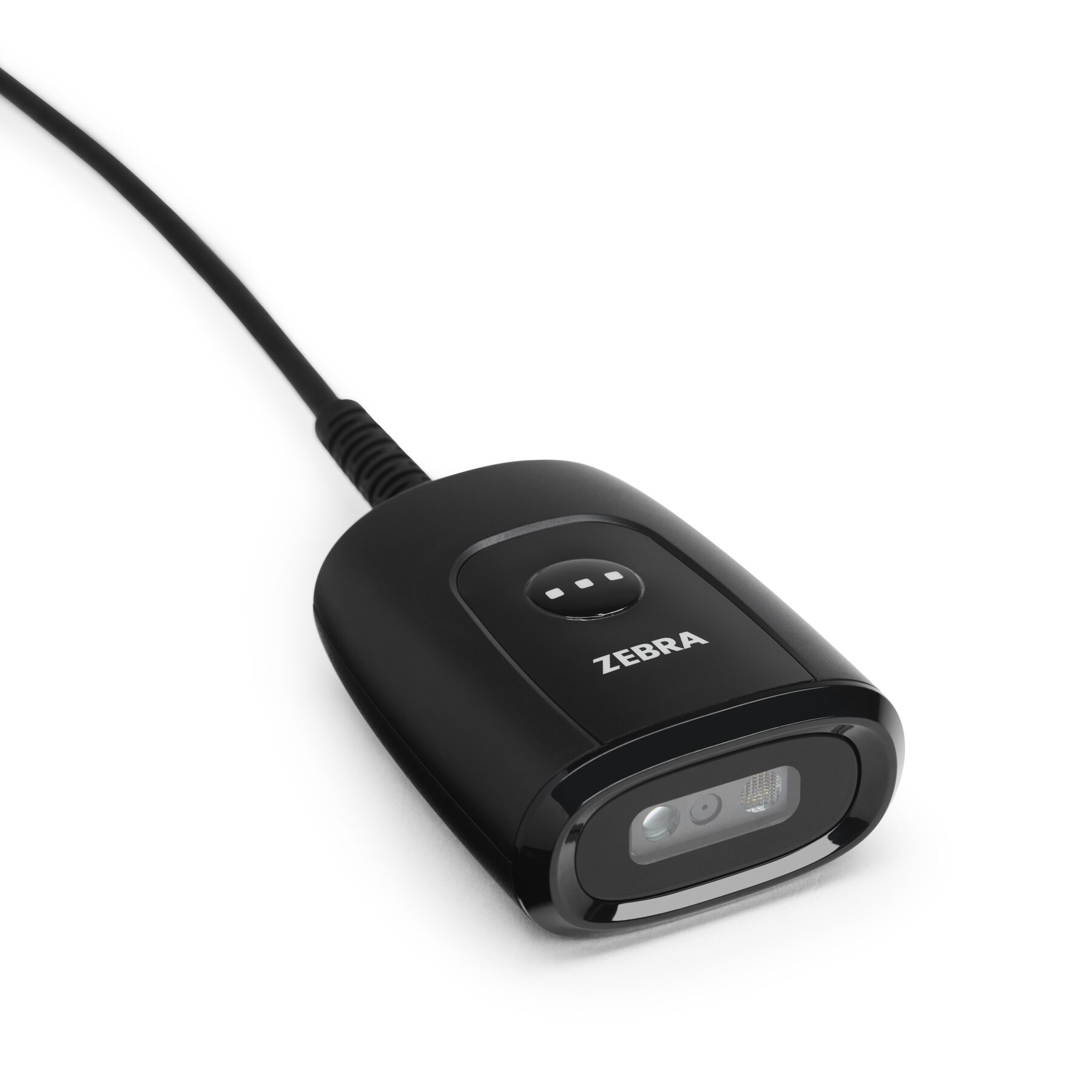
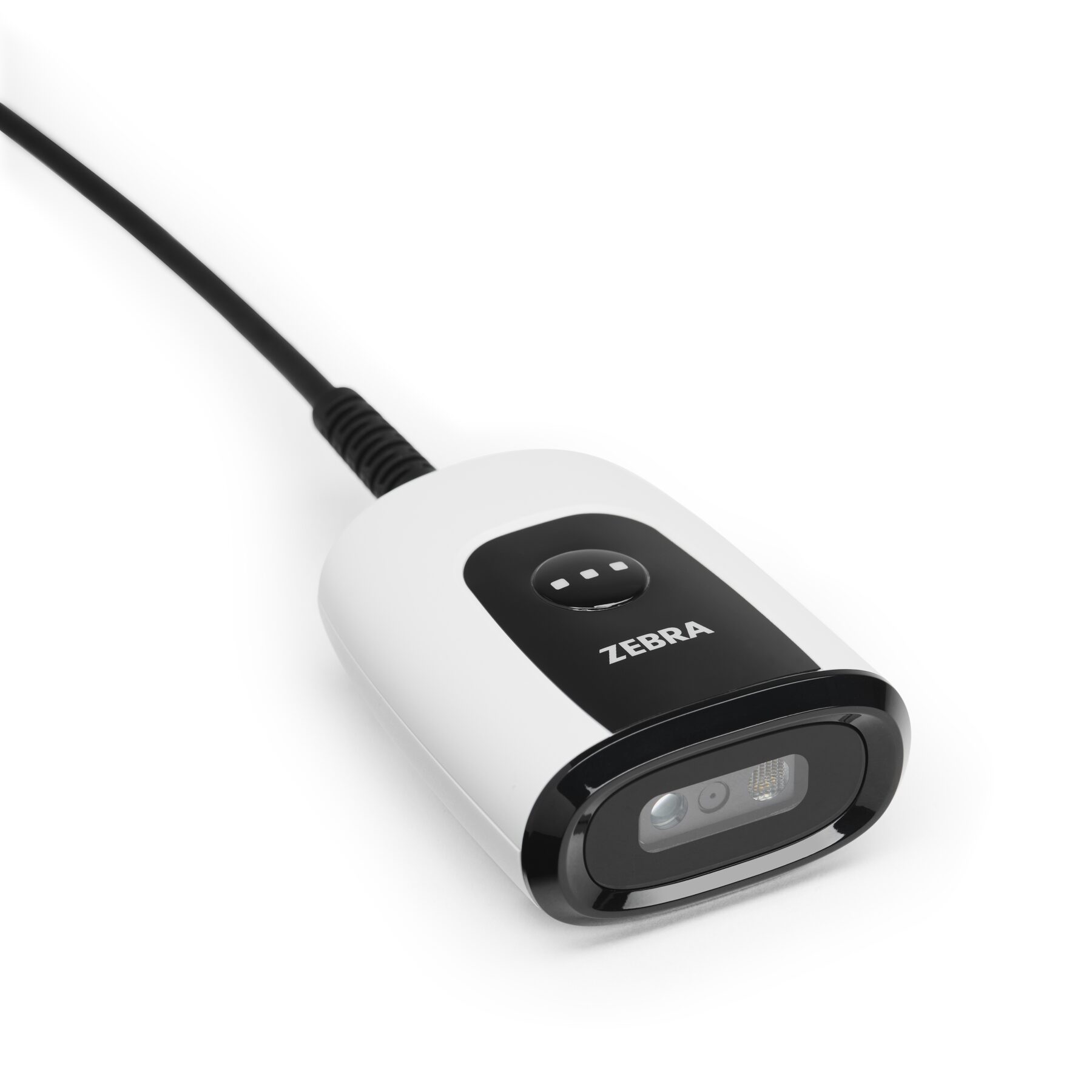
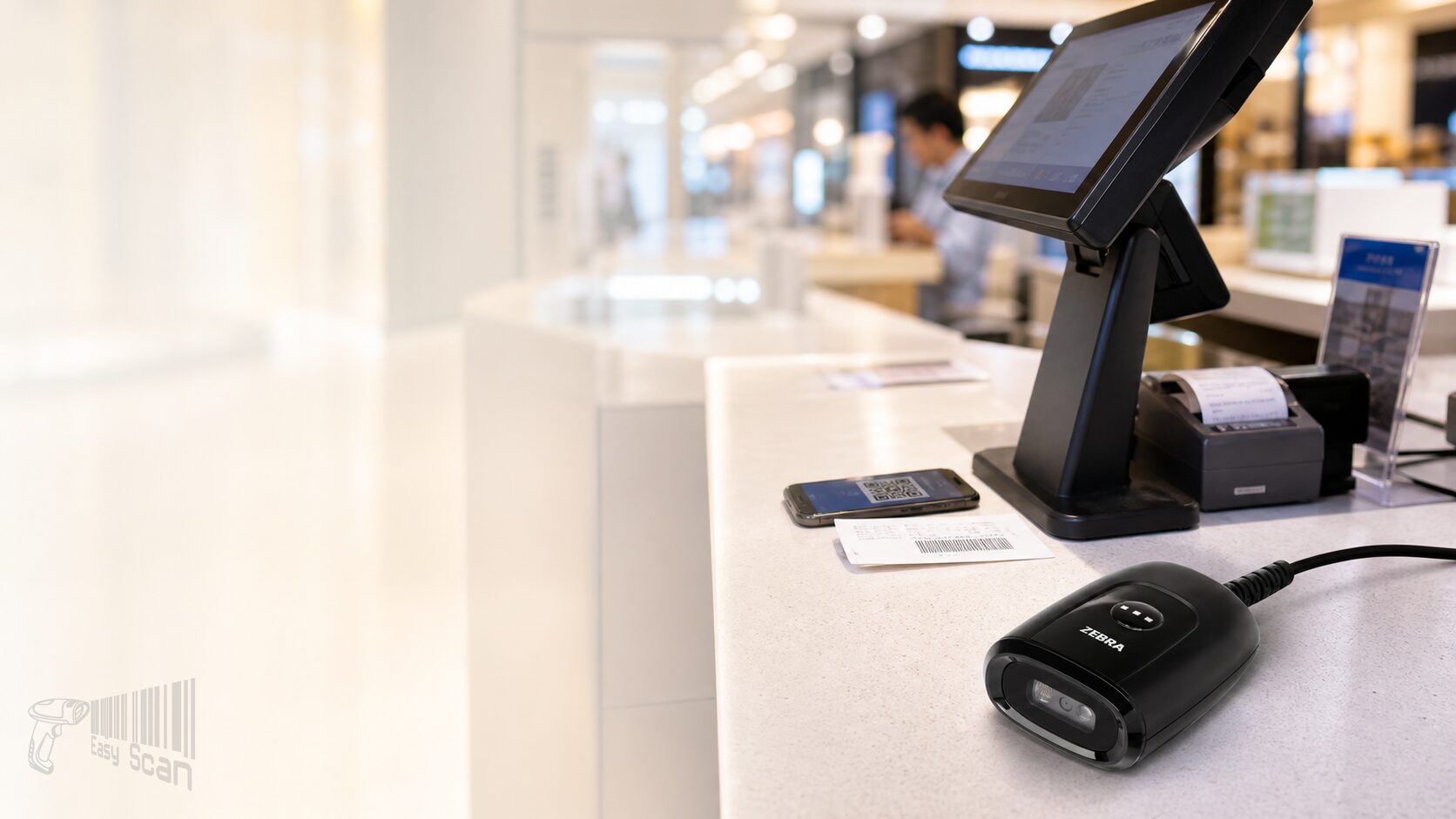
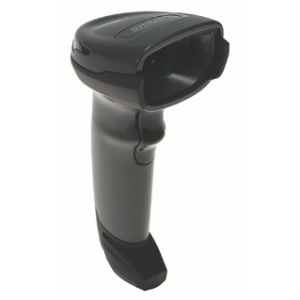
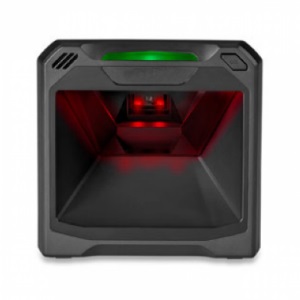
Zebra DS55 fixed mount barcode scanner
The Zebra DS55 is a compact fixed mount 1D / 2D scanner for retail counters, self-service kiosks, ticketing, pickup lockers, light manufacturing workstations and lab workflows that need reliable scanning in a very small footprint.
Product Overview
Compact fixed scanning for counters, kiosks and lab workstations
DS55 Series is designed for fixed or embedded scanning rather than roaming handheld use. The DS5502 is suited to retail POS, self-service, ticketing, BOPIS lockers, boarding gates and light manufacturing stations. The DS5502-LB for Labs is aimed at laboratories, pharmacies and patient admissions. The scanner supports 1D / 2D barcodes, mobile screen barcodes, OCR and image capture, with USB / RS232, IP54 sealing, 5 ft drop design and flexible mounting options. Before ordering, buyers should confirm scan distance, barcode size, mounting position, host interface, colour and whether the Labs version is required.
Quick Fit
Is DS55 right for your scanning position?
Good DS55 use cases
- Mounting a scanner at a retail counter, self-service kiosk, ticketing terminal or pickup locker.
- Reading 1D / 2D, phone-screen barcodes, tickets, membership QR codes or small high-density labels.
- Reducing desktop footprint or building scanning into a flush-mounted / low-profile device area.
Check before ordering
- General commercial model or Labs model; Midnight Black or Alpine White.
- Whether the scanner sits on a display, wall, counter, workstation, kiosk or under-counter area.
- Host interface, cable length, scan distance, barcode density, OCR / image capture and software setup needs.
Key Features
DS55 procurement points
Compact fixed body
At about 3.0 x 5.6 x 7.2 cm, DS55 can fit counters, workstations, kiosks and other space-limited positions.
1D / 2D scanning
Supports major 1D and 2D barcode families including PDF417, DataMatrix, QR Code and Micro QR.
Mobile barcode workflows
The standard version is positioned for electronic tickets, boarding passes, loyalty cards and coupon barcodes on phones.
Labs version
The Labs direction supports laboratories, pharmacies and patient admissions, including specimen, medication and blood bag workflows.
USB / RS232
Every DS55 Series scanner supports USB and RS232 to help with existing host systems and future migration.
Flexible mounting
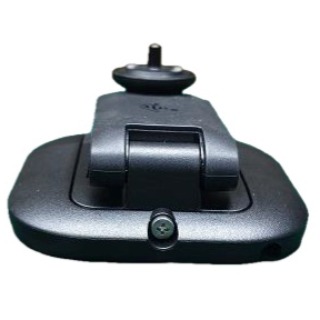
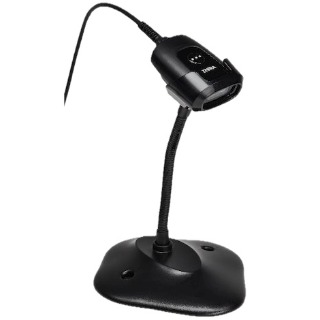
Supports a standard 1/4 in – 20 camera mount, gooseneck stand and 3-in-1 mounting accessory.
IP54 and drop design
Zebra specifications list IP54 sealing and multiple 5 ft / 1.5 m drops to concrete.
Zebra DNA
Planning can include 123Scan, Scanner SDK, Scanner Management Service and Zebra scanner management tools.
Applications
Common Hong Kong B2B workflows
Retail and hospitality
POS, self-checkout, BOPIS, price checks, mobile coupons and loyalty cards.
Ticketing and transport
Electronic tickets, boarding passes, identification checks and self-service kiosk scanning.
Light manufacturing
Work in progress, asset tracking, workstation scanning and embedded scanning inside equipment.
Labs and pharmacies
Specimen tracking, medication tracking, patient identification, blood bag and medical device data capture.
Accessories
Plan mounting, cable and software together
DS55 procurement is rarely only about the scanner body. Buyers should confirm 2 ft or 7 ft cable, straight or right-angle connector, gooseneck stand, 3-in-1 mount, third-party mounting accessories, USB / RS232 host input, OCR or image capture needs, and whether 123Scan, Scanner SDK or SMS will be needed for deployment.
Selection Guide
Four checks before choosing DS55
Confirm the version
Use DS5502 as the starting point for general commercial scanning, and DS5502-LB for Labs for lab, pharmacy or patient-admission workflows.
Confirm mounting
State whether the scanner sits on a counter, display, wall, kiosk, workstation or under-counter position.
Confirm barcode and range
Share the mix of 1D, 2D, QR, DataMatrix, phone-screen, small high-density barcode and OCR needs.
Confirm host setup
Check USB / RS232, cable angle, output format, software setup and whether SDK or remote management is required.
Comparison
DS55 Series directions
| Direction | DS5502 | DS5502-LB for Labs | When replacing DS457 |
|---|---|---|---|
| Main use | Retail, kiosk, ticketing, pickup locker and light manufacturing | Laboratory, pharmacy and patient admissions | Check existing hole locations, mounting angle, cable and host input |
| Colour | Midnight Black | Alpine White | Depends on site design and cleaning requirements |
| Ordering focus | Fixed angle, mobile barcode and self-service integration | Wipeable housing, white illumination and healthcare workflow data capture | Zebra states similar dimensions and matching mounting hole locations, but site fit should still be checked |
Buying Pitfalls
Common fixed scanner ordering mistakes
Choosing the scanner before the mount
A fixed scanner depends on counter, display, kiosk or workstation angle. Mounting can be as important as scan performance.
Not testing barcode size
Small high-density labels, phone screens, tickets, specimen labels and OCR all need different review conditions.
Using the standard version for lab workflows
For labs, pharmacies, patient admissions or frequent wipedowns, check the Labs version first.
Leaving output formatting until installation
Enter, Tab, prefix, suffix, field format and SDK integration should be confirmed before deployment.
Why Buy from Easy Scan
Review model, mounting, interface and support in one flow
As a Zebra Premier Solution Partner, Easy Scan can help Hong Kong teams review DS55 model direction, mounting accessory, cable, host interface, scan distance, barcode sample and Zebra scanner software setup before procurement.
Specifications
Zebra DS55 buyer-useful specifications
The table below is based on Zebra DS55 Series and DS55 Series for Labs official specification sheets. Final configuration, regional model and accessory fit should still be checked before quotation.
| Product family | DS55 Series Fixed Mount Scanner / DS55 Series for Labs Fixed Mount Scanner |
|---|---|
| Main models | DS5502; DS5502-LB for Labs |
| Product category | Fixed mount 1D / 2D barcode scanner |
| Dimensions | 1.2 in H x 2.2 in W x 2.8 in D / 3.0 cm H x 5.6 cm W x 7.2 cm D |
| Weight | 2.3 oz / 65.2 g |
| Colours | Midnight Black; Alpine White for Labs |
| Image sensor | 1280 x 800 pixels |
| Field of view | 48° H x 30° V nominal |
| Aiming / illumination | Circular 525 nm True Green LED; Warm White LED |
| Minimum print contrast | 15% minimum reflective difference |
| Skew / pitch / roll tolerance | +/-60° / +/-60° / 0°-360° |
| Hands-free swipe speed | Up to 100 in / 254 cm per second for 13 mil UPC in optimised mode |
| Host interfaces | USB, RS232 |
| USB certification | USB Certification |
| Input voltage | 4.75 to 5.25 VDC host powered; 4.75 to 5.25 VDC external power supply |
| Operating current | Presentation Mode 360 mA RMS typical; Trigger Mode 350 mA RMS typical |
| Standby current | Presentation Mode 185 mA RMS typical; Trigger Mode 155 mA RMS typical |
| User indicators | Good Decode LEDs; speaker with adjustable tone and volume |
| Graphics format | Bitmap, JPEG or TIFF |
| Image quality | 200 PPI on a 6.0 x 3.8 in / 15.2 x 9.5 cm document at 7.0 in / 17.8 cm |
| Operating temperature | -4°F to +122°F / -20°C to +50°C |
| Storage temperature | -40°F to +158°F / -40°C to +70°C |
| Humidity | 5% to 95% RH, non-condensing |
| Environmental sealing | IP54 |
| Drop specification | Designed to withstand multiple drops at 5 ft / 1.5 m to concrete |
| Ambient light immunity | 0 to 10,000 foot candles / 0 to 107,600 lux |
| ESD | +/-15 KV Air, +/-8 KV Direct, +/-8 KV Indirect |
| 1D barcodes | All major 1D barcodes including Code 39, Code 128, UPC/EAN, GS1 DataBar and others |
| 2D barcodes | PDF417, Micro PDF417, DataMatrix, QR Code, Micro QR, Aztec, MaxiCode and others |
| OCR | OCR-A, OCR-B, MICR, US Currency |
| Minimum input resolution | Code 39 3.0 mil; Code 128 3.0 mil; Data Matrix 5.0 mil; QR Code 5.0 mil |
| Typical accessories | Gooseneck stand; 3-in-1 mount; accessories with standard 1/4 in – 20 mounting screw support |
| Software / management | 123Scan, Scanner SDK, Scanner Management Service, Zebra DNA |
| Recommended services | Zebra OneCare Select; Zebra OneCare Essential |
FAQ
DS55 FAQ
How is DS55 different from a general handheld scanner?
DS55 is a fixed mount scanner for counters, kiosks, workstations and lab positions. If staff need to move around with the device, review handheld scanner or mobile computer options instead.
Can DS55 scan QR codes on phone screens?
Yes. Zebra DS55 Series materials refer to mobile barcodes, electronic tickets, boarding passes, loyalty cards and coupons on phone screens. Real barcode samples should still be tested before deployment.
When should I consider DS5502-LB for Labs?
Consider the Labs version when the workflow involves laboratories, pharmacies, patient admissions, specimen tracking, blood bags or medical device data capture.
Need to confirm whether DS55 fits your fixed scanning point?
Share your use case, mounting position, barcode samples, host interface, cable direction and Labs requirement. Easy Scan can help review the Zebra DS55 model and accessory direction.
| Brand | Zebra |
|---|---|
| Product Type | Fixed mount barcode scanner |
| Series | DS55 Series |
| Model | DS5502 / DS5502-LB for Labs |
| Scan Type | 1D / 2D area imager |
| Connectivity | Corded fixed mount |
| Host Interfaces | USB, RS232 |
| Colour Options | Midnight Black / Alpine White for Labs |
| Suitable Application | Retail counters, self-service kiosks, ticketing, pickup lockers, light workstations, labs and pharmacies |
Part Number
Use the table below for procurement and configuration enquiries. Share the relevant Part Number so the DS55 model, Labs version, cable and kit direction can be reviewed.
Standard configurations
| Part Number | Description |
|---|---|
| DS5502-SR40004ZZWW | DS5502: Area Imager, Standard Range, Corded, White Illumination, Midnight Black |
| DS5502-SR40004ZZY | DS5502: Area Imager, Standard Range, Corded, White Illumination, Midnight Black – India Only |
| DS5502-LB4000WZZWW | DS5502: Area Imager, For Labs, Corded, White Illumination, Alpine White |
USB kits / mount kits
| Part Number | Description |
|---|---|
| DS5502-SR4US70MAZW | DS5502-SR Black USB KIT: DS5502-SR40004ZZWW Scanner, CBL-U10755-01 7' USB Cable |
| DS5502-SR4US70MMZW | DS5502-SR Black (with Multi-Mount) USB KIT: DS5502-SR40004ZZWW Scanner, CBL-U10755-01 7' USB Cable, BRKT-MM0055C-04 |
Accessories / Consumables
The items below can support DS55 procurement planning. Final quotation should still be checked against mounting position, cable, host and service requirements.
Mounting and stand accessories
| Part Number | Description |
|---|---|
| BRKT-MM0055C-04 | 3-in-1 Multi-Mount – DS5502 (Black) |
| STND-GS0055C-04 | Gooseneck Stand – DS5502 (Black) |
| STND-GS0055C-0W | Gooseneck Stand – DS5502 (White) |
Zebra OneCare service items
| Part Number | Description |
|---|---|
| Z1AE-DS55XX-3C00 | 3 yr Z1C Essential DS55XX, 3 day TAT, purchased in 30 days, comprehensive |
| Z1AE-DS55XX-3C03 | 3 yr Z1C Essential DS55XX, 3 day TAT, purchased in 30 days, comprehensive, std commissioning, MOQ 20 |
| Z1AE-DS55XX-4C00 | 4 yr Z1C Essential DS55, 3 day TAT, coverage for cradles where applicable, purchased in 30 days, comprehensive |
| Z1AE-DS55XX-4C03 | 4 yr Z1C Essential DS55, 3 day TAT, coverage for cradles where applicable, purchased in 30 days, comprehensive, std commissioning, MOQ 20 |
| Z1AE-DS55XX-5C00 | 5 yr Z1C Essential DS55XX, 3 day TAT, purchased in 30 days, comprehensive |
| Z1AE-DS55XX-5C03 | 5 yr Z1C Essential DS55XX, 3 day TAT, purchased in 30 days, comprehensive, std commissioning, MOQ 20 |
| Z1AS-DS55XX-3C03 | 3 yr Z1C Select DS55XX, advanced replacement, not available in LATAM, Zebra owned buffer, purchased in 30 days, comprehensive, std commissioning (MOQ 20 if enabled) |
| Z1AS-DS55XX-4C03 | 4 yr Z1C Select DS55, advanced replacement, not available in LATAM, Zebra owned buffer, coverage for cradles where applicable, purchased in 30 days, comprehensive, std commissioning (MOQ 20 if enabled) |
| Z1AS-DS55XX-5C03 | 5 yr Z1C Select DS55XX, advanced replacement, not available in LATAM, Zebra owned buffer, purchased in 30 days, comprehensive, std commissioning (MOQ 20 if enabled) |
| Z1BE-DS55XX-3C00 | 3 yr Z1C Essential DS55XX, 3 day TAT, purchased after 30 days, comprehensive |
| Z1BE-DS55XX-3C03 | 3 yr Z1C Essential DS55XX, 3 day TAT, purchased after 30 days, comprehensive, std commissioning, MOQ 20 |
| Z1BS-DS55XX-3C03 | 3 yr Z1C Select DS55XX, advanced replacement, not available in LATAM, Zebra owned buffer, purchased after 30 days, comprehensive, std commissioning (MOQ 20 if enabled) |
| Z1RE-DS55XX-1C00 | 1 yr Z1C Essential DS55XX, 3 day TAT, Renewal, comprehensive |
| Z1RE-DS55XX-1C03 | 1 yr Z1C Essential DS55XX, 3 day TAT, Renewal, comprehensive, std commissioning, MOQ 20 |
| Z1RE-DS55XX-2C00 | 2 yr Z1C Essential DS55XX, 3 day TAT, Renewal, comprehensive |
| Z1RE-DS55XX-2C03 | 2 yr Z1C Essential DS55XX, 3 day TAT, Renewal, comprehensive, std commissioning, MOQ 20 |
| Z1RS-DS55XX-1C03 | 1 yr Z1C Select DS55XX, advanced replacement, not available in LATAM, Zebra owned buffer, Renewal, comprehensive, std commissioning (MOQ 20 if enabled) |

| Z1RS-DS55XX-2C03 | 2 yr Z1C Select DS55XX, advanced replacement, not available in LATAM, Zebra owned buffer, Renewal, comprehensive, std commissioning (MOQ 20 if enabled) |

Downloads
DS55 Series Spec SheetGeneral commercial, retail, self-service, ticketing and fixed scanning specifications.
DS55 Series for Labs Spec SheetLab, pharmacy, patient admission and healthcare workflow information.
DS5502 Product Reference GuideDS5502 setup, host interface, scanning parameter, decoding and management reference.
DS5502 Quick Start GuideDS5502 installation, connection, basic setup and quick-start information.
DS55 / DS55 for Labs Accessories GuideDS55 and DS55 for Labs cable, mount, stand and accessory planning.
Certificates
Easy Scan can help Hong Kong businesses review Zebra model, accessory, documentation and local support requirements before procurement.
Video
These videos help buyers understand DS55 retail, mounting and Labs workflow directions.
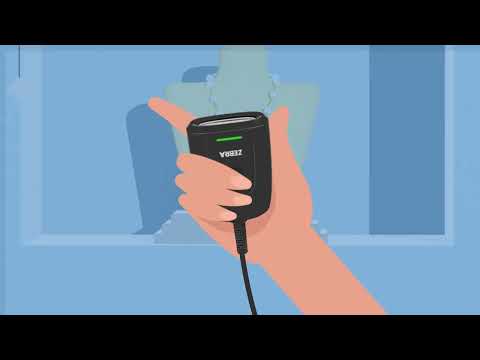
VideoDS55 – Proven Scanning Performance for Retail | ZebraShows DS55 use in retail counters, self-service and phone barcode scanning workflows.
VideoDS55 Fixed Mount Scanner Mounting Demo | ZebraDemonstrates DS55 mounting options for counter, display and wall-mounted planning.
VideoDS55 Scanner for Labs – Proven Performance | ZebraCovers DS55 Labs scanning workflows for laboratories, pharmacies and patient admissions.FAQ
Where can DS55 be mounted?
DS55 can be used at counters, kiosks, ticketing terminals, pickup lockers, workstations, pharmacies and lab positions. Share the mounting environment and barcode samples for review.
How should I choose between DS5502 and DS5502-LB for Labs?
Start with DS5502 for general commercial workflows. Review DS5502-LB for Labs when the workflow involves labs, pharmacies, patient admissions or medical samples.
Does DS55 support USB and RS232?
Yes. Zebra materials list USB and RS232 support for every DS55 Series scanner. Please state the host and input method when enquiring.
Can DS55 scan phone-screen barcodes?
Yes. Zebra DS55 Series materials reference mobile barcodes, electronic tickets, boarding passes, loyalty cards and coupons. Real screen samples should still be tested before deployment.
What accessory information is useful?
Provide the mounting position, gooseneck stand need, 3-in-1 mount need, cable length, connector direction and any third-party mounting requirement.
What can Easy Scan help check before deployment?
Easy Scan can review model direction, barcode sample, scan distance, host interface, accessory direction, Zebra scanner software setup and quotation requirements.
Leave Your Message