Zebra DS9308

Zebra DS9308 is a compact countertop 1D / 2D presentation barcode scanner for Hong Kong POS, convenience, hospitality, ticketing, front-desk and light warehouse counters.

  • Supports 1D, 2D and OCR; Digimarc is available on selected configurations only.
  • Reads paper and mobile-screen barcodes for fixed counter scanning.
  • Supports USB, RS232, Keyboard Wedge and TGCS (IBM) 46XX over RS485.
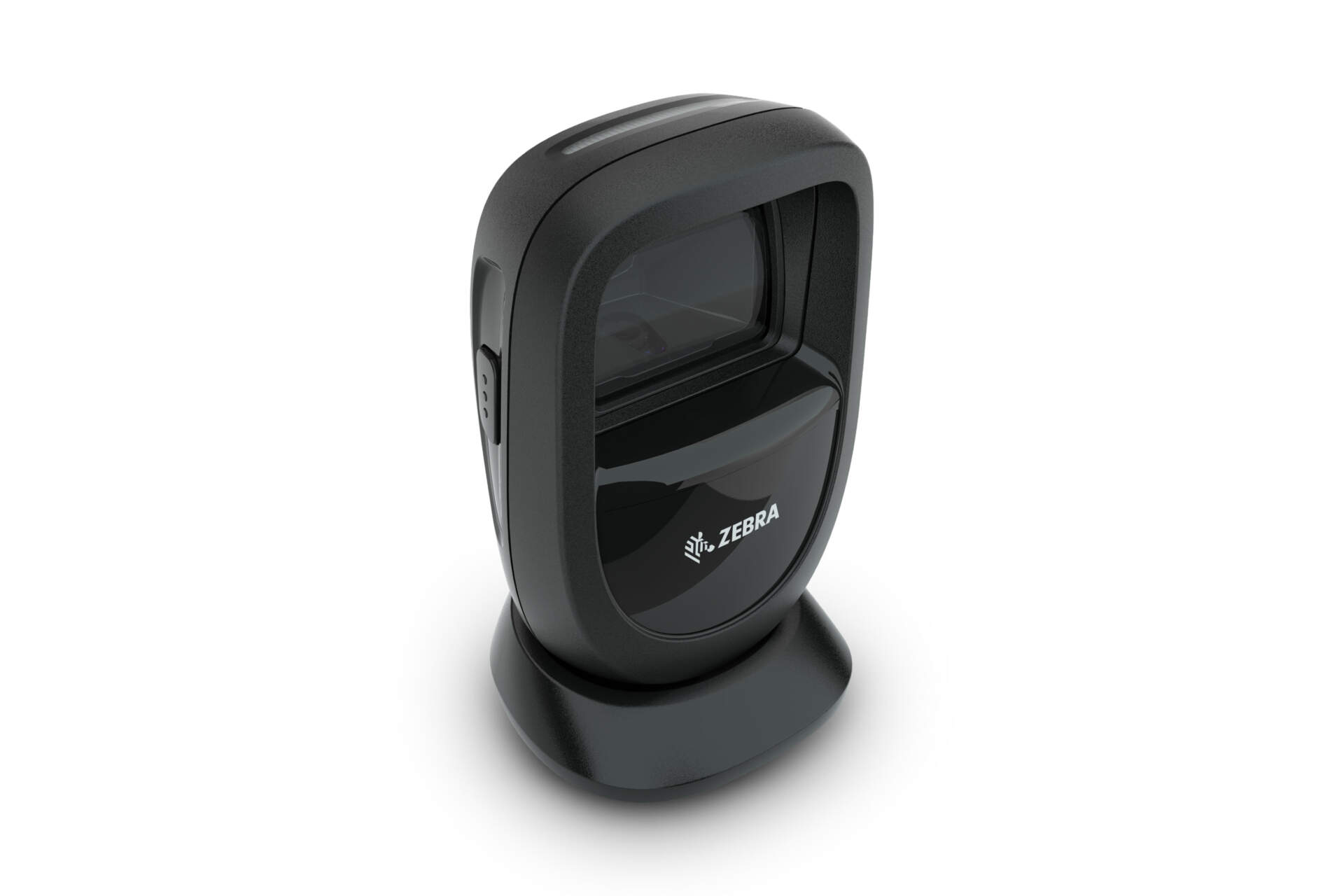
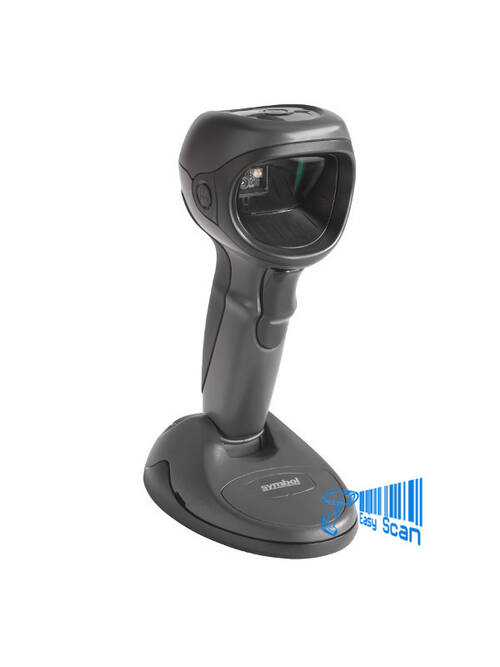
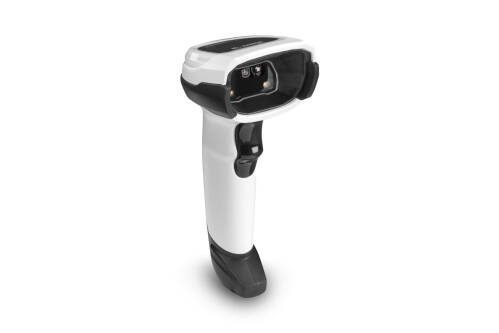
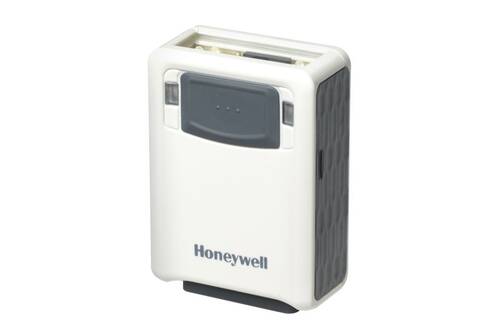
Zebra DS9308 hands-free barcode scanner product image

Zebra 2D Presentation Scanner

Zebra DS9308 for Compact Countertop 1D / 2D Scanning

For Hong Kong retail, convenience store, hospitality, ticketing and front-desk counters that need fast scanning from labels, mobile screens, loyalty codes and tickets.

Product Overview

A presentation scanner built for limited counter space

The Zebra DS9308 is a DS9300 Series hands-free presentation barcode scanner for fixed counters and workstations. It is built for fast 1D and 2D capture, mobile-screen barcodes, OCR options, selected Checkpoint EAS configurations, visible and audible feedback, and occasional handheld trigger use. For Hong Kong retail, convenience store, hospitality, ticketing, reception and light back-office counters, DS9308 is useful when staff need to move products, loyalty codes, coupons or tickets past the scan window without picking up a scanner for every transaction. Before quotation, confirm colour, host interface, whether EAS / Digimarc / OCR-related configurations are required, mounting accessories and Zebra OneCare service options.

Quick Fit

Where DS9308 Fits Best

Best fit

Fixed POS, convenience store, hospitality, ticketing, reception and workbench scanning where presentation scanning is useful.

Check first

Host interface, colour, EAS / Digimarc / OCR needs, mounting method and mobile-screen barcode samples.

May not fit

Warehouse roaming, ultra-rugged industrial use or long-range scanning may need another Zebra scanner class.

Good use cases

  • Countertop 1D / 2D scanning in limited retail, hospitality or service-counter space.
  • Coupons, loyalty codes, mobile tickets, product labels and front-desk registration workflows.
  • Deployments that need USB Certified, RS232, Keyboard Wedge or TGCS (IBM) 46XX over RS485.

Confirm before enquiry

  • Whether EAS deactivation, Digimarc, OCR or specific scanning-format configurations are required.
  • Black or white body, standard configuration or USB / Serial kit, and mounting accessories.
  • POS output rules such as Enter, Tab, prefix, suffix and data formatting.

Key Features

Scanning, Deployment and Counter Operation Features

1D / 2D / OCR

Supports common 1D, 2D and OCR use cases; Digimarc is available on specific configurations only.

1280 x 800 imager

Zebra specifications list a 1280 x 800 pixel image sensor and 52° H x 33° V nominal field of view.

Fast presentation scanning

Presentation swipe speed is listed up to 120 in. / 305 cm per second for 13 mil UPC in optimised mode.

Compact counter footprint

DS9300 Series is positioned for limited counter space where all-day presentation scanning is needed.

IP52 and daily durability

Specifications list IP52 sealing, 5 ft / 1.5 m concrete drops and 1,000 tumbles.

Multiple interfaces

Supports USB Certified, RS232, Keyboard Wedge and TGCS (IBM) 46XX over RS485.

Visible and audible feedback

Good decode LEDs, rear view LEDs and an adjustable-tone beeper help staff confirm successful scans.

DataCapture DNA

Works with 123Scan, Scanner SDK, ScanSpeed Analytics, SMS / WMI and related scanner management tools.

Applications

Common Hong Kong B2B Applications

01

Retail POS

Product labels, loyalty codes, coupons, mobile offers and normal checkout scanning.

02

Hospitality and convenience

Space-limited counters, fast transactions, mobile coupons and ticket handling.

03

Ticketing and reception

Paper or mobile tickets, appointment registration, visitor check-in and service desks.

04

Light warehouse counters

Goods-in desks, dispatch benches, pick and pack stations and price-check points.

Accessories and Software

Plan Scanner, Cable, Mount, Settings and Service Together

DS9308 procurement should cover more than the scanner body. Before quotation, confirm USB / Serial or other host interface, cable, multi-mount bracket, locking-mount bracket, colour, EAS or Digimarc configuration, Zebra OneCare Select / Essential and the output format required by the POS software. For multi-device deployments, define 123Scan profiles, Enter / Tab behaviour, prefix / suffix rules, department profiles and remote management needs in advance.

Selection Guide

Four Checks Before DS9308 Enquiry

  1. Confirm barcode content. Check mobile codes, QR Code, PDF417, DataMatrix, loyalty code, ticket and OCR requirements.
  2. Confirm counter environment. Counter space, scan direction, mounting need and whether customer self-scan is expected.
  3. Confirm system interface. POS, PC or legacy systems may need USB, RS232, Keyboard Wedge or IBM RS485.
  4. Confirm configuration and service. Review black / white, standard configuration, bundled kit, EAS / Digimarc / OCR and OneCare needs.

Comparison

DS9308, Handheld Scanners and Higher-End Countertop Options

Option Positioning Buying note
Zebra DS9308 Compact presentation scanner for fixed counters, supporting 1D / 2D / OCR. Good for POS, front desk, ticketing and customer-facing counters; check EAS / Digimarc / OCR configuration.
General handheld scanner Staff pick up the scanner for different positions or larger items. If most scans happen at one counter, DS9308 presentation scanning may be more ergonomic.
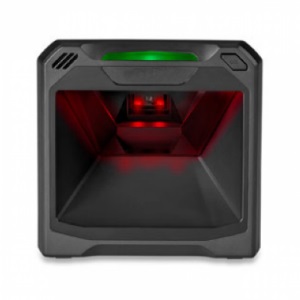
Higher-end countertop class Consider when the site needs more complex checkout, RFID or specialised scanning requirements. Choose after confirming barcode type, scan distance, self-scan needs and accessories.

Buying Pitfalls

Do Not Order by Model Name Alone

No configuration check

EAS, Digimarc, OCR, colour and regional configurations vary by PN, so they should be checked before quotation.

Ignoring host interface

USB, RS232, Keyboard Wedge and IBM RS485 involve different cables and setup paths.

Forgetting the mount

Table, wall or non-removable installation may require a multi-mount or locking-mount bracket.

No output-format plan

Enter, Tab, prefix, suffix, multi-code formatting and Preferred Symbol rules should be defined before rollout.

Why Buy from Easy Scan

Review scanner configuration and counter deployment together

As a Zebra Premier Solution Partner, Easy Scan can help Hong Kong businesses review DS9308 use case, colour, Part Number, cable, mount, Zebra documents and counter deployment settings, reducing the risk of ordering the wrong interface, missing accessories or discovering too late that the barcode type does not fit the workflow.

Specifications

Buyer-Useful Zebra DS9308 Specifications

The specifications below are based on Zebra DS9308 / DS9300 Series product, specification and support documents; active configurations should be checked by Part Number before quotation.

Product type Hands-free presentation area imager barcode scanner
Model DS9308 / DS9300 Series
Scan type 1D, 2D and OCR; Digimarc on select configurations only
Scan range Standard Range
Corded / cordless Corded
In the box DS9308 scanner, USB cable
Dimensions 5.7 in. H x 3.4 in. W x 3.3 in. D / 14.5 cm H x 8.6 cm W x 8.3 cm D
Weight 11.2 oz. / 318.0 g
Input voltage range 4.5 to 5.5 VDC host powered; 4.5 to 5.5 VDC external power supply
Operating current Presentation mode: 335mA; Trigger mode: 350mA at nominal 5.0V
Standby current Presentation mode: 135mA; Trigger mode: 75mA at nominal 5.0V
Colour Alpine White, Midnight Black
Supported host interfaces USB Certified, RS232, Keyboard Wedge, TGCS (IBM) 46XX over RS485
Keyboard support Supports over 90 international keyboards
Checkpoint EAS Compatible with Checkpoint EAS deactivation system on supported configurations
User indicators Good decode LEDs, rear view LEDs, beeper with adjustable tone and volume
Presentation swipe speed Up to 120 in. / 305 cm per second for 13 mil UPC in optimized mode
Light source Aiming pattern: circular 617 nm amber LED; illumination: 660 nm Hyper Red LED
Imager field of view 52° H x 33° V nominal
Image sensor 1280 x 800 pixels
Minimum print contrast 15%
Skew / pitch / roll tolerance +/-60° / +/-60° / 360°
Graphics format support Bitmap, JPEG or TIFF
Image quality 109 PPI on a 4.1 in. x 5.8 in. / A6 sized document
Operating temperature 32.0°F to 122.0°F / 0.0°C to 50.0°C
Storage temperature -40.0°F to 158.0°F / -40.0°C to 70.0°C
Humidity 5% to 95% RH, non-condensing
Drop specification Designed to withstand multiple drops at 5.0 ft. / 1.5 m to concrete
Tumble specification Designed to withstand 1,000 tumbles in 1.5 ft. / 0.5 m tumbler
Environmental sealing IP52
Electrostatic discharge ESD per EN61000-4-2, +/-15 KV Air, +/-8 KV indirect
Ambient light immunity 0 to 10,000 foot-candles / 0 to 107,700 Lux
Accessories Multi-mount bracket, locking-mount bracket
1D decode capability Code 39, Code 128, Code 93, Codabar/NW7, Code 11, MSI Plessey, UPC/EAN, I 2 of 5, Korean 3 of 5, GS1 DataBar, Base 32
2D decode capability PDF417, Micro PDF417, Composite Codes, TLC-39, Aztec, DataMatrix, MaxiCode, QR Code, Micro QR, Han Xin, Postal Codes, securPharm, DotCode, Dotted DataMatrix
OCR OCR-A, OCR-B, MICR, US currency
Minimum element resolution Code 39: 3 mil; Code 128: 3 mil; Data Matrix: 5 mil; QR Code: 5 mil
Typical decode ranges UPC 13 mil 100%: 0-8.8 in. / 22.4 cm; QR 20 mil: 0-7.5 in. / 19.1 cm
Recommended services Zebra OneCare Select; Zebra OneCare Essential

FAQ

Zebra DS9308 FAQ

Is DS9308 only for retail?

No. Retail POS is a major use case, but it can also support hospitality, convenience stores, ticketing, front-desk registration, price checking and light warehouse workstations.

Can DS9308 scan QR codes?

Yes. The DS9300 Series specification lists QR Code, DataMatrix, PDF417 and other 2D symbologies. Test with your actual barcode samples where possible.

Do I need to buy a mount?

It depends on installation. Table, wall or non-removable setups should include multi-mount or locking-mount bracket review.

What should I provide for quotation?

Share barcode samples, POS / PC interface, counter photos, colour preference, EAS / Digimarc / OCR needs and expected quantity.

Enquiry

Need to confirm whether DS9308 fits your counter?

Send Easy Scan your barcode samples, POS interface and counter workflow. We can help review model, PN, cable, mount and scanner-setting direction.

Brand

Zebra

Product Type

Presentation barcode scanner

Series

DS9300 Series

Model

DS9308

Scan Type

1D / 2D / OCR

Scanner Format

Corded hands-free presentation scanner

Host Interfaces

USB Certified, RS232, Keyboard Wedge, TGCS (IBM) 46XX over RS485

Colour Options

Midnight Black / Alpine White

Suitable Application

Retail POS, hospitality counters, ticketing, reception, mobile barcode scanning and light warehouse counters

Part Number

The Part Numbers below are for model and configuration checking only; sellable configurations may vary by region, configuration and supply status.

Standard configurations

Part Number Description
DS9308-SR00004ZCWW DS9308: PRESENTATION AREA IMAGER, STANDARD RANGE, CORDED, MIDNIGHT BLACK, CHECKPOINT EAS
DS9308-SR00004ZZWW DS9308: PRESENTATION AREA IMAGER, STANDARD RANGE, CORDED, MIDNIGHT BLACK
DS9308-SR00004ZZY DS9308: PRESENTATION AREA IMAGER, STANDARD RANGE, CORDED, MIDNIGHT BLACK – INDIA ONLY
DS9308-SR0000WZZWW DS9308: PRESENTATION AREA IMAGER, STANDARD RANGE, CORDED, ALPINE WHITE
DS9308-SRD0004ZZWW DS9308: PRESENTATION AREA IMAGER, STANDARD RANGE, CORDED, MIDNIGHT BLACK, DIGIMARC

Bundled kits

Part Number Description
DS9308-SR4R0110AZU DS9308-SR BLACK SERIAL KIT – US: DS9308-SR00004ZZWW SCANNER, CBA-R01-S07PBR SERIAL CABLE, PWR-WUA5V4W0US POWER SUPPLY (USA, CA, MX, JP, TW)
DS9308-SR4R2800AZW DS9308-SR BLACK SERIAL KIT: DS9308-SR00004ZZWW SCANNER, CBA-R28-C09ZAR VERIFONE CABLE
DS9308-SR4U2100AZW DS9308-SR BLACK USB KIT: DS9308-SR00004ZZWW SCANNER, CBA-U21-S07ZBR SHIELDED USB CABLE
DS9308-SR4U2100AZY DS9308-SR BLACK USB KIT – INDIA: DS9308-SR00004ZZY SCANNER, CBA-U21-S07ZBR SHIELDED USB CABLE
DS9308-SR4U2300AZW DS9308-SR BLACK USB KIT: DS9308-SR00004ZZWW SCANNER, CBA-U23-S07ZBR SHIELDED USB POWER+ CABLE
DS9308-SRWU2100AZW DS9308-SR WHITE USB KIT: DS9308-SR0000WZZWW SCANNER, CBA-U21-S07ZBR SHIELDED USB CABLE

Accessories / Services

The accessories and services below help buyers review common DS9308 mounting accessories and Zebra OneCare service options together.

Mounting accessories

Part Number Description
BRKT-LM0093C-04 Locking Mount – DS9308 (Midnight Black)
BRKT-LM0093C-0W Locking Mount – DS9308 (Alpine White)
BRKT-MM0093C-04 Multi-Mount – DS9308 (Midnight Black)
BRKT-MM0093C-0W Multi-Mount – DS9308 (Alpine White)

Zebra OneCare service options

Part Number Description
Z1AE-DS9308-3C00 3 YEAR(S) ZEBRA ONECARE ESSENTIAL, 3 DAY TAT, FOR DS9308, PURCHASED WITHIN 30 DAYS, WITH COMPREHENSIVE COVERAGE.
Z1AE-DS9308-3C03 3 yr Z1C Essential DS9308, 3 day TAT, coverage for cradles where applicable, purchased within 30 days, comprehensive, std commissioning, MOQ 20
Z1AE-DS9308-5C00 5 YEAR(S) ZEBRA ONECARE ESSENTIAL, 3 DAY TAT, FOR DS9308, PURCHASED WITHIN 30 DAYS, WITH COMPREHENSIVE COVERAGE.
Z1AE-DS9308-5C03 5 yr Z1C Essential DS9308, 3 day TAT, coverage for cradles where applicable, purchased within 30 days, comprehensive, std commissioning, MOQ 20
Z1AS-DS9308-3C03 3 yr Z1C Select DS9308, advanced replacement, not available in LATAM, Zebra owned buffer, coverage for cradles where applicable, purchased within 30 days, comprehensive, std commissioning
Z1AS-DS9308-5C03 5 yr Z1C Select DS9308, advanced replacement, not available in LATAM, Zebra owned buffer, coverage for cradles where applicable, purchased within 30 days, comprehensive, std commissioning
Z1BE-DS9308-1C00 1 YEAR(S) ZEBRA ONECARE ESSENTIAL, 3 DAY TAT, FOR DS9308, PURCHASED AFTER 30 DAYS, WITH COMPREHENSIVE COVERAGE.
Z1BE-DS9308-1C03 1 yr Z1C Essential DS9308, 3 day TAT, coverage for cradles where applicable, purchased after 30 days, comprehensive, std commissioning, MOQ 20
Z1BE-DS9308-3000 3 YEAR(S) ZEBRA ONECARE ESSENTIAL, 3 DAY TAT, FOR DS9308, PURCHASED AFTER 30 DAYS, WITH NON COMPREHENSIVE COVERAGE.
Z1BE-DS9308-3003 3 yr Z1C Essential DS9308, 3 day TAT, coverage for cradles where applicable, purchased after 30 days, non comprehensive, std commissioning, MOQ 20
Z1BE-DS9308-3C00 3 YEAR(S) ZEBRA ONECARE ESSENTIAL, 3 DAY TAT, FOR DS9308, PURCHASED AFTER 30 DAYS, WITH COMPREHENSIVE COVERAGE.
Z1BE-DS9308-3C03 3 yr Z1C Essential DS9308, 3 day TAT, coverage for cradles where applicable, purchased after 30 days, comprehensive, std commissioning, MOQ 20
Z1BS-DS9308-3C03 3 YEAR(S) ZEBRA ONECARE SELECT, ADVANCED REPLACEMENT, FOR DS9308, PURCHASED AFTER 30 DAYS, WITH COMPREHENSIVE COVERAGE. INCLUDES COMMISSIONING.
Z1RE-DS9308-1C00 1 YEAR(S) ZEBRA ONECARE ESSENTIAL, 3 DAY TAT, FOR DS9308, RENEWAL, WITH COMPREHENSIVE COVERAGE.
Z1RE-DS9308-1C03 1 yr Z1C Essential DS9308, 3 day TAT, coverage for cradles where applicable, Renewal, comprehensive, std commissioning, MOQ 20
Z1RE-DS9308-2C00 2 YEAR(S) ZEBRA ONECARE ESSENTIAL, 3 DAY TAT, FOR DS9308, RENEWAL, WITH COMPREHENSIVE COVERAGE.
Z1RE-DS9308-2C03 2 yr Z1C Essential DS9308, 3 day TAT, coverage for cradles where applicable, Renewal, comprehensive, std commissioning, MOQ 20
Z1RS-DS9308-1C03 1 yr Z1C Select DS9308, advanced replacement, not available in LATAM, Zebra owned buffer, coverage for cradles where applicable, Renewal, comprehensive, std commissioning

Resources

Certificates

As a Zebra Premier Solution Partner, Easy Scan can help Hong Kong businesses check Zebra DS9308 model, accessories, documentation and deployment requirements.

View Easy Scan certificate page

Video

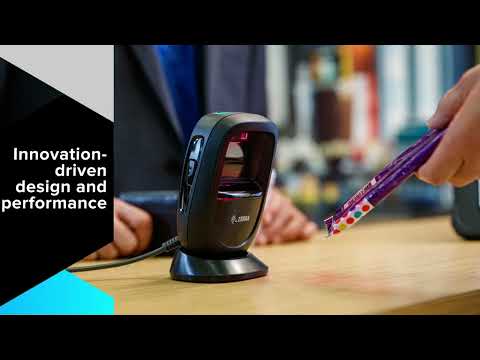
These videos introduce the DS9300 Series compact presentation-scanner design, counter workflow and 1D / 2D scanning positioning for DS9308 planning.

FAQ

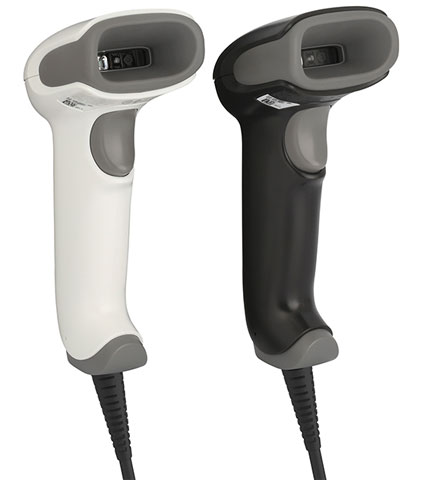
How is DS9308 different from a handheld scanner?

DS9308 is mainly used on a counter for presentation scanning. A handheld scanner is better when staff need to move around or scan larger items.

Can DS9308 read mobile-screen barcodes?

The DS9300 Series is positioned for paper and electronic barcode capture. Testing with your own mobile screens and barcode samples is recommended.

Does every DS9308 support Digimarc?

No. Zebra lists Digimarc as available on specific models only, so the PN must be checked before quotation.

Does every DS9308 support EAS?

No. Checkpoint EAS support depends on configuration and should be checked against the workflow and PN.

Can DS9308 be mounted on a table or wall?

Yes, multi-mount and locking-mount bracket options should be reviewed according to the counter setup.

Can Easy Scan help with output settings?

Easy Scan can help clarify Enter, Tab, prefix, suffix, data formatting and host-interface requirements before recommending a setup path.

Does this page show price or stock?

No. Send quantity, configuration and use case by WhatsApp or email for Easy Scan to reply.

Leave Your Message

    Go to Top