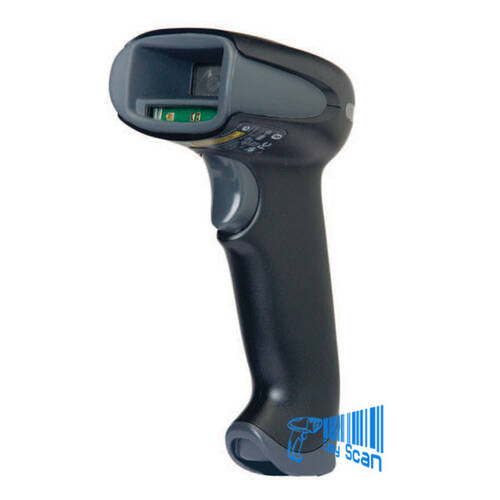
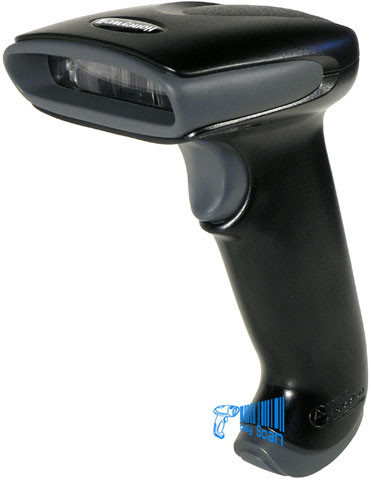
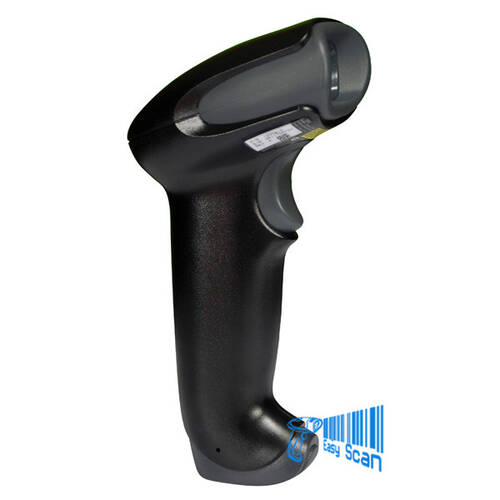
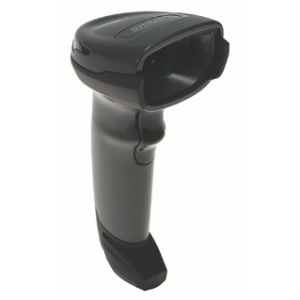
Zebra DS9908 Hybrid Barcode Scanner

Zebra DS9908

Hybrid handheld / hands-free barcode scanner

  • For POS, service counters and fast hands-free retail scanning.
  • Supports 1D / 2D / OCR / Digimarc; DS9908R RFID version is also available.
  • Check cables, EAS, RFID, mounts and output settings before ordering.
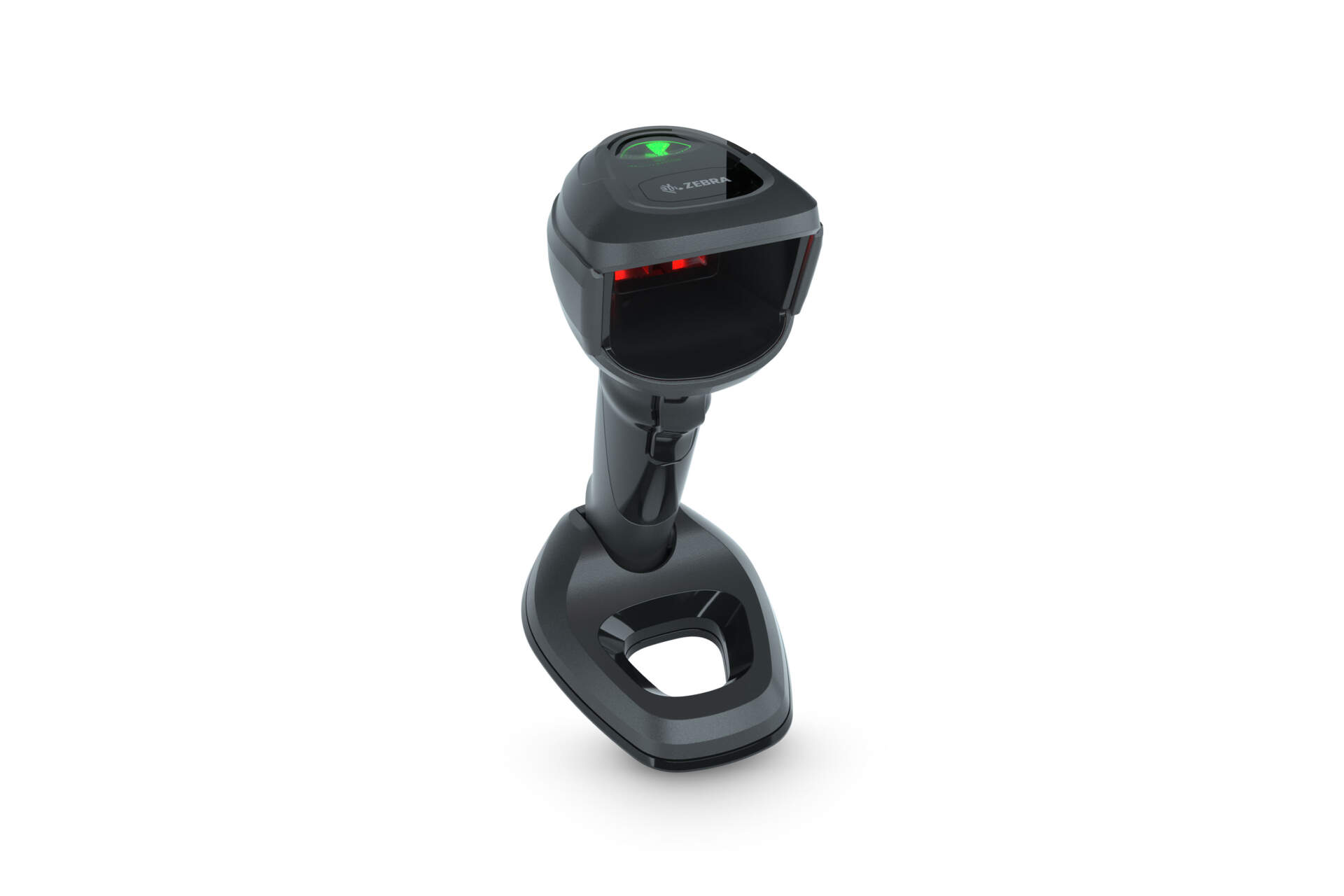
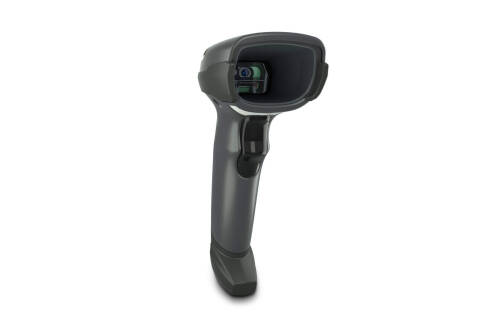
Zebra DS9908 hybrid handheld and hands-free scanner front-right product image

Zebra DS9908

Zebra DS9908 Hybrid Barcode Scanner

For Hong Kong retail POS, service counters and B2B workflows that need both hands-free and handheld scanning; check DS9908, DS9908R, cables, mounts and output settings before ordering.

Overview

Where does DS9908 fit?

Zebra DS9908 is a corded DS9900 Series hybrid presentation scanner positioned between a fixed counter scanner and a handheld scanner. Associates can swipe items past the scan window in hands-free mode, then pick up the scanner for barcodes on carts, larger goods or labels away from the counter. Zebra lists 1D, 2D, OCR and Digimarc scanning, a 1280 x 800 pixels image sensor, Standard Range, USB / RS232 / Keyboard Wedge host interface directions and a DS9908R RFID version for teams evaluating barcode and RFID counter workflows together.

Fit

Quick-fit check

Start with scan distance, counter space, RFID requirement and host interface before choosing the configuration.

Good fitCheckout counters, loyalty scans, coupons, age verification and service desks.Check firstConfirm whether DS9908R RFID, EAS, Toshiba TEC or region-specific variants are needed.Usually not idealLong-range warehouse scanning or high-drop industrial work should use a rugged handheld scanner.

Decision

Suitable / Not Suitable

Suitable

  • Fixed counters that need fast paper and mobile barcode capture.
  • Workstations that need both hands-free and handheld operation.
  • Retail workflows evaluating Checkpoint EAS or the RFID version.

May Not Fit

  • Long-distance warehouse shelf scanning.
  • Cordless Bluetooth handheld use.
  • Ultra-rugged industrial sealing or drop requirements.

Features

Key Features

Hybrid scanning

One device supports hands-free swipe scanning and handheld pick-up scanning.

High-resolution imaging

1280 x 800 pixels sensor with 1D / 2D / OCR / Digimarc support.

Counter speed

Hands-free swipe speed up to 240 in. / 610 cm per second for 13 mil UPC.

Counter-friendly design

Integrated stand helps fit presentation scanning into constrained POS areas.

Host interface directions

USB, RS232, Keyboard Wedge and TGCS 46XX over RS485.

RFID version

DS9908R can be evaluated for POS barcode plus RFID read/write workflows.

Applications

Common Applications

01

POS checkout counters

Capture item barcodes, loyalty QR codes, e-coupons and mobile-screen barcodes quickly.

02

Service and returns desks

Use hands-free scanning for documents, then pick up the scanner for larger goods or cart-side labels.

03

Age verification and ID OCR

Supports counter workflows that need OCR or document-capture direction for ID and form handling.

04

EAS / RFID retail workflows

For Checkpoint EAS or DS9908R RFID, check store systems, tags and checkout workflow before quoting.

Workflow

Accessories, Cables and Software

When sourcing DS9908, check USB / serial cable choice, Multi-Mount Bracket, Checkpoint EAS requirement, RFID frequency, 123Scan / SMS management approach and POS output behaviour.

Selection Guide

Selection Steps

01

Scanning workflow

Confirm barcode-only use, DS9908R RFID, EAS or document / OCR workflow requirements.

02

Host interface

Check whether the POS, PC or kiosk needs USB, RS232, Keyboard Wedge or TGCS 46XX over RS485.

03

Counter layout

Confirm scanner placement, pick-up scanning distance, Multi-Mount Bracket and cable routing.

04

Output behaviour

Confirm Enter, Tab, prefix / suffix, keyboard language and POS / ERP / WMS input format before deployment.

Compare

DS9908 / DS9908R / DS9308 Comparison

Model Positioning Main Difference
DS9908 Corded hybrid barcode scanner Hands-free and handheld scanning; DS9908 is IP52.
DS9908R RFID version Supports EPC / ISO-18000-63 RFID; Zebra lists DS9908R as IP42.
DS9308 Smaller desktop presentation scanner Fits simpler counter scanning; not the same pick-up hybrid design.

Pitfalls

Common Buying Pitfalls

Mixing DS9908 and DS9908R

RFID is version-specific and should be confirmed before quoting.

Ignoring cable choice

USB, serial, power cable and host interface choices affect deployment.

Using it like a long-range scanner

DS9908 is a counter hybrid scanner, not a long-range rugged handheld.

Easy Scan

Why Ask Easy Scan

As a Zebra Premier Solution Partner, Easy Scan can help Hong Kong teams check DS9908 / DS9908R models, Part Numbers, cables, EAS / RFID requirements, documents and output settings before procurement.

Specifications

Detailed Specifications

The following specifications are based on Zebra DS9908 product and DS9900 Series specification sources; final configuration should be checked against the quoted model.

Product family DS9900 Series Corded Hybrid Imager for Retail
Model DS9908; DS9908R RFID version also available
Product type Hybrid handheld / hands-free presentation area imager barcode scanner
Scan type 1D, 2D, OCR and Digimarc
Image sensor 1280 x 800 pixels
Scan range Standard Range
Corded / cordless Corded
In the box DS9908 hands-free scanner, USB cable
Dimensions DS9908: 8.0 in. H x 3.7 in. W x 5.2 in. D / 20.3 cm H x 9.4 cm W x 13.2 cm D
Weight DS9908: 11.6 oz. / 330.0 g
Input voltage 4.5 to 5.5 VDC host powered; 4.5 to 5.5 VDC external power supply
Current DS9908 operating current: 321 mA typical; standby current: 70 mA typical at nominal 5.0V
Colour Midnight Black
Supported host interfaces USB Certified, RS232, Keyboard Wedge, TGCS (IBM) 46XX over RS485
Keyboard support Supports over 90 international keyboards
EAS Compatible with Checkpoint EAS deactivation system
User indicators Direct Decode Indicator, Good Decode LEDs, speaker with adjustable tone and volume
Swipe speed hands-free Up to 240 in. / 610 cm per second for 13 mil UPC in optimized mode
Light source Aiming pattern: circular 617 nm amber LED; illumination: 645 nm red LEDs
Field of view 48 degrees H x 30.6 degrees V nominal
Minimum print contrast 16% minimum reflective difference
Skew / pitch / roll +/-60 degrees / +/-60 degrees / 0-360 degrees
RFID version DS9908R supports EPC Class 1 Gen2, EPC Gen2 V2 and ISO-18000-63; nominal read range approx. 18 in. / 45.7 cm
Graphics format support Bitmap, JPEG or TIFF
A4 document image quality 116 PPI on an 8.3 x 11.7 in. / 21.0 x 29.7 cm document at 8.0 in. / 20.3 cm
Operating temperature 32.0 to 122.0 degrees F / 0.0 to 50.0 degrees C
Storage temperature -40.0 to 158.0 degrees F / -40.0 to 70.0 degrees C
Humidity 5% to 95% RH, non-condensing
Drop specification DS9908: multiple drops at 5.0 ft. / 1.5 m to concrete
Tumble specification Designed to withstand 2,000 tumbles in 1.5 ft. / 0.5 m tumbler
Environmental sealing DS9908: IP52; DS9908R: IP42
ESD +/-15 KV Air, +/-8 KV Direct, +/-8 KV Indirect
Ambient light immunity 0 to 10,000 foot candles / 0 to 107,600 lux
Accessories Multi-Mount Bracket
1D decode capability Code 39, Code 128, Code 93, Codabar/NW7, Code 11, MSI Plessey, UPC/EAN, I 2 of 5, Korean 3 of 5, GS1 DataBar, Base 32
2D decode capability PDF417, Micro PDF417, Composite Codes, TLC-39, Aztec, DataMatrix, MaxiCode, QR Code, Micro QR, Han Xin, Postal Codes
OCR / Digimarc OCR-A, OCR-B, MICR, US Currency; Digimarc barcodes
Minimum element resolution Code 39: 3.0 mil; Code 128: 3.0 mil; DataMatrix: 6.0 mil; QR Code: 6.0 mil
Handheld decode examples UPC 13 mil: 0-24.7 in. / 62.7 cm; QR 20 mil: 1.0-18.0 in. / 45.7 cm
Hands-free decode examples UPC 13 mil: 0-9.5 in. / 24.1 cm; QR 20 mil: 0-9.5 in. / 24.1 cm
Utilities and management 123Scan, Symbol Scanner SDK, Scanner Management Service
Recommended services Zebra OneCare Select; Zebra OneCare Essential

FAQ

FAQ

Can DS9908 be used handheld?

Yes. DS9908 is a hybrid handheld / hands-free scanner for counter swipe scanning and pick-up scanning of larger or farther items.

What is the difference between DS9908 and DS9908R?

DS9908R is the RFID version. Zebra lists RFID standards, read range, power output and frequency details separately; barcode-only workflows normally start with DS9908.

What should I provide for a quote?

Share the host interface, barcode types, RFID / EAS requirement, cable choice, counter space and system input behaviour.

Contact

Check DS9908 Configuration

For POS, service-counter or RFID-counter workflows, send Easy Scan your scanning scenario, cable and system requirements for DS9908 checking.

Brand

Zebra

Product Type

Hybrid barcode scanner

Series

DS9900 Series

Model

DS9908 / DS9908R

Scan Type

1D / 2D / OCR / Digimarc

Scanner Format

Corded handheld and hands-free presentation scanner

Host Interfaces

USB, RS232, Keyboard Wedge, TGCS 46XX over RS485

RFID Option

DS9908R RFID version available

Suitable Application

Retail POS, service counters, mobile barcode capture and counter RFID workflows

Part Number

Use these models for pre-quote checking; actual sellable models may vary by region, configuration and supply status.

Scanner configurations

Part Number Description
DS9908-HD4000WZZWW DS9908: PRESENTATION AREA IMAGER, HIGH DENSITY, WHITE ILLUMINATION, CORDED, ALPINE WHITE
DS9908-HD5000WZZUS DS9908: PRESENTATION AREA IMAGER, HIGH DENSITY, CORDED, RFID, WHITE ILLUMINATION, ALPINE WHITE, 902-928 MHZ
DS9908-SR00004ZCWW DS9908: PRESENTATION AREA IMAGER, STANDARD RANGE, CORDED, MIDNIGHT BLACK, CHECKPOINT EAS
DS9908-SR00004ZZWW DS9908: PRESENTATION AREA IMAGER, STANDARD RANGE, CORDED, MIDNIGHT BLACK
DS9908-SRR0004ZCUS DS9908: PRESENTATION AREA IMAGER, STANDARD RANGE, CORDED, RFID, MIDNIGHT BLACK, CHECKPOINT EAS, 902-928 MHZ
DS9908-SRR0004ZZIN DS9908: PRESENTATION AREA IMAGER, STANDARD RANGE, CORDED, RFID, MIDNIGHT BLACK, INDIA ONLY
DS9908-SRR0004ZZTH DS9908: Presentation Area Imager, Standard Range, Corded, Rfid, Midnight Black, Thailand Only
DS9908-SRR0004ZZUS DS9908: Presentation Area Imager, Standard Range, Corded, RFID, Midnight Black, 902-928 MHZ
DS9908-TT00004ZCJP DS9908: PRESENTATION AREA IMAGER, STANDARD RANGE WITH TOSHIBA TEC, CORDED, MIDNIGHT BLACK, CHECKPOINT EAS – JAPAN ONLY
DS9908-TT00004ZZJP DS9908: PRESENTATION AREA IMAGER, STANDARD RANGE WITH TOSHIBA TEC, CORDED, MIDNIGHT BLACK – JAPAN ONLY

Bundled kits

Part Number Description
DS9908-HDWU2105AZU DS9908-HD WHITE USB KIT – US: DS9908-HD5000WZZUS SCANNER, CBA-U21-S07ZBR SHIELDED USB CABLE
DS9908-SR4U2100AZW DS9908-SR BLACK USB KIT: DS9908-SR00004ZZWW SCANNER, CBA-U21-S07ZBR SHIELDED USB CABLE
DS9908-SR4U210RAZU DS9908-SR BLACK RFID USB KIT – 902-928 MHZ: DS9908-SRR0004ZZUS SCANNER, CBA-U21-S07ZBR SHIELDED USB CABLE
DS9908-SR4U230RAZU DS9908-SR BLACK RFID USB KIT – 902-928 MHZ: DS9908-SRR0004ZZUS SCANNER, CBA-U23-S07ZBR SHIELDED USB POWER+ CABLE

Accessories

Check mounts, cables and related accessories against the workstation and host interface.

Part Number Description
BRKT-MM0099C-04 Multi-Mount – DS9908 (Midnight Black)

Resources

Certificates

Easy Scan’s Zebra Premier Solution Partner proof supports model selection, documentation, accessory checking and local support coordination.

View certificate page

Video

These videos help explain DS9908 / DS9908R use across retail counters, hybrid scanning and RFID workflows.

FAQ

Is DS9908 suitable for Hong Kong retail POS?

Yes for counters that need fast fixed scanning plus occasional pick-up scanning of items or mobile barcodes.

Can DS9908 scan mobile-screen barcodes?

Zebra positions the DS9900 Series for electronic and mobile display barcodes; actual performance should be tested with barcode size, brightness, screen protector and workflow.

Do I always need DS9908R?

No. DS9908R is for RFID workflows. Barcode-only 1D / 2D / OCR use normally starts with DS9908.

What information is useful before enquiry?

Share host interface, cable, scan distance, barcode types, EAS / RFID requirement and POS or system input behaviour.

Is DS9908 a long-range warehouse scanner?

No. DS9908 is mainly a counter hybrid scanner. Long-range or high-drop industrial environments should be checked against other Zebra handheld scanners.

How can Easy Scan help?

Easy Scan can help check model choice, Part Numbers, cables, mounts, documents and setup direction.

Leave Your Message

    Go to Top