
Barcode Scanner Guide
Barcode Scanner Buying Guide for Hong Kong Businesses
Easy Scan supplies barcode scanners, mobile computers and RFID readers for Hong Kong retail, warehouse, logistics and manufacturing teams. A barcode scanner sends product, carton, membership, asset and inventory barcode data into a POS, computer, ERP or WMS workflow. Selection starts with barcode format, scan distance, worksite conditions, connection method and what the user needs to do after scanning.

What
Barcode data capture
A barcode scanner converts barcode information into data that a computer, POS, mobile computer or business system can receive.

Where
Daily operational workflows
Common uses include checkout, receiving, picking, shipping, logistics sorting, document handling, asset management and production tracking.

How
Workflow-led selection
Easy Scan confirms barcode type, scan distance, interface, durability and system compatibility before recommending a device direction.
Definition
What Is a Barcode Scanner?
A barcode scanner reads 1D barcodes, 2D barcodes and QR codes. It sends scanned data through USB, Bluetooth, a wireless base, RS232, network connection or other supported interfaces into a POS, PC, mobile computer, ERP, WMS or other business system. Models differ by supported code format, scan distance, drop resistance, wireless range and configuration options, so procurement should start from the actual workflow.
Technology terms help, but workflow requirements decide the direction
CCD, laser and imaging terms are useful technical references. For current business selection, Easy Scan first confirms whether users scan 1D or 2D codes, whether phone-screen scanning is required, how far away the code is, whether the site is dusty or drop-prone, and whether the device only enters data or supports a larger task flow.
Selection Points
Confirm the Workflow Before Choosing a Barcode Scanner
A barcode scanner is selected by workflow, not by name alone. The right direction depends on barcode format, scan distance, connection method, durability requirements and whether staff need a screen for tasks. Easy Scan first checks the barcode sample, worksite conditions and system connection before narrowing the device category.

Barcode Format
Confirm 1D, 2D or QR Code
Product barcodes, logistics labels, membership codes and phone screens need different scanner capabilities. If QR codes or phone screens are required, choose a 2D imaging scanner.

Work Location
Confirm fixed-station or mobile work
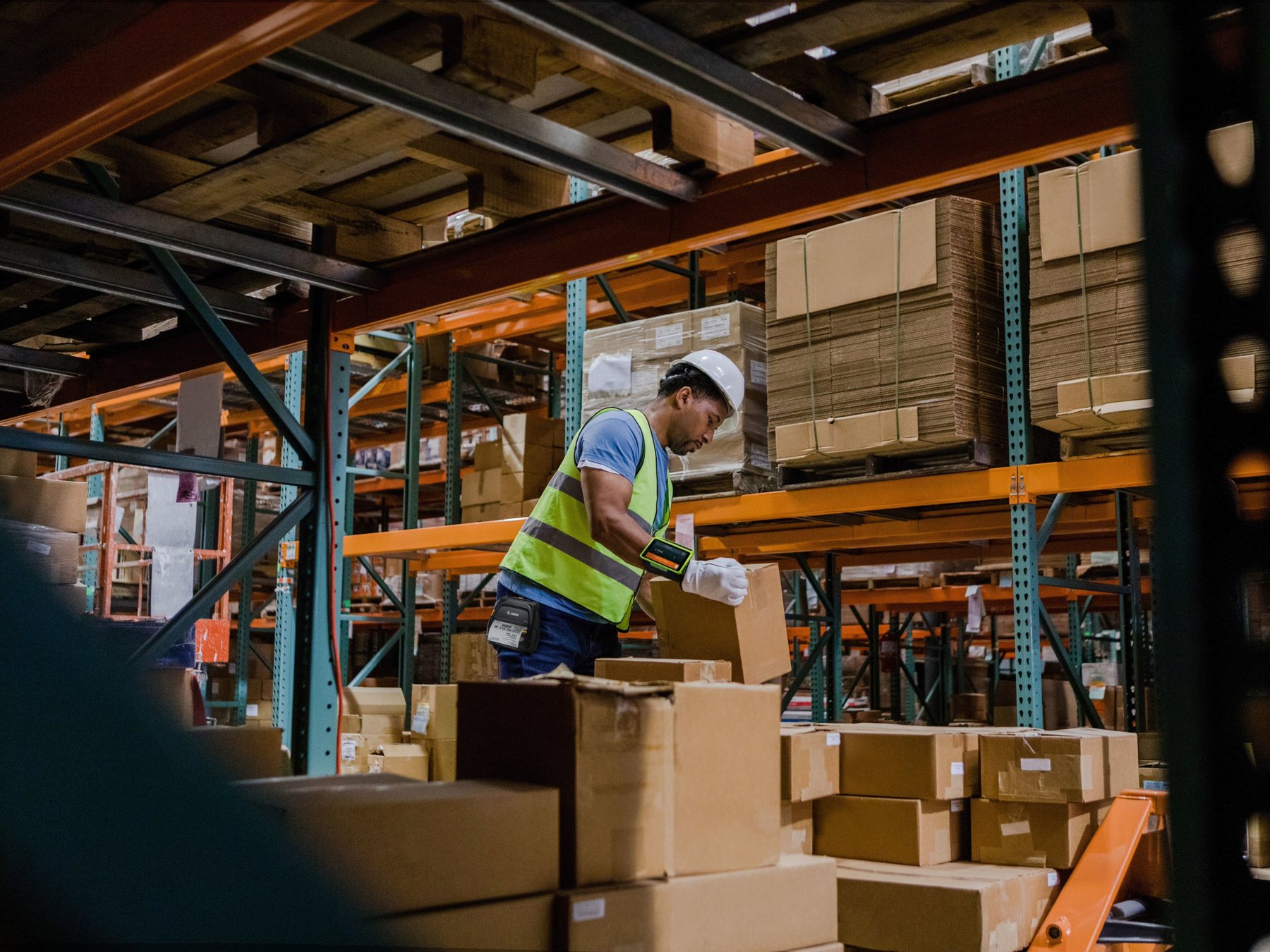
Checkout counters, warehouse aisles, receiving areas and industrial sites have different scan distances and durability needs, which directly affect corded, cordless or industrial scanner selection.

System Connection
Confirm output format and system fit
Scanned data usually needs to enter POS, ERP, WMS or a PC field. Share the existing system and output format during enquiry so the configuration can be checked earlier.
2D Readiness
Why 2D and QR Code Scanning Is Now a Baseline Requirement
2D barcodes and QR codes carry more data than traditional 1D barcodes and can support phone screens, logistics labels, membership codes and product information links. GS1 is driving next-generation 2D barcodes and GS1 Digital Link, so retail POS and supply chain workflows are moving from 1D-only scanning to scanners that read both 1D and 2D codes.

Phone screens and membership codes
If staff need to read phone QR codes, e-tickets or membership codes, 2D imaging should be treated as a baseline requirement.

Product data and traceability
2D barcodes can carry batch, date, serial number or web link data. Traceability, compliance and product information workflows should include 2D scanning capability.

Logistics labels and field workflows
Logistics labels often include 1D, 2D, QR code or PDF417 data. Field workflows also need screen, app, photo and status-update requirements checked.
Use Cases
Common Barcode Scanning Scenarios in Hong Kong
The same scanner can behave very differently across retail, warehouse, logistics and production environments. These scenarios help procurement, IT and operations teams narrow the requirement first.

Retail
POS and membership scanning
Focus on scan speed, ease of use, counter space, phone-screen QR code support and POS input compatibility.

Warehouse
Receiving, picking and stocktaking
Compare wireless range, battery workflow, durability, scan distance, carton label quality and warehouse process fit.

Logistics
Dispatch and delivery workflows
Logistics labels vary in size, print quality and condition. Workflows that need status updates, photos or proof-of-delivery should compare mobile computers as well.

Manufacturing
Production and asset tracking
Focus on workstation distance, durability, data format, work order or batch input, and existing system compatibility.
Selection Table
How to Choose 1D, 2D, Wireless, Presentation and Industrial Scanners
The table below gives the first selection direction. The final model depends on barcode size, label quality, scan distance, interface and site conditions.
| Scanner Type | Best Fit | Question to Ask |
|---|---|---|
| 1D barcode scanner | Standard product barcodes, shelf labels, document barcodes and simple stock input. | Will the workflow later need QR codes, Data Matrix, PDF417 or phone-screen codes? |
| 2D imager | QR codes, logistics labels, phone screens, small codes and partially damaged labels. | Does the team need to read multiple code formats, and is the scan distance sufficient? |
| Wireless scanner | Shelves, receiving areas, warehouse aisles, retail backrooms and mobile workstations. | Do wireless range, battery life, charging workflow, base location and connection stability fit the site? |
| Presentation or fixed scanner | Checkout counters, membership cards, tickets and hands-free high-frequency scanning. | Does the site need hands-free, omnidirectional, counter-mounted or fixed-angle scanning? |
| Industrial barcode scanner | Warehouses, logistics, manufacturing and higher-risk environments where durability matters. | Is the site dusty, cold, humid, drop-prone or exposed to tougher conditions? |
Next Step
Narrow the Direction by Scanner Type
The cards below group common barcode scanner types by working method. Use them to identify the likely direction, then share barcode samples, scan distance, connection method and system details with Easy Scan for configuration checking.

1D Scanning
1D handheld barcode scanners
For standard product barcodes, document barcodes and shelf labels. If the workflow only reads one-dimensional codes, this type gives direct and stable data entry.

2D / QR Code
2D imaging scanners
For QR codes, phone screens, logistics labels and small or partly damaged codes. New systems should normally allow for 2D scanning capability.

Cordless Work
Wireless barcode scanners
For receiving areas, retail backrooms and warehouse aisles where staff move away from the PC or checkout counter. Confirm cradle location, battery workflow and wireless coverage.

Hands-Free
Presentation / fixed scanners
For checkout counters, membership codes, tickets and high-frequency scan points. This reduces hand-held operation when staff need both hands for products or documents.

Rugged Sites
Industrial barcode scanners
For logistics, manufacturing, cold storage, longer scan distance or higher drop-risk scenarios. Confirm protection rating, scan distance and barcode quality.
Workflow Fit
Barcode Scanner, Mobile Computer or RFID Reader?
Easy Scan first confirms what users need to complete after each scan, then narrows the choice between a barcode scanner, mobile computer and RFID reader.
Choose a barcode scanner
Best when staff only need to enter barcode data quickly into a PC, POS or existing system without viewing tasks or updating multiple statuses on the device.

Compare mobile computers
If staff need to view tasks, enter quantities, take photos, update status or use an app on site, review mobile computers as well.

Review RFID reader categories
If the workflow needs batch reading, non-line-of-sight reading or asset tracking, review the RFID category. RFID requires compatible tags, readers and system workflow.
Related Product Categories
Related Product Categories: Barcode Scanners, Mobile Computers, Rugged Tablets and RFID
The category pages below help you compare device directions first. For procurement, Easy Scan narrows the suitable category and configuration based on barcode samples, scan distance, site conditions and system details.


Before Enquiry
What to Prepare Before Asking for Scanner Advice
Clear requirements let Easy Scan narrow the device direction faster and help avoid equipment that does not fit the site or workflow.

Barcode and site information
- Whether users scan 1D barcodes, QR codes, Data Matrix or other formats.
- Whether barcodes appear on products, cartons, labels, documents or phone screens.
- Typical scan distance, barcode size and label print quality.
- Dust, cold storage, humidity, drop risk, glare or other site conditions.

System and deployment information
- Whether the scanner connects to a PC, POS, ERP, WMS, Android device or other system.
- Preferred connection method such as USB, Bluetooth, wireless base, RS232 or network.
- Daily scan volume, number of users, work shifts and charging arrangement.
- Output format, prefix or suffix characters, training and technical support needs.


FAQ
Barcode Scanner FAQ
Are barcode scanner and barcode reader the same thing?
In most business contexts, yes. Barcode scanner is the more common product category term, while barcode reader is another way to describe the same function. Selection should be based on code format, distance, interface and workflow.
Can a 1D barcode scanner read QR codes?
No. A 1D barcode scanner does not read QR codes. QR codes, Data Matrix and most 2D barcodes require a 2D imager. If phone-screen scanning is needed, compare 2D models that support screen reading.
Does every warehouse need a wireless scanner?
No. If the scanning point is fixed, a corded scanner can meet the input requirement. If users move between shelves, receiving areas or picking routes, compare wireless range, battery life, charging and durability.
Can barcode scanners work with POS, ERP or WMS systems?
Yes, subject to connection method, output format, field input, prefix or suffix characters and workflow setup. Share the system name, existing device model and required output format before selection.
Should we choose a scanner or a mobile computer?
Choose a scanner when users mainly enter barcode data into a PC or POS. Choose a mobile computer when users need to process tasks, view information, enter quantities or update status on the device.
When should a business consider RFID?
Consider RFID when the workflow needs batch reading, non-line-of-sight reading, asset-level tracking or faster stocktaking. RFID requires compatible tags, readers and system workflow; it is not a simple scanner swap.
Enquiry
Not Sure Whether You Need a Scanner, Mobile Computer or RFID Reader?
Share your use case, barcode sample, scan distance, connection method and existing system information. Easy Scan will help narrow down a practical device direction for Hong Kong B2B operations.