Hong Kong warehouse picking and packing guide
Picking and Packing Barcode Setup: Scanners, Mobile Computers and Printers
A practical picking and packing setup starts when the WMS or ERP releases an order, batch or wave. A barcode scanner or mobile computer then confirms the task, location, item, quantity, lot or serial where required, before handing the goods to the correct tote, order or packing station. The packer verifies the contents, triggers labels at the controlled print point and completes the WMS or ERP transaction. Reading a barcode is not the same as completing the transaction.
Reliable packing depends on a pick that retains its order and tote context
The common gap is not failed decoding. It is an unclear relationship between the task, location, item, quantity, tote and order. A beep does not prove that a pick line posted or that the contents of a carton match the order.
Match devices to movement, screen needs and print points
Define the purpose, host response, blocking condition, exception owner and completion state for every scan point before selecting devices, labels or printer positions.
Keep RFID as a conditional identification layer, not a universal replacement
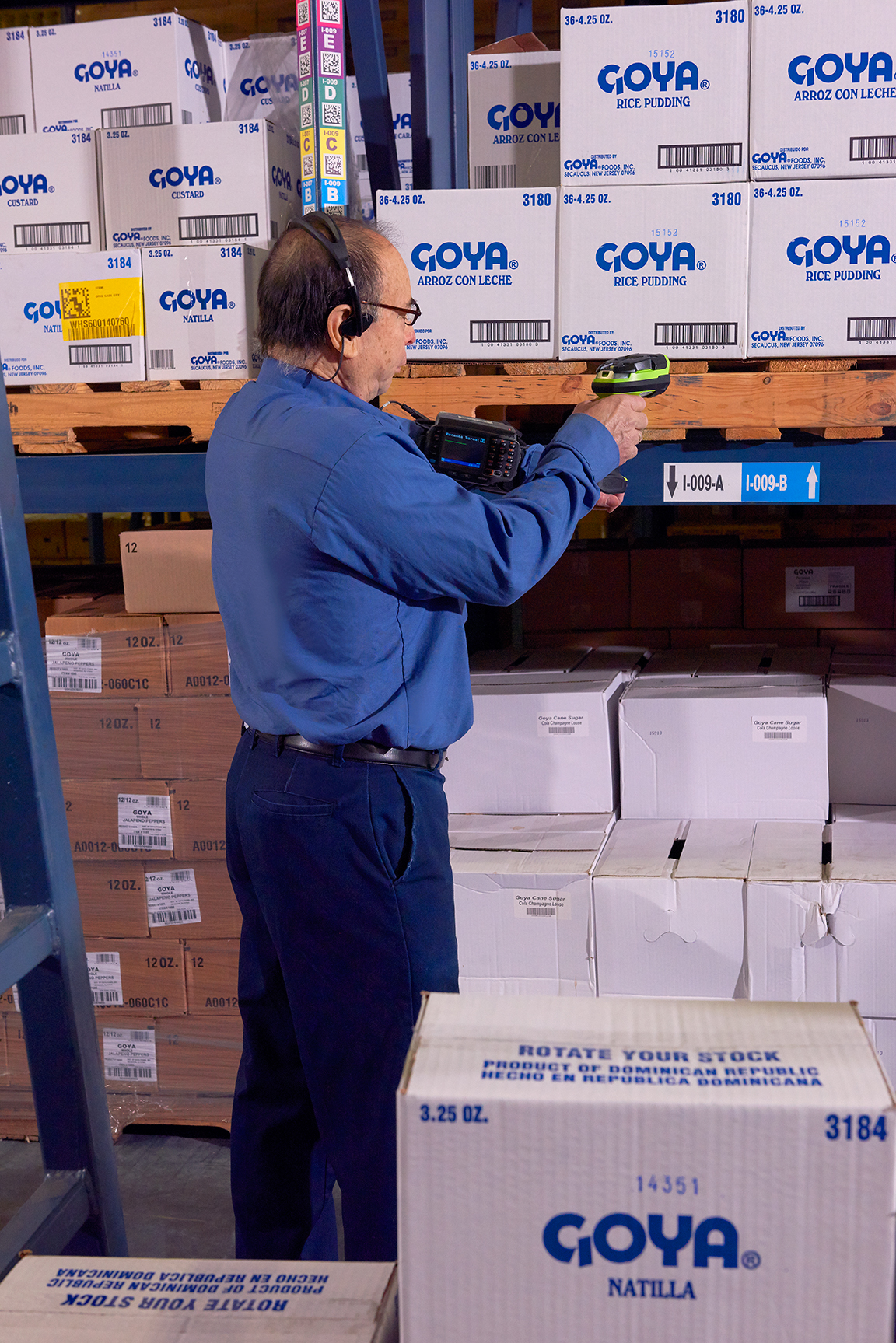
A fixed pack bench may suit a scanner and workstation. A picker who must see tasks, enter quantities and handle exceptions while moving through racks will usually need a mobile computer. Repetitive hands-free work may suit a wearable. Place each printer at the validated label-trigger point.
Operational pain points
An unposted picking workflow or an early label sends errors to packing
Hong Kong warehouses, retail backrooms, ecommerce operations and 3PL sites may share aisles, carts, packing benches and printers. Verbal hand-offs, handwritten tote references or unrestricted reprinting can lead to mixed orders, short packs, incorrect labels or duplicate completion. Use the Easy Scan packing workflow solution for broader solution context, then define each verification and handoff point with this guide.
The task and physical move diverge
Goods are removed against paper while the WMS has no confirmed line, actual quantity or exception reason.
Multiple orders lack separation
Batch picks have no unique tote, cart-slot or order-position identity, so cross-order mixing is found only at packing.
Printing lacks ownership
Labels print before content validation, or anyone can reprint without handling the earlier label.
Standard workflow
Nine connected control points take work from order release to WMS or ERP completion
Screen and field names vary by system, but each step needs a defined identity, validation response and completion boundary.

| Step | Operator action | System validation | Completion boundary |
|---|---|---|---|
| 1. Release work | Receive a single order, batch or wave | Order status, cut-off, zone and priority | Only eligible work enters the task queue |
| 2. Start task | Scan work, order, tote or cart slot | User, device, task and container relationship | The operator sees the active task and next action |
| 3. Confirm location | Scan the source location first | The location belongs to the task and is available | A wrong or blocked location is stopped or diverted |
| 4. Confirm item | Scan the item and, when required, lot or serial | SKU, pack level, lot, serial and stock status | A wrong item or traceability mismatch cannot pass silently |
| 5. Confirm quantity | Count, repeat-scan or enter the actual quantity | Unit of measure, pack quantity, required and actual amounts | Short, over or duplicate input receives a defined response |
| 6. Handoff | Scan the target tote, cart slot or packing lane | Which order owns the goods and where they go next | Concurrent orders remain separated and traceable |
| 7. Verify pack | Scan the order, tote, carton or items | Contents, quantity, missing lines, duplicates and hold state | Wrong-order, short or damaged goods enter a non-shipping path |
| 8. Print on demand | Trigger the label at the validated work point | Template, printer, copies, permission, reprint reason and old-label handling | The output belongs only to the validated order or container |
| 9. Complete in host | Confirm packing and move work to its next state | Transaction, container relationship, exceptions and status | The WMS or ERP posts successfully; failures remain visible and reconcilable |
Shipping-labelling boundary
This guide covers pack verification, carton identity and the label-trigger boundary. Carrier specifications, APIs, shipment documents and the detailed outbound labelling process belong in a dedicated shipping-labelling design.
Picking-method boundaries
Single-order, batch and wave picking are not small, medium and large versions of one process
The method changes work release, tote separation, aisle traffic, packing handoff and print timing. Analyse the order profile before selecting it; order count alone is not enough.

| Method | Stronger fit | Primary control | Boundary |
|---|---|---|---|
| Single-order picking | Manageable order count and one picker can complete one order to handoff | Direct order, location, item and quantity relationship | Simple verification does not guarantee the fastest route at higher order counts |
| Batch or cluster picking | Several small orders share SKUs or zones | A unique tote, slot or cart position for every active order | Without tote and handoff scans, cross-order mixing becomes likely |
| Wave picking | Work is grouped by cut-off, route, zone, labour window or replenishment timing | Release rules, zone coordination, staging and downstream capacity | A wave is not merely a larger batch; it changes downstream timing and handoff |
Configuration decision table
Choose devices by work position, movement, screen need and label-trigger point
A device can deliver decoded data into a field, but the application and WMS or ERP still own order validation, exception selection and status changes. Scan specifications alone cannot define the full setup.

| Work pattern | Evaluate first | Printer placement | Must test |
|---|---|---|---|
| Fixed pack bench or dispatch desk | Handheld scanner plus workstation for order review and document handling | Desktop or industrial printer near the validated pack point | Field focus, wrong-order block, carton verification, routing and reprint |
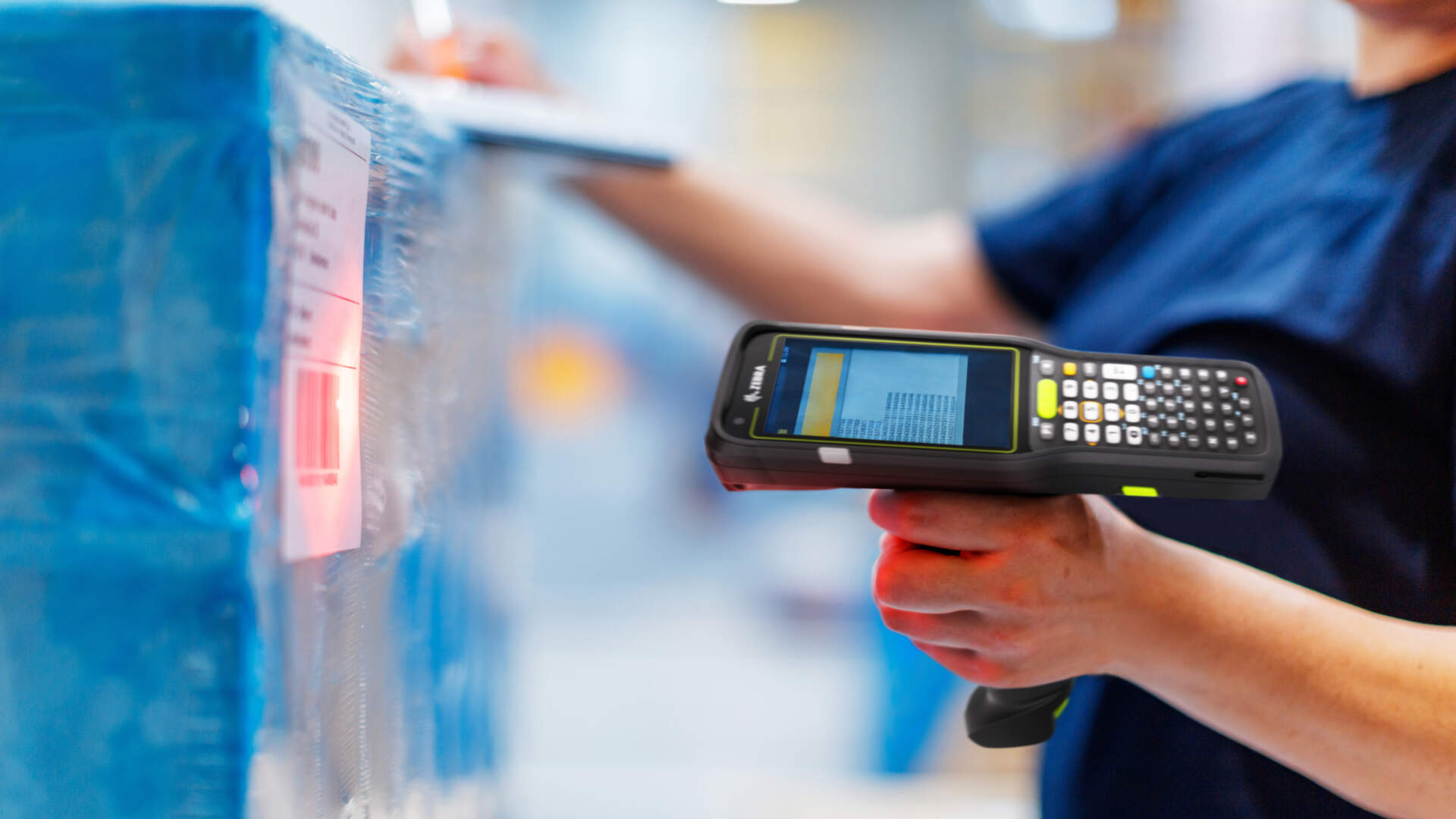
| Roaming rack picking | Mobile computer or PDA for tasks, quantity and exceptions on the device | Usually at handoff or packing; add mobile printing only for a real point-of-activity need | Wi-Fi routes, charging, battery handoff, one-handed use, small-screen app and accessories |
| Repetitive hands-free picks | Wearable scanner with short prompts, voice or a paired display | Mobile printer only when aisle-side output genuinely removes travel or mix-ups | Ergonomics, prompt length, pairing, battery, shift handoff and screen dependence |
| Batch picking with several totes | Mobile computer or wearable plus clearly identified totes or cart slots | At tote creation, handoff or packing rather than an arbitrary shared point | Concurrent orders, wrong tote, handoff, queues, reprint and outage recovery |
For a deeper form-factor decision, compare a barcode scanner and mobile computer.
Pack verification
Retrieve the order or tote context before validating contents and quantity
Start by retrieving the active order, tote or carton. Scanning every item without that context is not enough. The system must then check actual contents, quantity, required lot or serial data, incomplete lines and hold states.

- A tote or order handoff scan should add evidence without overwriting the original pick confirmation.
- Wrong-order, short, excess, damaged or traceability-mismatched goods should remain in a visible exception state.
- Only validated contents should allow carton close, the current label trigger and the next system state.

Print on demand and reprint control
Trigger labels at a verifiable work point and record why a reprint was needed
A fixed pack bench can print after final verification. Tote, exception-carton or handoff labels need mobile printing only when point-of-activity output prevents travel or label mixing. In every case, validate media, format, template, network, printer routing and application output together.

Before printing
Confirm the order or container identity, pack status, template and intended printer.
After the request
Distinguish failed output, no media, wrong route and unreadable output instead of repeating the request blindly.
Reprint and void
Control the role, number of copies and reason, handle the old label and retain a reconcilable record.
Data and transactions
Item, location, quantity, lot, serial and container identity should not collapse into one generic scan field
Every scanned object needs an authoritative record and a defined transaction. One barcode may carry several fields, but it helps only when the application parser and master-data rules are ready to use them.
| Category | Common identifiers or fields | Define before rollout |
|---|---|---|
| Work | Order, pick line, batch, wave, zone | Release rule, priority, user and completion state |
| Location | Warehouse, area, aisle, rack, bin | One code resolves to one physical location and its available or blocked state |
| Item and quantity | SKU, GTIN, pack level, each, case and actual quantity | Primary key, unit conversion, pack quantity and short-pick rule |
| Traceability | Lot, serial, expiry | Required items, format, duplicate and mismatch handling |
| Handoff unit | Tote, cart slot, carton, pallet, handling unit | Creation, binding, split, merge, close and reprint ownership |
| Control evidence | User, device, time, status, exception code and print log | Permission, block, reconciliation, retry and closure |
Use the WMS and ERP barcode data-field checklist to map field ownership and host transactions.
Conditional RFID boundary
RFID can add bulk visibility or reduce line-of-sight dependence without removing pick and pack controls
RFID may support finding, counting or pass-through identification when a tote, carton, pallet, returnable container or item has a suitable tag and the site can control its read zone, expected event and host mapping. Tags, item surfaces, orientation, density, interference, read-zone design and application logic still require real testing.

Retain coexistence and failed-tag routes
Test missed reads, extra reads, wrong-zone reads, damaged tags, failed encoding and manual review. An RFID event must still map to a task, container or order, while final pack and host-completion conditions remain explicit.
Exceptions and common mistakes
One uncontrolled workaround can separate scan evidence from the physical order

- Buying devices before choosing the release model. Single-order, batch and wave flows need different tote, screen and handoff controls.
- Treating a beep as completion. The application must validate the input and the host must post the transaction.
- Batch picking without a tote scan. Concurrent orders cannot remain reliably separated on one cart.
- Using only free text for wrong-location or short-pick events. Define visible codes, owners and closure conditions.
- Pre-printing a stack before pack verification. A correct label can still be applied to the wrong order.
- Reprinting without a reason or voiding the old label. Several apparently valid outputs can remain in the work area.
- Demonstrating only one clean label. Test worn, reflective, creased, wrong and missing labels.
- Treating RFID as a universal replacement. Without tag, zone, mapping and exception design, it adds uncertainty.
Deployment checklist
Pilot with real orders, totes, cartons, labels and movement paths
- Map the physical route. Cover release, racks, tote handoff, pack bench, printing and host completion.
- Define every scanned identity. Separate task, location, item, quantity, lot, serial, tote and carton rules.
- Choose the picking method. Document single-order, batch or wave release, separation and handoff logic.
- Assign devices by role. Specify primary and fallback scanner, mobile-computer or wearable patterns.
- Design print and reprint. Set trigger state, routing, permission, reason code and old-label handling.
- Build exception routes. Include wrong location, wrong item, short pick, wrong tote, damage, outage, failed print and duplicate submission.
- Test the site. Walk aisles, lifts, mezzanines, staging and packing for Wi-Fi, charging, accessories and operator language.
- Accept normal and failed cases. Expand only when the host clearly records successful, held and completed transactions.
Acceptance checks
Use observable host responses rather than fabricated speed or accuracy claims
If the project needs numeric throughput, quantity, accuracy or service thresholds, define them from the current baseline, pilot and agreed scope.

| Test | Observable pass condition |
|---|---|
| Single-order flow | Release, location, item, quantity, packing and completion states follow the design. |
| Batch with several totes | Wrong-tote, wrong-slot and mixed-order cases are blocked or held while several orders remain active. |
| Wave release | Work arrives under the intended rule and staged, packed and unfinished tasks remain traceable. |
| Wrong location, wrong item and short pick | Normal completion is not falsified; each exception has a reason, owner, state and closure condition. |
| Packing and printing | Wrong or incomplete orders cannot close normally; reprints have permission, reason and old-label handling. |
| Network, device or printer outage | Operators know the continuity route and recovery can be reconciled without uncontrolled duplicate completion. |
| RFID, when in scope | Real tags, surfaces and zones are tested, with missed, extra and failed-tag handling plus barcode coexistence. |


Frequently asked questions
Picking and packing barcode setup FAQ
Is a barcode scanner enough at a packing station?
It depends on the task. A scanner may suit a fixed workstation where the host screen already controls the order, quantity and exceptions. If the worker leaves the bench and must view tasks or complete transactions, evaluate a mobile computer.
What does a mobile computer or PDA add to picking?
It can show the task, receive scans, enter quantities, select exceptions and change work states while the worker moves. The actual behaviour depends on the app, WMS or ERP, network and configuration; it is not universal across devices.
When does batch picking fit?
It may fit several small orders with shared SKUs or zones when the site can separate each order with an identified tote, slot or cart position. Without tote and handoff confirmation, errors move downstream to packing.
Is wave picking just a larger batch?
No. A wave releases work by cut-off, route, zone, labour or replenishment window, so it also affects staging, packing and downstream capacity.
Should the picker scan the location or the item?
They serve different controls. A location scan confirms where the worker is; an item scan confirms physical identity. Quantity, lot and serial steps then follow the item and host rules.
Should packing labels be pre-printed or printed on demand?
It depends on order stability and mix-up risk. If a label must match the final carton, contents or validated order, trigger it at that control point. Detailed carrier-labelling rules require a separate design.
Why should reprinting be restricted?
Blind reprinting can leave several apparently valid labels in the area. Control the role, copies, reason and old-label handling, and retain a record for reconciliation.
Can RFID replace picking and packing barcodes?
Do not treat it as a universal replacement. RFID can add bulk visibility when tags, read zones, host mapping and failed-tag routes are proven, but task, exception, packing and completion controls still remain.
Picking and packing workflow planning
Preparing to redesign picking, packing and label work points?
Prepare the order and SKU profile, release pattern, pick route, tote and carton handling, WMS or ERP screens, representative labels, print points, Wi-Fi coverage and common exceptions. Easy Scan can review scanners, mobile computers, wearables, printers, labels and acceptance arrangements against the actual work points.