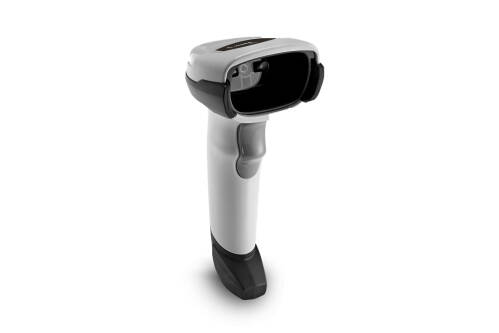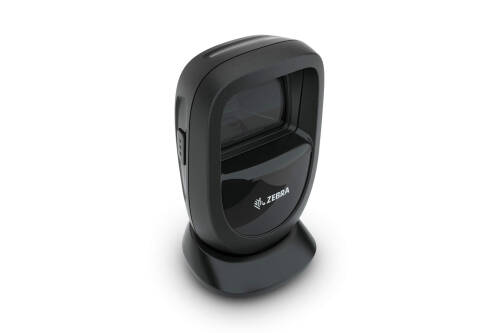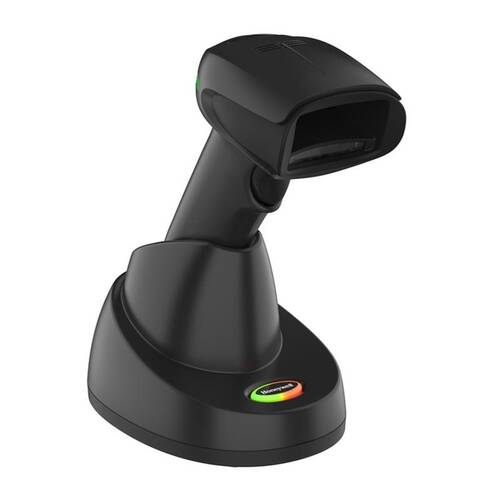

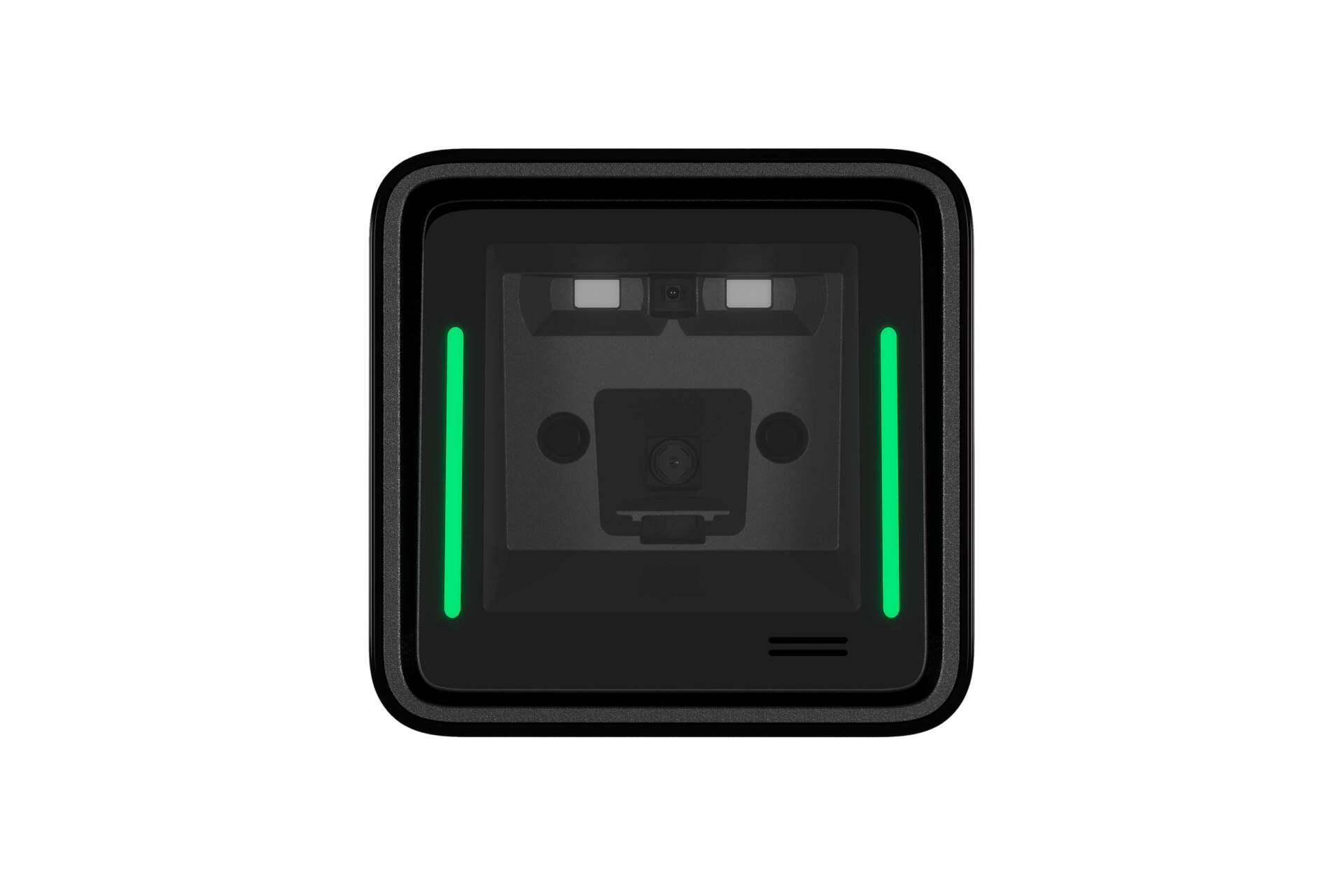

Zebra SP20 / POS Scanner
Zebra SP20 Single-Plane Barcode Scanner
The Zebra SP20 is a compact single-plane scanner for retail POS, convenience stores, QSR counters, kiosks and service desks that need quick setup, a small counter footprint and dependable 1D / 2D barcode capture.
- Description
- Additional information
- Part Number
- Accessories / Services
- Resources
- Certificates
- Video
- FAQ

Zebra SP20 / Single-Plane Scanner
Zebra SP20 for compact POS checkout scanning
A compact single-plane scanner for Hong Kong retail, convenience store, QSR, kiosk, ticketing and counter workflows that need reliable 1D / 2D scanning in limited POS space.
Product Overview
A simple, space-saving scanner for checkout counters
The Zebra SP20 Series / SP2002 is a compact single-plane area imager for fixed POS and counter scanning. It is designed for straightforward deployment rather than complex checkout infrastructure: Zebra’s source material highlights Simple Setup Experience guidance, a low-profile body, an adjustable stand option and fast deployment from unboxing to operation. For Hong Kong retail, convenience stores, QSR counters, specialty retailers, self-service kiosks, ticketing and check-in desks, SP20 can support everyday product barcodes, QR codes, mobile coupons and GS1 Digital Link use cases. Procurement should confirm cube-only, stand kit, USB cable, mounting method, host interface, output behaviour and any future scanner-management requirement.
Quick Fit
Is SP20 the right scanner direction?
Check first: USB or RS232 TTL, stand / mounting, Enter / Tab / prefix / suffix, barcode mix and counter space.
Not ideal: workflows that require staff to leave the counter, long-range warehouse scanning, outdoor rugged use or RFID reading.
Good SP20 use cases
- Fixed POS counters scanning UPC / EAN, QR codes, phone-screen barcodes, membership codes and tickets.
- Small counter layouts that need a low-profile scanner, adjustable stand or kiosk / wall / bracket mounting.
- Frontline staff who benefit from active scan-zone guidance and a clear scan window.
Check before ordering
- Whether the site needs a cube-only scanner, stand kit, USB cable kit or bracketed installation.
- POS / ERP / ticketing host interface, keyboard language and scanner output behaviour.
- Whether a multi-plane scanner, handheld scanner, OEM scan module or RFID direction is more suitable.
Key Features
SP20 features that matter during procurement
Guided setup
Simple Setup Experience uses a mobile-led yes / no flow for basic setup and scanner configuration.
Large scanning view
Zebra lists a 62-degree horizontal x 41-degree vertical nominal field of view with active scan-zone guidance.
GS1 Digital Link ready
SP20 supports 1D UPC and 2D Digital Link codes for packaging workflows moving towards richer barcode data.
Eye-friendly illumination
Recessed deep-red LEDs automatically turn off between scans for customer-facing environments.
Small POS footprint
The low-profile body and adjustable stand help preserve counter space for product displays and operator movement.
Flexible mounting
Adjustable stand, flange bracket, L-bracket and standard 1/4-20 camera mount directions are listed by Zebra.
Commercial durability
Zebra lists IP52 sealing and a multiple-drop specification at 5 ft. / 1.5 m to concrete.
Management tools
123Scan, Scanner SDK and Scanner Management Service can support setup, firmware and asset-information workflows.
Applications
Common Hong Kong B2B workflows
Retail POS
Product barcodes, phone-screen membership codes, e-coupons and 2D packaging codes.
Convenience and QSR
Compact checkout counters where simple positioning and quick scanning matter.
Kiosks and self-service
Fixed-position scanning for check-in, admissions, ticketing or customer self-service.
Small grocery and specialty retail
Counter scanning for checkout, returns, loyalty workflows and data entry.
Compatibility
Confirm interface, mounting, output and setup together
SP20 procurement is not only about the scanner body. Share the POS or kiosk system, USB or RS232 TTL requirement, stand / L-bracket / flange bracket need, right-angle USB cable requirement, barcode mix, GS1 Digital Link plan and host-field behaviour. These details help confirm the right kit and scanner setup before deployment.
Selection Guide
Four checks before choosing SP20
Confirm the scan location
Decide whether the workflow is fixed POS, self-service kiosk, ticketing desk or a mobile handheld workflow.
Confirm barcode types
List UPC / EAN, Code 128, QR Code, Data Matrix, PDF417, Digimarc or GS1 Digital Link requirements.
Confirm mounting and interface
Choose cube-only, stand kit, USB cable, RS232 TTL, bracket or third-party mounting direction.
Confirm setup and management
If fleet setup, firmware updates or asset visibility matter, discuss 123Scan, Scanner SDK or SMS requirements.
Comparison
SP20 compared with other scanner directions
| Selection direction | SP20 is stronger when | Consider another direction when |
|---|---|---|
| Fixed POS counter | You need a compact single-plane scanner, counter-space efficiency and quick setup. | A larger high-throughput checkout platform may require a multi-plane scanner. |
| Mobile handheld scanning | The scanner stays at the counter or kiosk position. | Staff need to scan shelves, stockrooms or warehouse locations away from the counter. |
| Embedded kiosk | Mounting accessories can support fixed non-OEM kiosk use. | A deeply embedded, unbranded enclosure may require the SM20 OEM Scan Module direction. |
| Future 2D packaging codes | GS1 Digital Link support is part of the workflow plan. | RFID reading is required in the same process. |
Buying Pitfalls
Common SP20 ordering mistakes
Buying the scanner but missing the stand or cable
SP20 has cube-only, stand kit and cable kit directions. Match the kit to the counter layout before ordering.
Leaving POS output behaviour until installation
Enter, Tab, prefix, suffix, keyboard language and host-field behaviour should be tested before go-live.
Treating all checkout scanners as the same
Single-plane, multi-plane, handheld and OEM modules fit different counter and kiosk designs.
Ignoring future 2D packaging codes
If GS1 Digital Link or other 2D workflows are likely, include them in the setup and testing plan.
Why Buy from Easy Scan
Review model, kit, mounting and setup in one flow
As a Zebra Premier Solution Partner, Easy Scan can help Hong Kong retail and service teams review SP20 counter space, barcode mix, host interface, stand, cable, kiosk mounting and output-format requirements before procurement, reducing the risk of ordering the wrong kit or missing setup details.
Specifications
Zebra SP20 buyer-useful specifications
The table below is based on Zebra’s SP20 Series spec sheet. Final quotation configuration should still be confirmed by model, kit, interface, mounting and quote details.
| Product | |
|---|---|
| Product family | SP20 Series Single-Plane Scanner |
| Model | SP2002 |
| Scanner type | Single-plane area imager |
| Colour | Midnight Black |
| Physical Characteristics | |
| Dimensions, scanner only | 3.0 x 3.0 x 2.2 in. / 75 x 75 x 57 mm |
| Dimensions, with stand | 5.5 x 3.1 x 3.1 in. / 140 x 80 x 80 mm |
| Weight, scanner only | 3.9 oz. / 110 g |
| Weight, with stand | 7.7 oz. / 218 g |
| Input voltage range | 4.75 to 5.25 VDC host powered; 4.75 to 5.25 VDC external power supply |
| Operating current | Presentation Mode: 280mA RMS typical; Host Trigger Mode: 260mA RMS typical |
| Idle current | Presentation Mode: 110mA RMS typical; Host Trigger Mode: 80mA RMS typical |
| Supported host interfaces | USB, RS232 (TTL) |
| Keyboard support | Supports over 90 international keyboards |
| User indicators | Power, Active Scan Zone, Good Decode LEDs; beeper |
| Imaging Characteristics | |
| Resolution | 1 Megapixel / 1280 x 800 pixels |
| Illumination | Two deep red LEDs |
| Field of view | 62 degrees horizontal x 41 degrees vertical nominal |
| Minimum print contrast | 20% minimum reflective difference |
| Skew / pitch / roll tolerance | +/-70 degrees / +/-60 degrees / 0-360 degrees |
| User Environment | |
| Operating temperature | 32.0°F to 122°F / 0.0°C to 50.0°C |
| Storage temperature | -40.0°F to 158°F / -40.0°C to 70.0°C |
| Humidity | 5% to 95% RH, non-condensing |
| Sealing | IP52 |
| Drop / impact shock | Designed to withstand multiple drops at 5 ft. / 1.5 m to concrete |
| ESD | +/-15 KV air, +/-10 KV direct, +/-8 KV indirect |
| Ambient light immunity | Sunlight: 0 to 10,000 foot candles / 0 to 108,000 lux; artificial indoor light: less than 450 foot candles / 4845 lux |
| Approved cleaners | Refer to the Product Reference Guide for the complete list of approved cleaners |
| Accessories and Decode Capability | |
| Accessories | Adjustable Stand, Flange Bracket, L-Bracket, third-party accessories with standard 1/4-20 camera mounting screw |
| 1D barcodes | Major 1D barcodes including Code 39, Code 128, Code 93, Codabar/NW7, Code 11, MSI Plessey, UPC/EAN, I 2 of 5, Korean 3 of 5, GS1 DataBar, Base 32 |
| 2D barcodes | Major 2D barcodes including QR Code, Micro QR, DataMatrix, GS1 Digital Link, PDF417, Micro PDF417, Composite Codes, TLC-39, Aztec, MaxiCode, Han Xin, Postal Codes, SecurPharm |
| Other codes | Digimarc barcodes |
| Minimum element resolution | Code 39: 3.0 mil; Code 128: 3.0 mil; Data Matrix: 5.0 mil; QR Code: 5.0 mil |
| Decode range examples | 13 mil UPC: 0 to 10.0 in. / 25.4 cm; 20 mil QR Code: 0 to 7.8 in. / 19.8 cm; 10 mil DataMatrix: 0 to 5.0 in. / 12.7 cm |
| Utilities and Support | |
| Simple Setup Experience | Guided web-based setup and configuration experience |
| 123Scan | Programs scanner parameters, upgrades firmware, displays scanned barcode data and scanner statistics |
| Scanner SDK | Generates scanner applications with documentation, drivers, test utilities and sample source code |
| Scanner Management Service | Remotely manages Zebra scanners and queries asset information |
| Recommended services | Zebra OneCare Select; Zebra OneCare Essential |
FAQ
Zebra SP20 FAQ
Is SP20 suitable for Hong Kong retail POS?
Yes, when the main requirement is fixed counter or kiosk scanning rather than mobile scanning away from the counter. Share your POS system, interface and barcode types for review.
Can SP20 scan QR codes and GS1 Digital Link?
Yes. Zebra’s SP20 Series information lists major 2D barcodes including QR Code, DataMatrix and GS1 Digital Link.
Do we need the stand kit?
It depends on the counter layout. If stable presentation scanning, kiosk mounting or a fixed scan angle is needed, confirm stand, bracket, mounting and cable needs before ordering.
What should I provide for an SP20 enquiry?
Please share the scan location, barcode types, daily workflow, POS interface, output behaviour, stand or cable requirement and any GS1 Digital Link setup needs.
Need to confirm whether SP20 fits your POS or kiosk?
Share your counter layout, barcode mix, POS interface, output format and mounting requirement with Easy Scan. We can help review the SP20 model, kit, stand and setup direction.
| Brand | Zebra |
|---|---|
| Product Type | Single-plane barcode scanner |
| Series | SP20 Series |
| Model | SP20 / SP2002 |
| Scan Type | 1D / 2D area imager |
| Host Interfaces | USB, RS232 TTL |
| Image Sensor | 1280 x 800 pixels |
| Environmental Rating | IP52 |
| Suitable Application | Retail POS, QSR counters, convenience stores, kiosks and service desks |
Part Number
Use these rows to review the SP20 scanner body, stand kit and cable kit direction before confirming the POS interface, mounting method and barcode mix.
Scanner configuration
| Part Number | Description |
|---|---|
| SP2002-SR00004ZZWW | SP2002: Single Plane Area Imager, Cube Only, Standard Range, Midnight Black |
Kit configuration
| Part Number | Description |
|---|---|
| SP2002-SR400000SGW | SP2002-SR Black with Stand (Cable Not Included) KIT: SP2002-SR00004ZZWW Scanner, STND-AD0020-04 |
| SP2002-SR4UR700SGW | Kit-: SP2002-SR400000SGW SP2002-SR Black with Stand, CBL-U20755-01 7′ USB Cable with Right Angle Connector |
Accessories / Services
Confirm stand, right-angle USB cable and service coverage requirements together with your SP20 quotation.
Accessories
| Part Number | Description |
|---|---|
| STND-AD0020-04 | Adjustable Stand for Sx20 |
| CBL-U20755-01 | Cable – Shielded USB: Series A, 7ft. (2.1m), Straight, Black, Right-Angle Connector |
Zebra OneCare Essential
| Part Number | Description |
|---|---|
| Z1BE-SP20XX-1C00 | 1 yr Z1C Essential SP20XX, 3 day TAT, coverage for cradles where applicable, purchased after 30 days, comprehensive |
| Z1BE-SP20XX-1C03 | 1 yr Z1C Essential SP20XX, 3 day TAT, coverage for cradles where applicable, purchased after 30 days, comprehensive, std commissioning, MOQ 20 |
| Z1RE-SP20XX-1C00 | 1 yr Z1C Essential SP20XX, 3 day TAT, coverage for cradles where applicable, Renewal, comprehensive |
| Z1RE-SP20XX-1C03 | 1 yr Z1C Essential SP20XX, 3 day TAT, coverage for cradles where applicable, Renewal, comprehensive, std commissioning, MOQ 20 |
| Z1RE-SP20XX-2C00 | 2 yr Z1C Essential SP20XX, 3 day TAT, coverage for cradles where applicable, Renewal, comprehensive |
| Z1RE-SP20XX-2C03 | 2 yr Z1C Essential SP20XX, 3 day TAT, coverage for cradles where applicable, Renewal, comprehensive, std commissioning, MOQ 20 |
| Z1AE-SP20XX-3C00 | 3 yr Z1C Essential SP20XX, 3 day TAT, coverage for cradles where applicable, purchased in 30 days, comprehensive |
| Z1AE-SP20XX-3C03 | 3 yr Z1C Essential SP20XX, 3 day TAT, coverage for cradles where applicable, purchased in 30 days, comprehensive, std commissioning, MOQ 20 |
| Z1BE-SP20XX-3C00 | 3 yr Z1C Essential SP20XX, 3 day TAT, coverage for cradles where applicable, purchased after 30 days, comprehensive |
| Z1BE-SP20XX-3C03 | 3 yr Z1C Essential SP20XX, 3 day TAT, coverage for cradles where applicable, purchased after 30 days, comprehensive, std commissioning, MOQ 20 |
| Z1AE-SP20XX-4C00 | 4 yr Z1C Essential SP20XX, 3 day TAT, coverage for cradles where applicable, purchased in 30 days, comprehensive |
| Z1AE-SP20XX-4C03 | 4 yr Z1C Essential SP20XX, 3 day TAT, coverage for cradles where applicable, purchased in 30 days, comprehensive, std commissioning, MOQ 20 |
| Z1AE-SP20XX-5C00 | 5 yr Z1C Essential SP20XX, 3 day TAT, coverage for cradles where applicable, purchased in 30 days, comprehensive |
| Z1AE-SP20XX-5C03 | 5 yr Z1C Essential SP20XX, 3 day TAT, coverage for cradles where applicable, purchased in 30 days, comprehensive, std commissioning, MOQ 20 |
Zebra OneCare Select
| Part Number | Description |
|---|---|
| Z1RS-SP20XX-1C03 | 1 yr Z1C Select SP20XX, advanced replacement, not available in LATAM, Zebra owned buffer, coverage for cradles where applicable, Renewal, comprehensive, std commissioning (MOQ 20 if enabled) |
| Z1BS-SP20XX-1C03 | 1 yr Z1C Select SP20XX, advanced replacement, not available in LATAM, Zebra owned buffer, coverage for cradles where applicable, purchased after 30 days, comprehensive, std commissioning (MOQ 20 if enabled) |
| Z1RS-SP20XX-2C03 | 2 yr Z1C Select SP20XX, advanced replacement, not available in LATAM, Zebra owned buffer, coverage for cradles where applicable, Renewal, comprehensive, std commissioning (MOQ 20 if enabled) |
| Z1AS-SP20XX-3C03 | 3 yr Z1C Select SP20XX, advanced replacement, not available in LATAM, Zebra owned buffer, coverage for cradles where applicable, purchased in 30 days, comprehensive, std commissioning (MOQ 20 if enabled) |
| Z1BS-SP20XX-3C03 | 3 yr Z1C Select SP20XX, advanced replacement, not available in LATAM, Zebra owned buffer, coverage for cradles where applicable, purchased after 30 days, comprehensive, std commissioning (MOQ 20 if enabled) |
| Z1AS-SP20XX-4C03 | 4 yr Z1C Select SP20XX, advanced replacement, not available in LATAM, Zebra owned buffer, coverage for cradles where applicable, purchased in 30 days, comprehensive, std commissioning (MOQ 20 if enabled) |
| Z1AS-SP20XX-5C03 | 5 yr Z1C Select SP20XX, advanced replacement, not available in LATAM, Zebra owned buffer, coverage for cradles where applicable, purchased in 30 days, comprehensive, std commissioning (MOQ 20 if enabled) |
Resources

SP20 Series Spec Sheet
Product positioning, key features, specifications, applications and scanner tool information.
SP20 Product Reference Guide
Installation, configuration, host interfaces, scanning parameters, maintenance and troubleshooting.
SM20/SP20 Quick Start Guide
Unboxing, connection, basic setup and first-use reference.
SP20 Series Accessories Guide
Reference for stands, mounting options, cables and related accessories.
Certificates
As a Zebra Premier Solution Partner, Easy Scan can help Hong Kong businesses review Zebra scanner selection, documentation, accessories and support workflows before procurement.
Video
Use these videos to understand SP20 positioning, unboxing and scanner setup flow.
 1:21SP20 Series Single-Plane Scanner Product Overview | ZebraOverview of where SP20 fits in checkout, counter and retail scanning workflows.
 2:03How to Unbox and Set Up Your Zebra SP20 Single Plane Scanner | ZebraUnboxing, connection and basic setup steps for SP20.
 1:56Simple Scanner Setup | ZebraHow the scanner setup tool can support basic scanner configuration.
FAQ
Is SP20 a handheld scanner?
No, it is not the typical mobile handheld direction. SP20 is a single-plane scanner for fixed POS, counter, kiosk or check-in locations.
Does SP20 support 1D and 2D barcodes?
Yes. Zebra’s spec sheet lists major 1D barcodes and major 2D barcodes, including QR Code, DataMatrix, PDF417 and GS1 Digital Link.
Is SP20 suitable for convenience stores or QSR counters?
Yes, when the workflow needs a compact footprint, quick scan positioning and fixed checkout placement. Interface and counter layout should still be checked.
Should we choose cube-only or a stand kit?
It depends on the installation. If a fixed angle or hands-free presentation scanning is required, review adjustable stand, bracket or mounting needs together.
Can SP20 be used in kiosks?
It can support non-OEM kiosk integrator scenarios. For deeply embedded or unbranded enclosure projects, review the OEM scan module direction separately.
Can SP20 handle mobile coupons?
Yes, Zebra lists mobile couponing / loyalty as an application area. Actual performance should still be tested with screen brightness, barcode size and POS workflow.
Does SP20 support GS1 Digital Link?
Yes. If your packaging workflow is moving from UPC to 2D Digital Link, share the barcode and POS-system requirements when enquiring.
What should we prepare before enquiring?
Please prepare the scan location, barcode types, POS interface, output behaviour, stand / cable / bracket needs, quantity and any future management-tool requirement.
Leave Your Message