Zebra ZC100 ID Card Printer

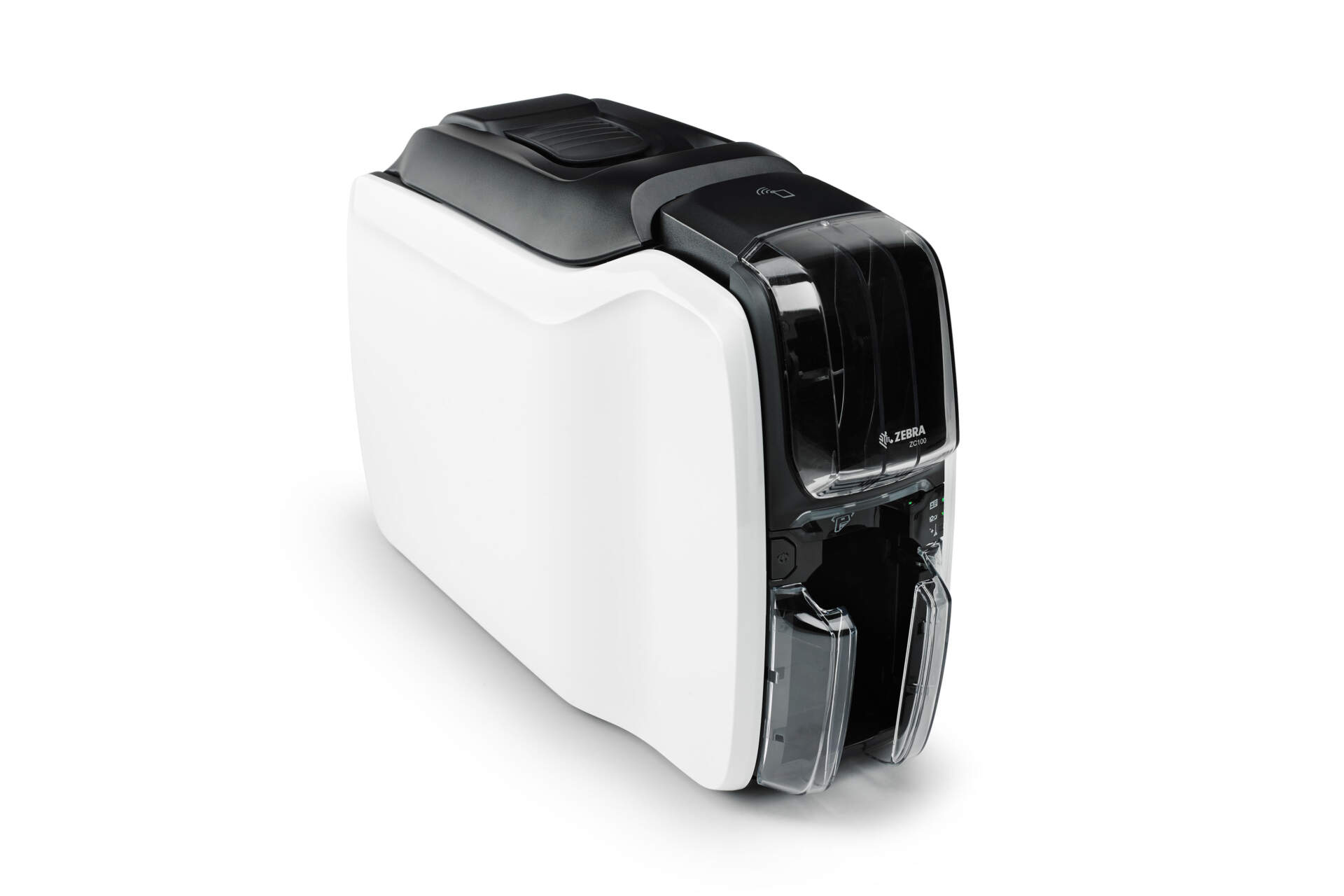
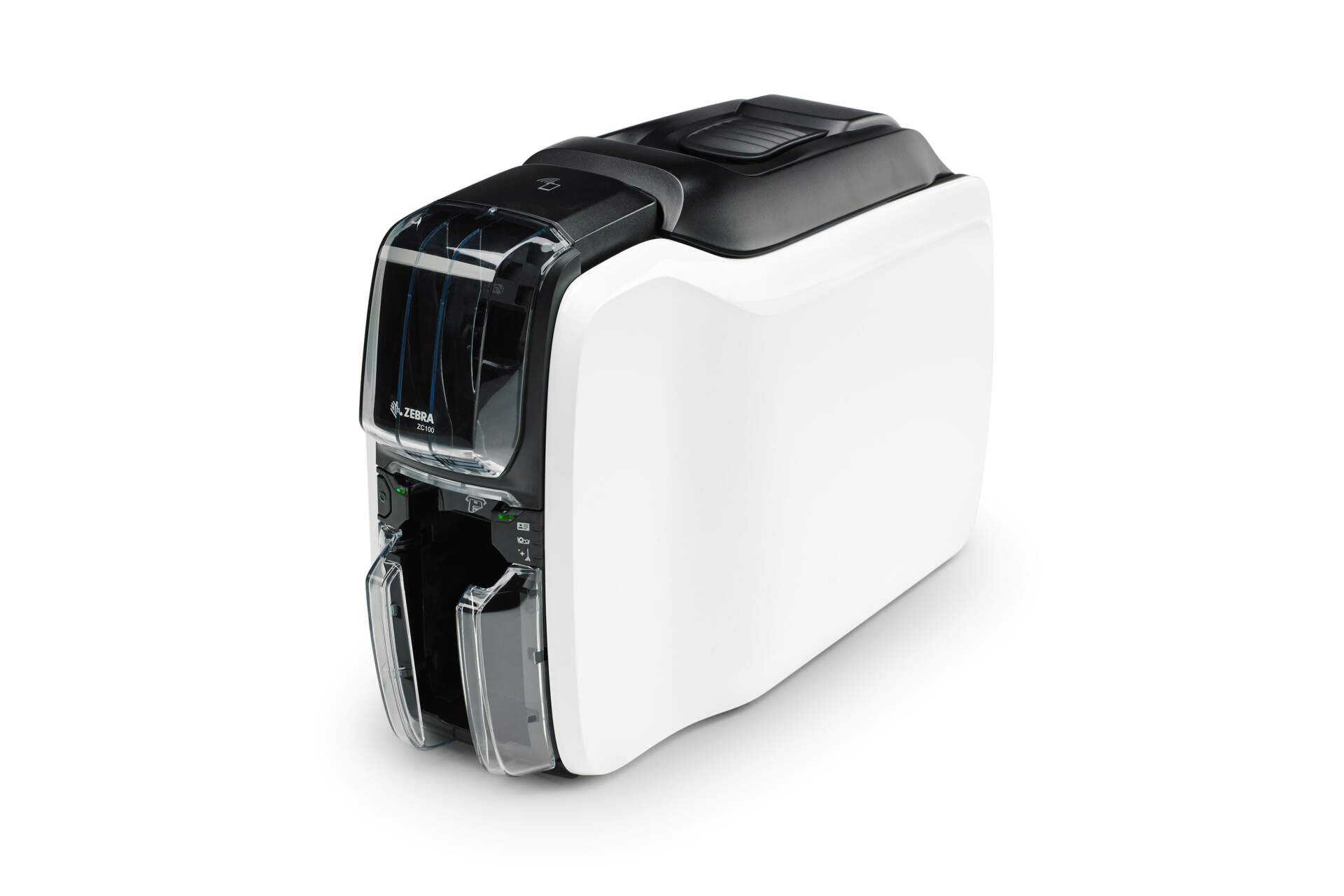
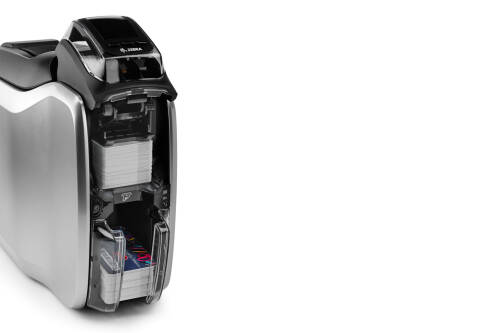
Zebra ZC100 is a single-sided direct-to-card ID card printer for staff badges, membership cards, visitor passes and event cards. It supports USB 2.0, selected Ethernet configurations, self-adjusting card feeding, fool-proof ribbon loading, Print DNA and security features for easy front-desk or office deployment.

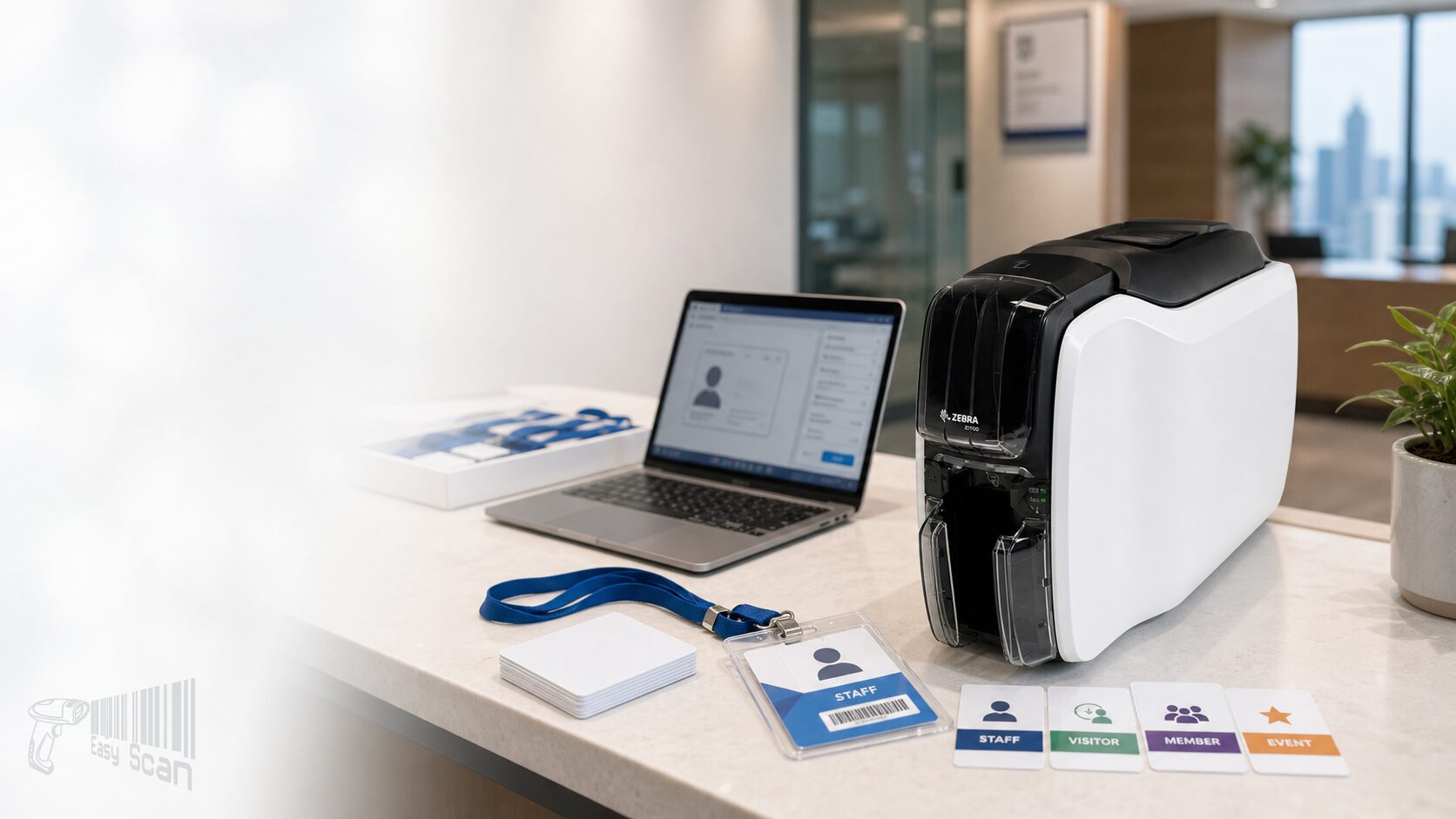
Zebra ZC100 front-desk card issuance hero photo

Zebra ID Card Printer

Zebra ZC100 ID Card Printer

For Hong Kong teams that need to issue employee badges, membership cards, visitor passes and event cards with simple setup, a compact footprint and manageable security controls.

Product Overview

A single-sided card printer for everyday card issuance

The Zebra ZC100 is a single-sided direct-to-card printer for employee badges, membership cards, visitor passes, event cards and front-desk card issuance. For Hong Kong business teams, card printing is rarely only about putting a name and photo on plastic; it also has to fit limited office space, repeated front-line operation and different departments’ approval workflows. ZC100 is positioned as an easy-to-deploy card-printing workstation: USB is standard, some configurations add Ethernet, and the self-adjusting card feeder, one-way ribbon loading, manual-feed lightpipe, Print DNA software and security features help reduce user errors during card loading, ribbon changes, card design and daily issuance.

Quick Fit

Where ZC100 Fits Best

Best fit

Single-sided staff badges, membership cards, visitor passes, event cards and front-desk issuance.

Check first

Whether Ethernet / Wi-Fi, magnetic stripe, contact or contactless encoding integration is required.

May not fit

High-volume dual-sided cards, instant lamination or high-security credential production should be compared against higher-end models.

Good Use Cases

  • Low-to-medium card batches where front-line users need an easy workflow.
  • Limited workspace at reception, HR or membership service counters.
  • USB workstation setup, or selected configurations with Ethernet sharing.

Confirm Before Purchase

  • If magnetic stripe encoding is required, confirm the available configuration or alternative before ordering.
  • If dual-sided printing, lamination or larger credential batches are needed, ZC100 may not be the right class.
  • Card thickness, material, ribbon type and card artwork should be checked together.

Key Features

Card Printing Features Built Around Simple Operation

Plug-and-play setup

Zebra positions ZC100 as a card printer designed for out-of-the-box, low-friction deployment.

Self-adjusting feeder

The feeder self-adjusts to card thickness to reduce manual setup effort.

Fool-proof ribbon loading

Ribbon cartridges insert one way, while smart chips help manage ribbon status.

Compact profile

A slim fit-everywhere design suits front desks, offices and back-room work areas.

Security controls

Supports printer cover lock, encryption and printer-to-host authentication features.

Print DNA support

Works with Zebra Print DNA software for integration, card design and printer support workflows.

Manual-feed guidance

A lightpipe guides users when manually inserting cards.

Connectivity options

USB 2.0 is standard, with selected configurations or options supporting Ethernet / wireless.

Applications

Common Hong Kong B2B Card Printing Uses

01

Staff and visitor badges

HR, office administration, property management and security workflows.

02

Membership and event cards

Clubs, retail, event registration and customer-facing counters.

03

Education and training cards

Student cards, course cards and internal training passes.

04

Access-control support

When encoding is required, verify the reader ecosystem and PN before purchase.

Supplies and Software

Plan Printer, Ribbon, Cleaning and Design Workflow Together

The ZC100 / ZC300 ecosystem includes YMCKO, half-panel YMCKO, monochrome ribbons, cleaning cards and OneCare service PNs. Before ordering, confirm card material, card artwork, photo / barcode / QR needs, expected monthly volume, cleaning routine and the Windows driver / card-design workflow.

Selection Guide

Four Decisions to Prepare Before Enquiry

  1. Confirm card use. Staff badges, membership cards, visitor passes, event cards or access cards affect artwork and encoding needs.
  2. Confirm connectivity. USB workstation, network sharing, Wi-Fi or multi-department use should match the PN and IT model.
  3. Confirm supplies. Full-color, half-panel color, monochrome, card thickness and cleaning supplies should match the real card design.
  4. Confirm configuration availability. If magnetic stripe or a specific connectivity option is needed, check available configurations and alternatives before quotation.

Configuration Comparison

Common ZC100 Configuration Paths

Configuration Best for Procurement note
USB only Single reception, HR or admin workstation. Check the suitable regional cord and deployment configuration before ordering.
USB & Ethernet Workplaces that need network sharing or IT-managed access. Verify network, driver and permission management.
Magnetic stripe Use with existing magnetic stripe reader systems. Confirm available configurations, reader-system compatibility or alternatives first.

Buying Pitfalls

Do Not Order by Printer Model Alone

Ignoring card thickness

Card thickness, material and print quality directly affect output stability.

Wrong ribbon type

Full-color, half-panel color and monochrome ribbons differ in cost and output.

Missing connectivity needs

USB workstation and network sharing require different PN and deployment planning.

Unconfirmed encoding

Magnetic stripe, contact or contactless encoding should be checked against the reader system.

Why Buy from Easy Scan

Model, Supplies and Deployment Checked Together

As a Zebra Premier Solution Partner, Easy Scan can help Hong Kong businesses review ZC100 configuration, Part Number, ribbon / cleaning card selection, driver documentation and front-desk issuance workflow, reducing the risk of ordering the wrong PN or missing supplies.

Specifications

Buyer-Useful Zebra ZC100 Specifications

Product type Single-sided direct-to-card ID card printer
Print technology Dye sublimation thermal transfer direct-to-card printing
Print capability Full-color or monochrome single-sided printing; edge-to-edge card printing
Print resolution 300 dpi / 11.8 dots per mm
Print speed YMCKO approximately 150 cards/hour; monochrome approximately 700 cards/hour
Card types PVC and PVC composite cards
Card size CR80 / ISO 7810 ID-1; CR79
Card thickness 10-40 mil
Input / output capacity Input hopper 100 cards; output hopper 100 cards
Standard connectivity USB 2.0
Optional connectivity 10/100 Ethernet; 802.11ac wireless
Optional encoding Magnetic stripe encoder; Zebra also lists contact / contactless third-party integration kits
Security features Printer cover lock; government-grade encryption; printer-to-host authentication
Software / management Print DNA software; Windows driver graphical user interface; Print Touch NFC tag / QR Code access to online help
Dimensions 258 mm H x 157 mm W x 383 mm D
Weight 3.9 kg / 8.6 lb
Operating environment 15-35°C; 20-80% RH non-condensing
Storage environment 5-25°C; 35-65% RH non-condensing
Electrical 100-240V AC; 50-60Hz

FAQ

ZC100 FAQ

Is ZC100 single-sided only?

Yes. ZC100 is a single-sided direct-to-card printer; compare other Zebra card printer models if dual-sided printing is required.

Does it support network connectivity?

USB 2.0 is standard, and Zebra official material also lists optional Ethernet / wireless. Confirm the available configuration against the IT deployment model before ordering.

What supplies does ZC100 use?

Typical supplies include ZC100 / ZC300 series ribbons, cleaning cards and related service plans. Selection depends on card artwork, print volume and maintenance planning.

Need to Check Whether Zebra ZC100 Fits Your Card-Issuance Workflow?

Tell Easy Scan your card use case, expected volume, connectivity and encoding needs. We can help check the model, PN, ribbon, cleaning cards and deployment notes.

Brand

Zebra

Product Type

Single-sided ID card printer

Series

ZC100 / ZC300 Series

Model

ZC100

Print Technology

Direct-to-card

Card Side

Single-sided

Card Size

CR80 / ISO 7810 ID-1; CR79

Card Thickness

10-40 mil

Connectivity

USB 2.0; selected configurations support Ethernet / wireless options

Suitable Application

Staff badges, membership cards, visitor passes, event cards and front-desk card issuance

Part Number

Use the ZC100 Part Numbers below to check configuration, connectivity, regional power cord and magnetic-stripe options before quotation or ordering.

USB-only configurations

Part Number Description
ZC11-0000000AP00 Printer ZC100, Single Sided, UK/EU/US Cords, USB Only, Windows Driver
ZC11-0000000IN00 Printer ZC100, Single Sided, India Cord, USB Only, Windows Driver
ZC11-0000000TW00 Printer ZC100, Single Sided, Taiwan Cord, USB Only, Windows Driver

USB & Ethernet configurations

Part Number Description
ZC11-000C000AP00 Printer ZC100, Single Sided, UK/EU/US Cords, USB & Ethernet, Windows Driver

Magnetic stripe configurations

Part Number Description
ZC11-0M00000AP00 Printer ZC100, Single Sided, UK/EU/US Cords, USB Only, ISO HiCo/LoCo Mag S/W Selectable, Windows Driver
ZC11-0M0C000AP00 Printer ZC100, Single Sided, UK/EU/US Cords, USB & Ethernet, ISO HiCo/LoCo Mag S/W Selectable, Windows Driver

Accessories / Consumables

When selecting ZC100, check ribbons, cleaning supplies, repair parts and service plans together so supplies and maintenance coverage are aligned before deployment.

Card ribbons

Part Number Description
800300-250AP Ribbon, Color-YMCKO, 58mmx99m(2.28inx324ft), 200 Images, ZC100/ZC300, RoA
800300-250IN Ribbon, Color-YMCKO, 200 Images, ZC100/ZC300, India
800300-254IN Ribbon Multipack, Color-YMCKO, 58mmx99m(2.28inx324ft), 800 Images, ZC100/ZC300, India
800300-270IN Ribbon, Color-1/2 YMCKO, 400 Images, ZC100/ZC300, India
800300-301 Ribbon, Mono -Black, 2000 Images, ZC300/350/ZC100
800300-302 Ribbon, Mono -Red, 1500 Images, ZC100/ZC300
800300-304 Ribbon, Mono -Blue, 1500 Images, ZC100/ZC300
800300-306 Ribbon, Mono -Metallic Gold, 1500 Images, ZC100/ZC300
800300-307 Ribbon, Mono -Metallic Silver, 1500 Images, ZC100/ZC300
800300-309AP Ribbon, Mono -White, 1500 Images, ZC100/ZC300,RoA
800300-309IN Ribbon, Mono -White, 1500 Images, ZC100/ZC300, India
800300-370AP Ribbon, Color-1/2 YMCKO, 400 Images, ZC100/ZC300, RoA

Cleaning kits

Part Number Description
105999-310-01 Cleaning Card Kit (Improved), ZC100/300, 2 Cards
105999-311-01 Cleaning Card Kit (Improved), ZC100/300, 5 Cards
105999-312-01 Cleaning Card Kit (Improved), ZC100/300, 100 Cards

Repair parts

Part Number Description
P1094879-021 Kit, Printer Side Panels, ZC100 (White)
P1094879-049 Kit, Main Logic Board ZC100
P1094879-064 Kit, Feeder Roller ZC100/ZC300
P1094879-065 Kit, Feeder Pusher Base ZC100/ZC300

Zebra OneCare service plans

Part Number Description
Z1AE-ZC1X-300 Zebra OneCare, Essential, Purchased within 30 days of Device, ZC100, 3 Years, Non-Comprehensive
Z1AE-ZC1X-3C0 Zebra OneCare, Essential, Purchased within 30 days of Device, ZC100, 3 Years, Comprehensive
Z1AE-ZC1X-500 Zebra OneCare, Essential, Purchased within 30 days of Device, ZC100, 5 Years, Non-Comprehensive
Z1AE-ZC1X-5C0 Zebra OneCare, Essential, Purchased within 30 days of Device, ZC100, 5 Years, Comprehensive
Z1BE-ZC1X-100 Zebra OneCare, Essential, Pre-Owned, ZC100, 1 Years, Non-Comprehensive
Z1BE-ZC1X-1C0 Zebra OneCare, Essential, Pre-Owned, ZC100, 1 Years, Comprehensive
Z1BE-ZC1X-300 Zebra OneCare, Essential, Pre-Owned, ZC100, 3 Years, Non-Comprehensive
Z1BE-ZC1X-3C0 Zebra OneCare, Essential, Pre-Owned, ZC100, 3 Years, Comprehensive
Z1RE-ZC1X-100 Zebra OneCare, Essential, Renewal, ZC100, 1 Years, Non-Comprehensive
Z1RE-ZC1X-1C0 Zebra OneCare, Essential, Renewal, ZC100, 1 Years, Comprehensive
Z1RE-ZC1X-200 Zebra OneCare, Essential, Renewal, ZC100, 2 Years, Non-Comprehensive
Z1RE-ZC1X-2C0 Zebra OneCare, Essential, Renewal, ZC100, 2 Years, Comprehensive

Resources

Certificates

Easy Scan can help Hong Kong businesses check Zebra ZC100 model, Part Number, supplies, documents and deployment context to reduce mismatch risk across configuration, ribbons and connectivity.


View Easy Scan certificate page

Video

Use these card-printer family videos to review ZC100 selection, setup, daily operation, cleaning and basic troubleshooting workflows.

Zebra: ZC100/ZC300/ZC350 Card Printer OverviewPlayZebra: ZC100/ZC300/ZC350 Card Printer OverviewProduct overview for ZC100 positioning, desktop fit and card-printing workflow.Zebra ZC100/300 Series How To: Getting StartedPlayZebra ZC100/300 Series How To: Getting StartedInitial setup reference for new operators and front-desk users.ZC100 / ZC300 Product Design HighlightsPlayZC100 / ZC300 Product Design HighlightsDesign highlights for compact placement, ribbon handling and daily use.Zebra ZC100 / ZC300 Card Printer Product User Interface HighlightsPlayZebra ZC100 / ZC300 Card Printer Product User Interface HighlightsUser-interface overview for operating and support discussions.Zebra ZC100/300 Series How To: Must-Have Components for Effective Card Printing | ZebraPlayZebra ZC100/300 Series How To: Must-Have Components for Effective Card Printing | ZebraComponent checklist for card-printing setup and supplies planning.Zebra ZC100/300 Series How To: Loading CardsPlayZebra ZC100/300 Series How To: Loading CardsCard-loading reference for daily operation training.Zebra ZC100/300 Series How To: Loading RibbonPlayZebra ZC100/300 Series How To: Loading RibbonRibbon-loading reference to reduce replacement mistakes.Zebra ZC100/300 Series How To: Manual Feed CardsPlayZebra ZC100/300 Series How To: Manual Feed CardsManual-feed workflow for occasional single-card handling.Zebra ZC100/300 Series How To: Clearing a Card JamPlayZebra ZC100/300 Series How To: Clearing a Card JamCard-jam recovery reference for front-line support checks.Zebra ZC100/300 Series | Printer Cleaning Guide | ZebraPlayZebra ZC100/300 Series | Printer Cleaning Guide | ZebraCleaning workflow for routine maintenance planning.Zebra ZC100/300 Series How To: Printing a Test CardPlayZebra ZC100/300 Series How To: Printing a Test CardTest-card workflow for setup and print-quality checks.Zebra ZC100/300 Series How To: Retrieving a Rejected CardPlayZebra ZC100/300 Series How To: Retrieving a Rejected CardRejected-card retrieval reference for everyday troubleshooting.Zebra ZC100/300 Series How To: Feeder Roller ReplacementPlayZebra ZC100/300 Series How To: Feeder Roller ReplacementFeeder-roller replacement reference for service planning.Zebra ZC100/300 Series How To: UnpackingPlayZebra ZC100/300 Series How To: UnpackingUnpacking reference before installation or handover.Zebra ZC100/300 Series How To: Packing the PrinterPlayZebra ZC100/300 Series How To: Packing the PrinterPacking reference for return, relocation or service handling.New Multi-pack Ribbons for Zebra's ZC100 & ZC300 Series Card Printers | ZebraPlayNew Multi-pack Ribbons for Zebra's ZC100 & ZC300 Series Card Printers | ZebraRibbon packaging reference for supply planning.

FAQ

What cards is ZC100 suitable for?

It suits single-sided staff badges, membership cards, visitor passes, event passes and other CR80 / CR79 card-printing workflows. If encoding, access-control integration or dual-sided printing is needed, confirm the configuration first.

Does ZC100 support Ethernet or Wi-Fi?

USB 2.0 is standard; local PN data includes USB & Ethernet configurations, and Zebra official material lists optional Ethernet / wireless. Confirm the exact available configuration before ordering.

Can ZC100 support magnetic stripe?

Zebra official material lists an optional magnetic stripe encoder. If magnetic stripe is required, check available configurations, reader-system compatibility or alternatives before ordering.

What supplies does ZC100 need?

Typical supplies include ZC100 / ZC300 series color or monochrome ribbons, cleaning cards and suitable PVC / PVC composite cards. Selection depends on artwork, volume and maintenance planning.

Is ZC100 suitable for high-volume credential production?

ZC100 is best for entry-level to everyday single-sided card printing. For high-volume, dual-sided, lamination or higher-security credential workflows, compare higher-end Zebra card printer models.

How can Easy Scan help?

Easy Scan can help check model, Part Number, ribbon, cleaning cards, official documents and Hong Kong B2B card-issuance workflow, then recommend a suitable configuration.

Leave Your Message

    Go to Top